フォームを作成することは、かつてはテンプレートを選び、フィールドをドラッグし、レイアウトを一つ一つ調整することを意味していました。
今ではそれが必要なくなりました。
AIを活用したフォーム生成により、必要なものを平易な言葉で説明するだけで、システムがフォームの構造を構築してくれます。
このガイドでは、PlatoForms AIフォームジェネレーターがどのように機能するか、いつ役立つか、テンプレートやカスタムウェブフォーム、記入可能なPDFとどのように組み合わせるかを紹介します。
AIフォームジェネレーターとは?
AIフォームジェネレーターは、意図を説明することでフォームを作成できるツールです。すべてのフィールドを手動で構築する必要はありません。
次のような質問をする代わりに:
- 「どのフィールドタイプを追加すべきか?」
- 「このフォームには何ページ必要か?」
- 「これは会話型かクラシックか?」

欲しいフォームをただ説明するだけです。
PlatoForms AIは自動的に:
- 関連するフィールド(テキスト、ドロップダウン、チェックボックス、日付、署名)を提案
- クリーンで編集可能なフォームレイアウトを構築
- 説明に基づいて構造を適応
あなたはコントロールを保ちながら、繰り返しの設定作業を省略できます。
AIフォーム生成が有効な場面
AI生成されたフォームは次のような場合に最適です:
- ゼロから始めるとき
- 目標はわかっているが、正確な構造はまだ決まっていないとき
- スピードがピクセルパーフェクトなデザインよりも重要なとき
- 公開後に繰り返し改善する予定があるとき

一般的な例:
- 従業員のオンボーディングフォーム
- パフォーマンス評価
- リードインテークフォーム
- アンケートや内部チェックリスト
- 登録または申請フォーム
すでにデザインされたPDFがある場合でも、AIは役立ちますが、異なる出発点が必要な場合があります(以下で詳しく説明します)。
ステップバイステップ:PlatoForms AIでフォームを生成する
ステップ1:新しいウェブフォームを開始
ダッシュボードから、Start to Build → Web Formをクリックします。
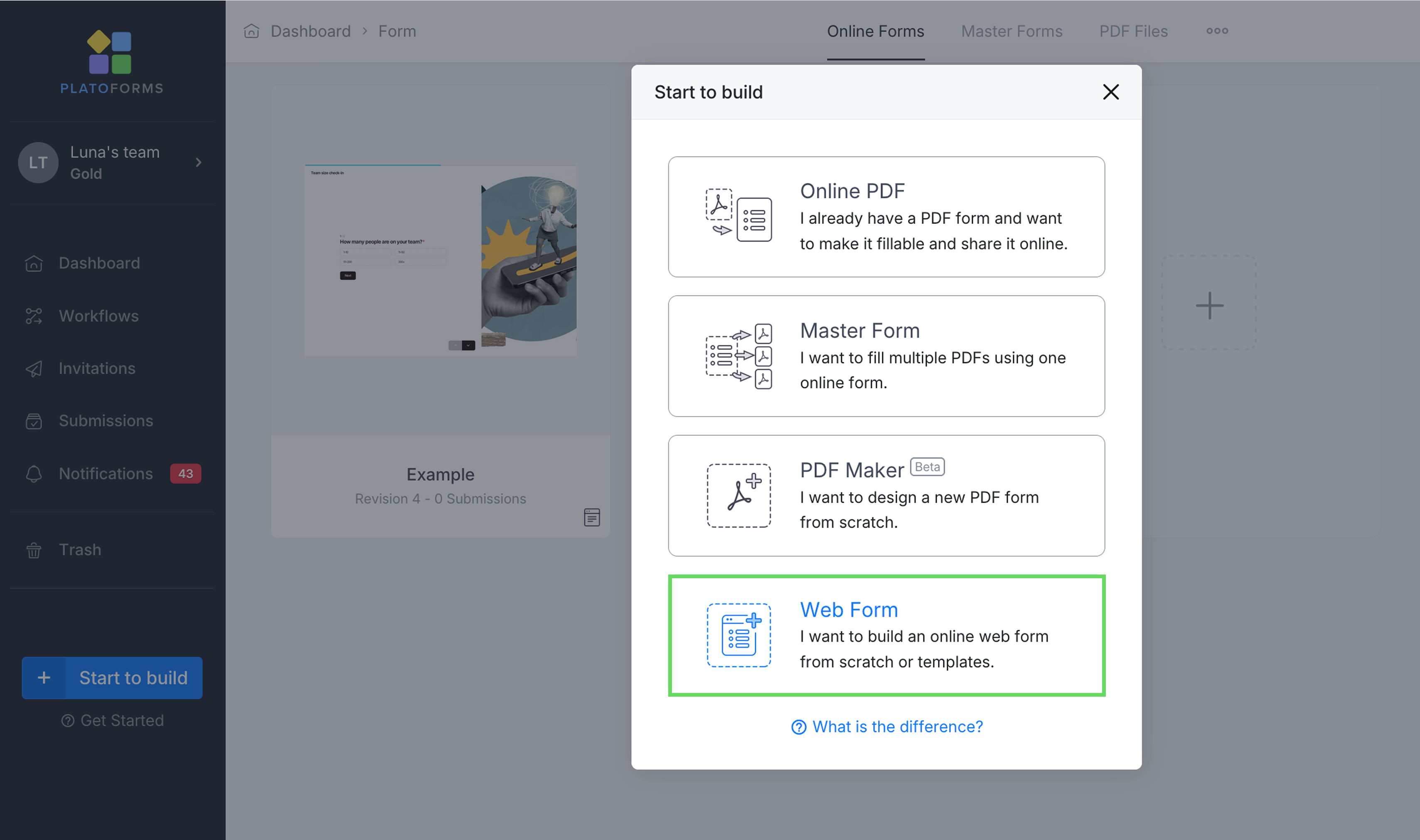
次の選択ができます:
- クラシックフォーム(すべての質問が1ページに)
- 会話型フォーム(1つの質問を1度に)
- またはテンプレートから開始
クラシックと会話型のレイアウトは後で切り替えることができます。
ステップ2:フォームを平易なテキストで説明
フォームビルダー内でAI入力バーが表示されます。
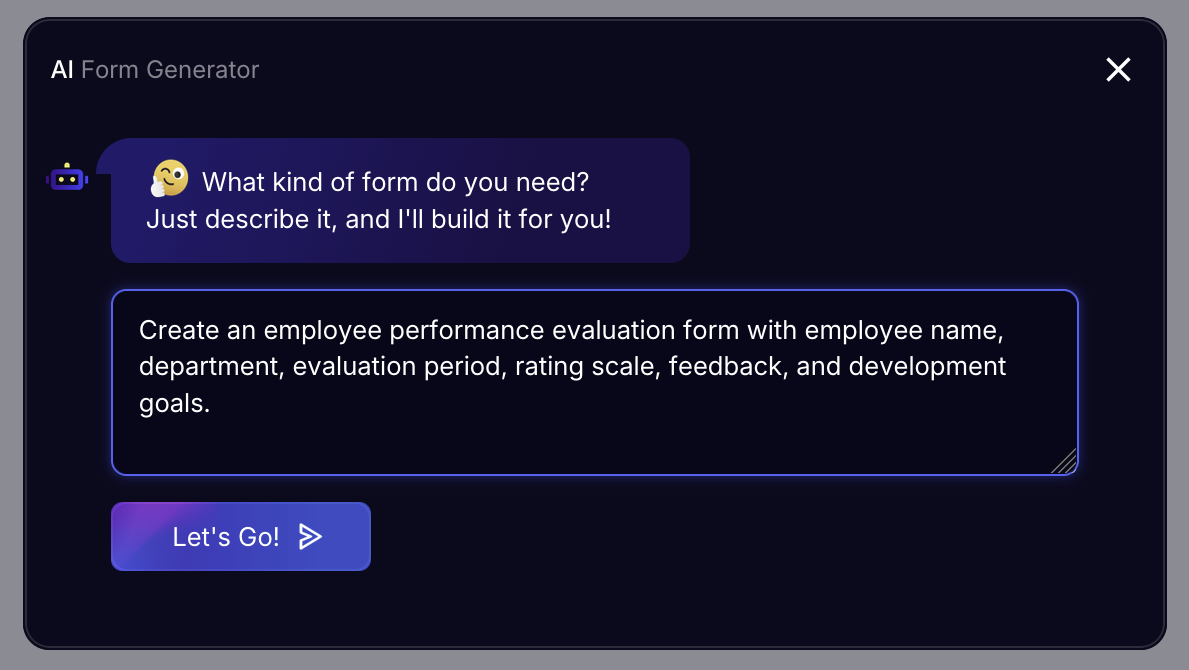
次のように入力します:
「従業員のパフォーマンス評価フォームを作成し、従業員名、部署、評価期間、評価スケール、フィードバック、開発目標を含める。」
プロのヒント:具体的に指示するほど(例:「署名フィールドを追加」)、AIは初期のドラフトをより良く構造化できます。
Let’s Goをクリックします。
ステップ3:フォームの長さとレイアウトを選択
AIは次の選択を求めます:
- 短い – 最小限のフィールド
- 標準 – バランスの取れた構造
- 拡張 – 詳細な評価
次に選択します:
- クラシックレイアウト
- または会話型レイアウト(チャットスタイル)
Continueをクリックします。
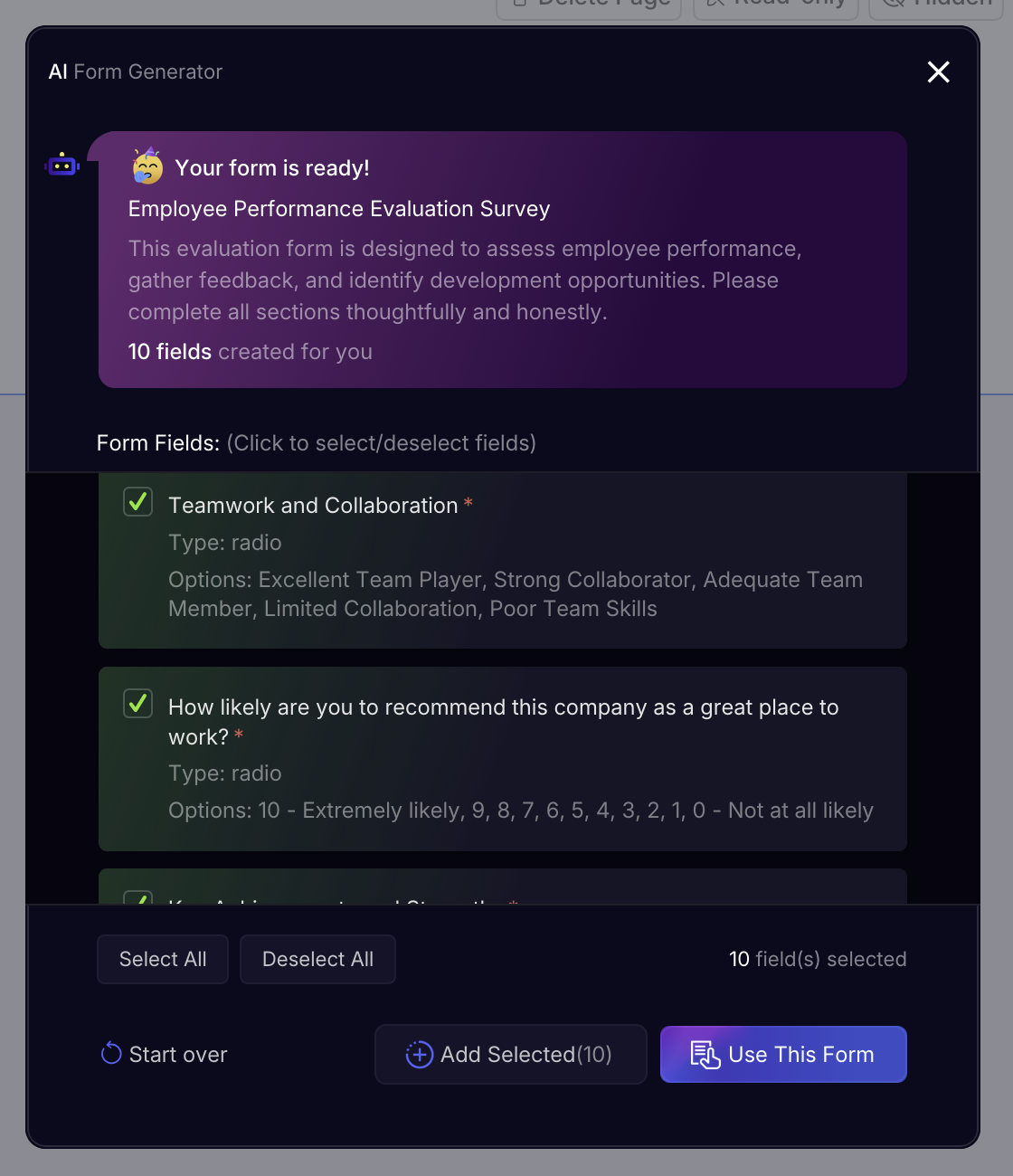
ステップ4:AIの提案を確認し調整
フォームが生成されたら、次のことができます:
AIは80%まであなたをサポートします—残りは微調整してください。
ステップ5:公開して共有
編集後:
- フォームを公開
- リンクまたはQRコードで共有
- ウェブサイトに埋め込む
- 1つのダッシュボードで提出を収集
AIフォームとテンプレート:どちらを使うべきか?
AIフォームとテンプレートは競合するものではなく、異なる問題を解決します。
| 使用ケース | AIフォームジェネレーター | テンプレート |
|---|---|---|
| 出発点 | 迅速で柔軟な出発点を求めるとき | 実績のある既製の構造を求めるとき |
| フォームタイプ | ユニーク、内部、またはカスタムワークフロー | 一般的なフォーム(RSVP、アンケート、寄付、HR) |
| 設定の手間 | 説明から生成される最小限の設定 | すでに構造化されている最小限の編集 |
| 発見 | テンプレートカテゴリを閲覧する必要なし | カテゴリ化されたテンプレートから選択 |
| カスタマイズ | 大幅なカスタマイズを計画している場合に最適 | 軽微な編集のみが必要な場合に最適 |
| 発表までの時間 | 数分で、繰り返し改善 | 即時、ほぼプラグアンドプレイ |

AIでフォームを生成し、後で再利用可能なテンプレートに変えることもできます。
PDFについてはどうか?AIの役割
AIフォーム生成はオンラインウェブフォームに最適です。
すでにPDFがある場合、PlatoFormsは2つの追加のパスを提供します:
1. PDFを記入可能なフォームに変換(デザインを保持)
- PDFをアップロード
- 元のレイアウト、フォント、フォーマットを保持
- AIがフィールドを自動検出
- ユーザーがオンラインで記入
2. PDFをカスタムウェブフォームに変換
- PDFをコンテンツ参照として使用
- モバイルフレンドリーなウェブフォームに再設計
- AI生成フィールドとモダンなUXを組み合わせる
AIはどちらのフローでも役立ちますが、結果は異なります。
AIフォーム生成の制限(できないこと)
AIは強力ですが、魔法ではありません。
次のことはできません:
- あなたの会社の内部ポリシーを知ること
- 特定の分野の判断を置き換えること
- 高度にブランド化されたレイアウトを自動的にデザインすること
- 設定なしで複雑なワークフローを処理すること
そのため、PlatoFormsは次のものを組み合わせています:
- AI生成
- 手動編集
- テンプレート
- ワークフロー
- 記入可能なPDF
それにより、各仕事に最適なツールを選択できます。
すべてをまとめる:柔軟なフォームワークフロー
多くのチームはPlatoFormsを次のように使用します:
- AIフォームジェネレーターで開始
- 手動編集で微調整
- 必要に応じて会話型モードに切り替え
- テンプレートとして再利用
- 提出をPDFとしてエクスポート
この柔軟性が本当の利点です。
試してみる準備はできましたか?
- AIでフォームを生成 → AIフォームジェネレーターガイド
- 既製のテンプレートを閲覧 → テンプレートギャラリー
- 既存のPDFを変換 → 記入可能なPDFフォーム
- ゼロからフォームをデザイン → カスタムウェブフォーム
AIはあなたをより速く動かします。
PlatoFormsはあなたを前進させます—一つの作業方法に縛られることなく。