
Find trending topics and quick answers here
Hi, how can we help?
How do I identify the Field ID
Question
How do I identify the Field ID?
Answer
What is Field ID? The Field ID is a unique identifier that helps distinguish fields, making it easier to locate the one you want to edit.
How to find this ID?
In web forms:
-
Open the form builder by selecting a specific form from the Dashboard.
-
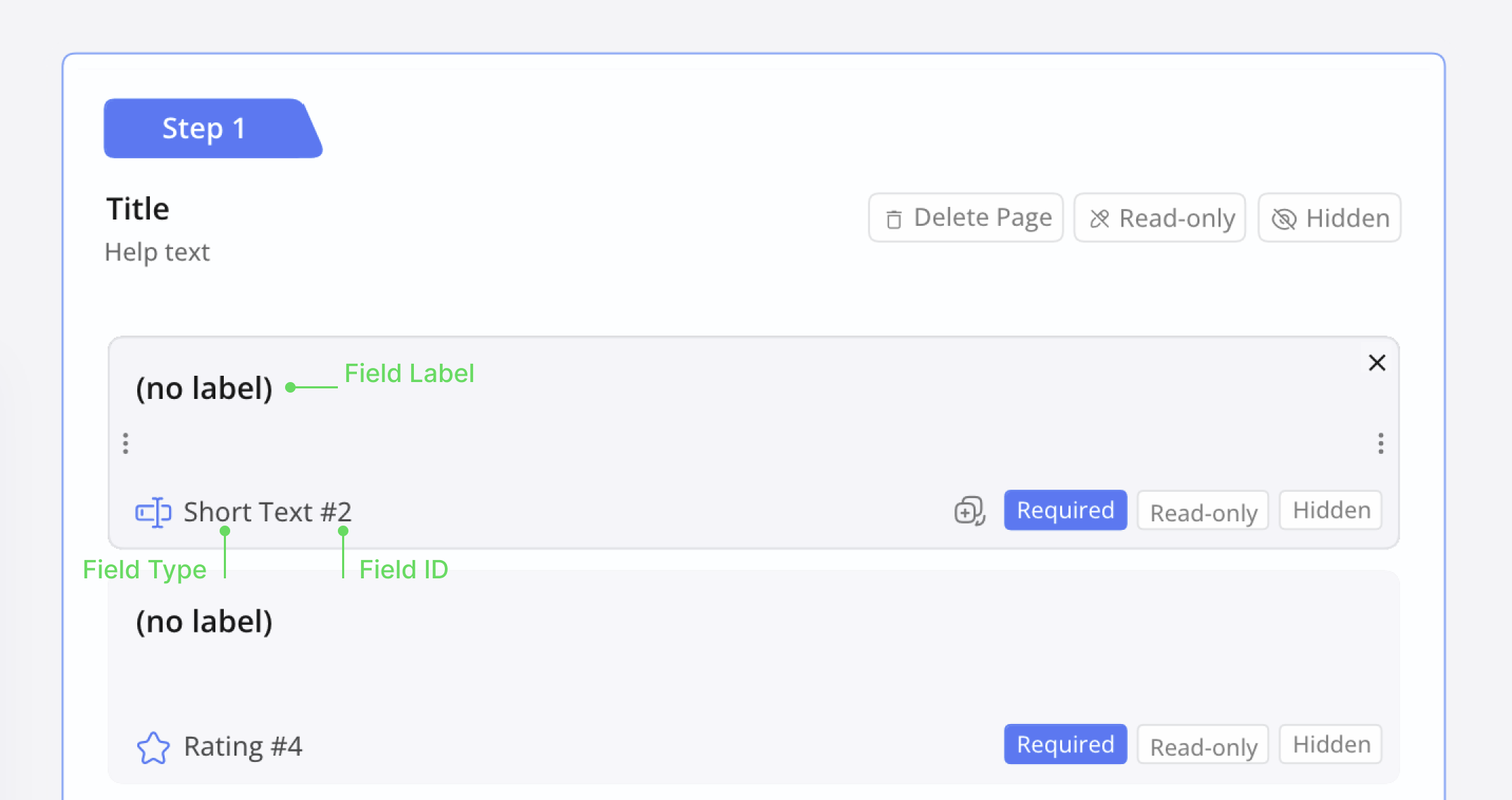
In the form builder, hover over a specific field widget on the left.
-
Find the Field ID in the highlighted field widget.
Each field is assigned an ID, which usually appears as a number following the field type. For example, as shown in the image, in “Single Line Text #2”, the “2” is the Field ID.
In a PDF fillable form:
-
Open the form builder by selecting a specific form from the Dashboard.
-
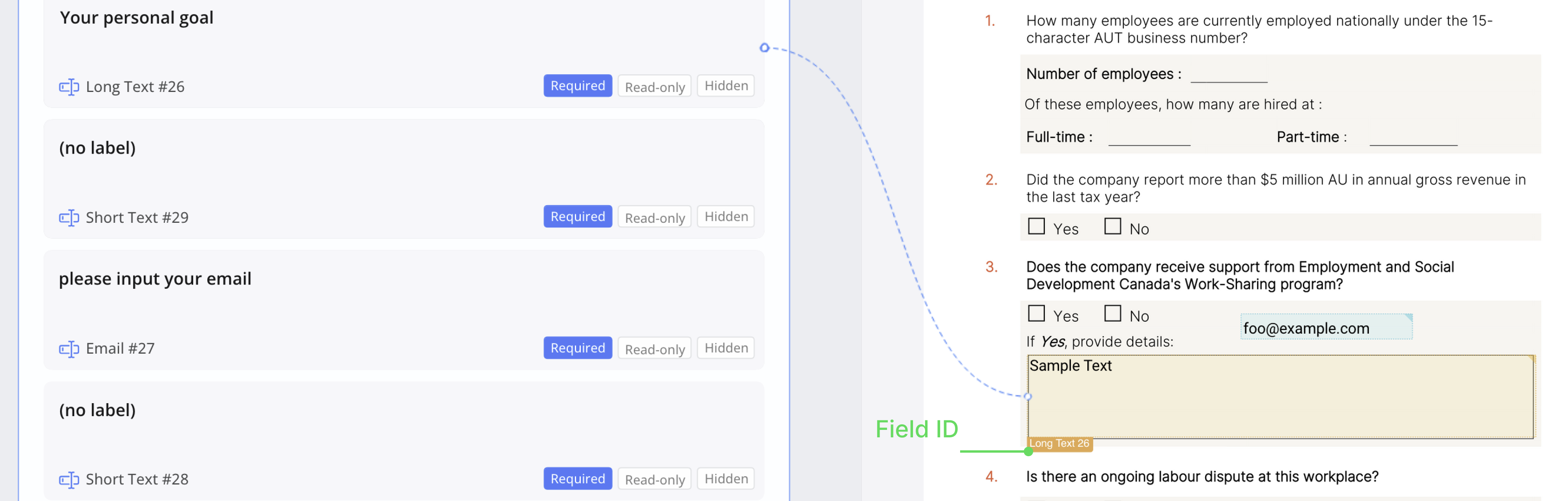
In the form builder, move your cursor to the PDF Form Area on the right.
-
When you hover over a specific field, the Field ID will be displayed.
Have more questions? Visit our FAQs page or contact us.