
Find trending topics and quick answers here
Hi, how can we help?
How to configure a form to send submissions to an email address based on user input
Question
How to configure a form to send submissions to an email address based on user input?
Answer
You can assign text input fields or dropdown fields as notification recipients.
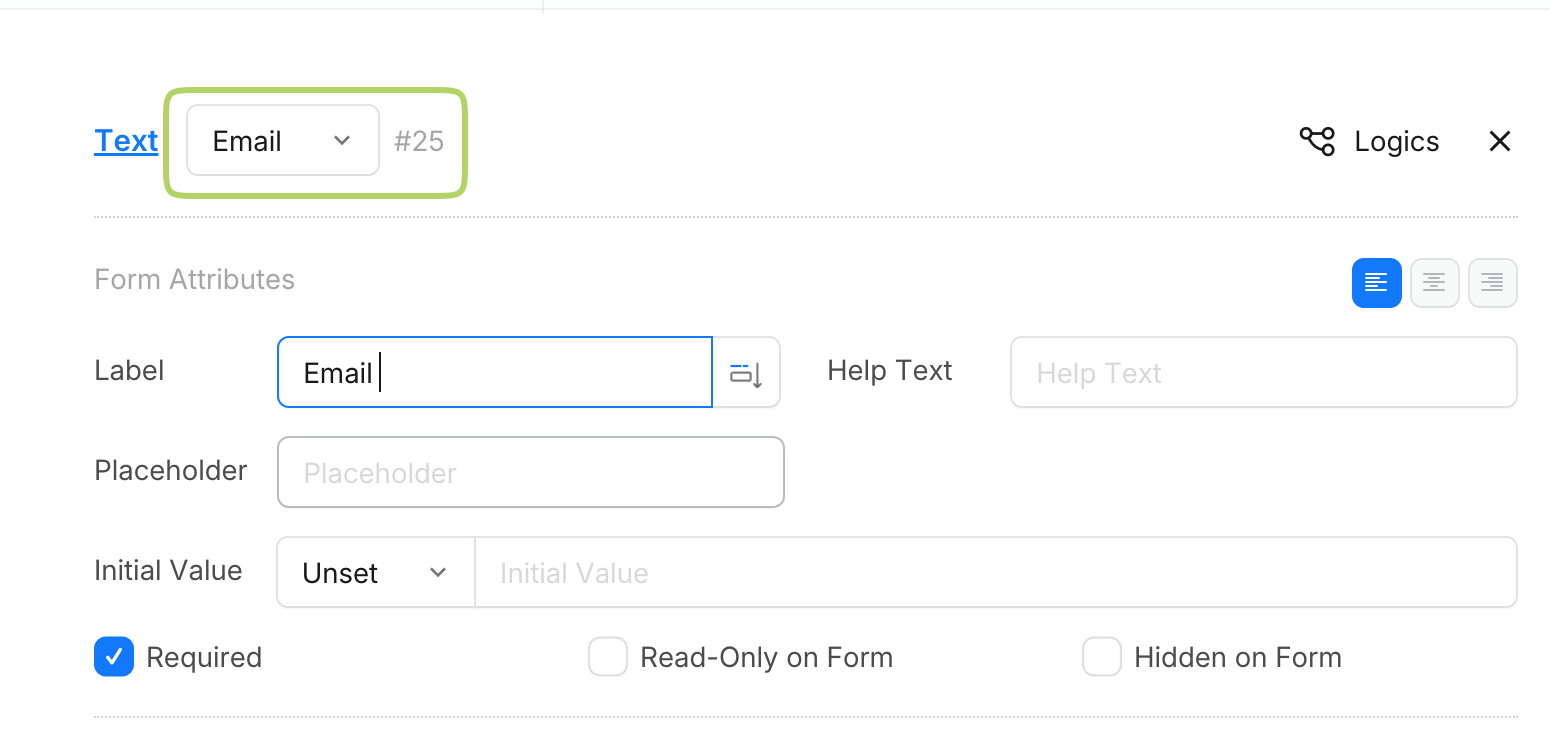
For the text field, use an Email type field to ensure the input value is a valid email address.
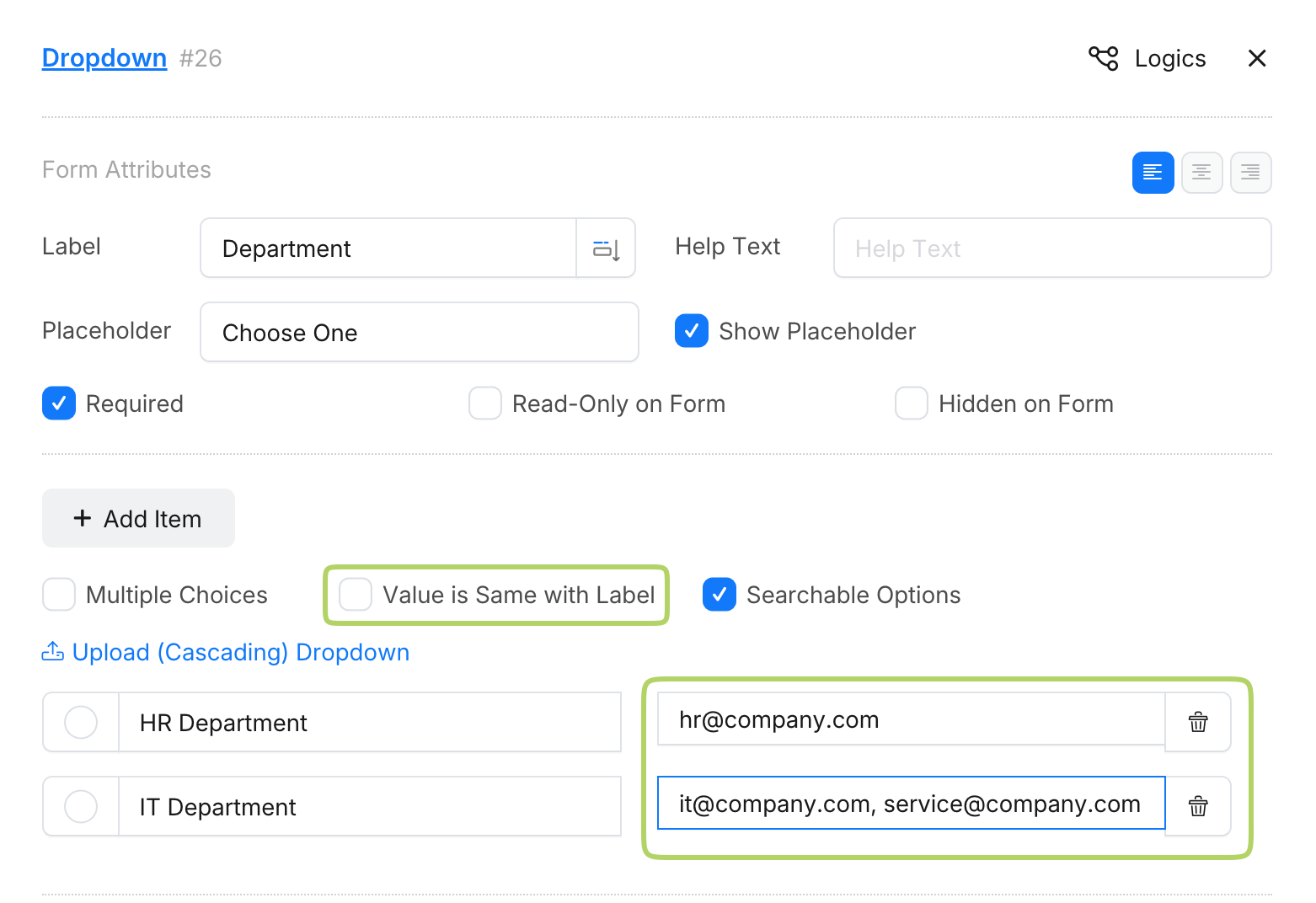
For the dropdown, add items with email addresses. If you prefer not to expose the email addresses to the end user, disable the Value is same with label option. Then, input a user-friendly label and set the email as the dropdown value. Note that you can include multiple values in one item, separated by commas.
Finally, configure your form’s notification settings to use the designated text or dropdown field as the recipient email address. This way, when the form is submitted, the email will be sent to the address specified in these fields.
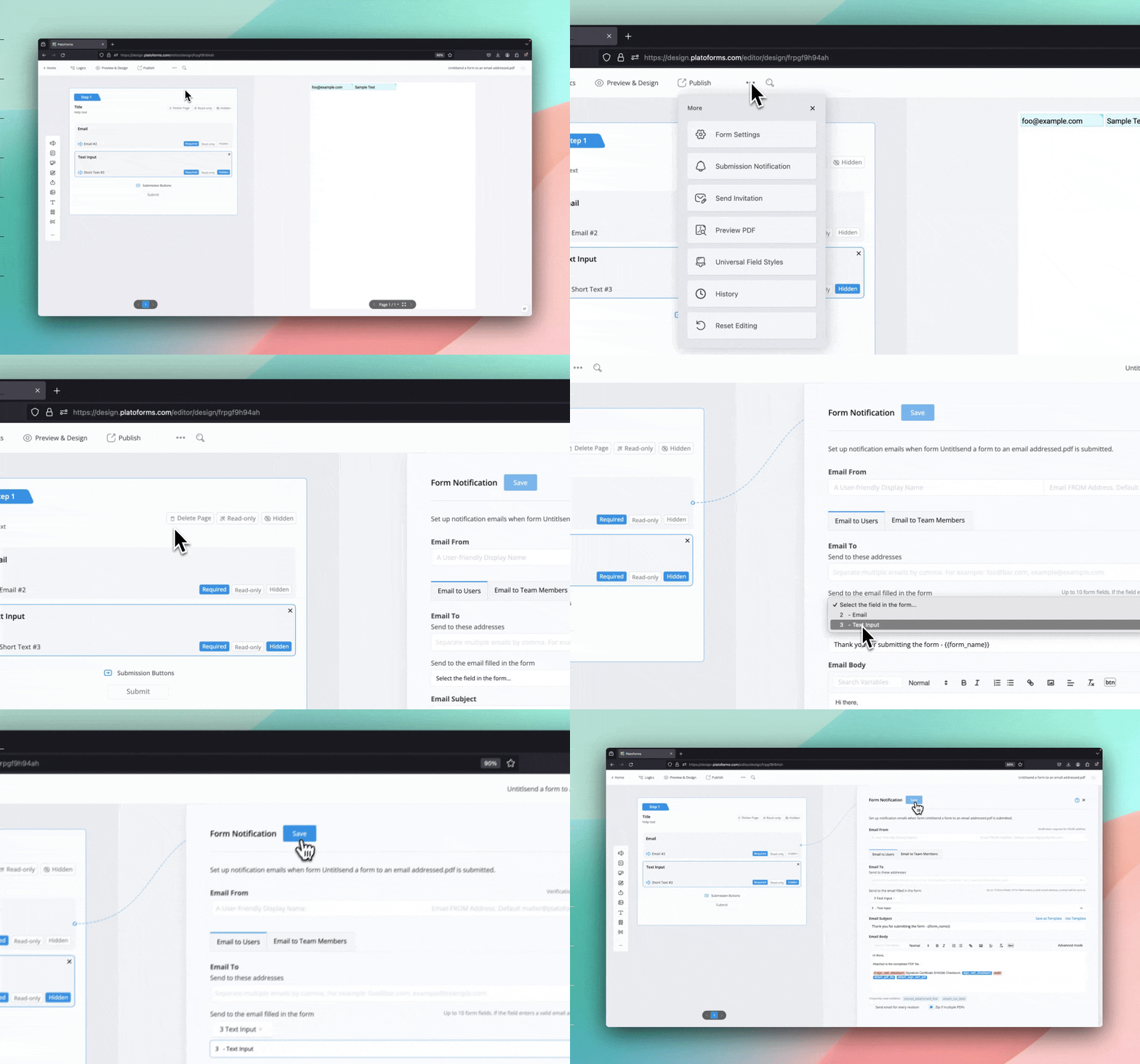
For more detailed instructions and additional information, please refer to the documentation: Configure Form Notification - Email to Users.
Have more questions? Visit our FAQs page or contact us.