
Find trending topics and quick answers here
Hi, how can we help?
How to erase all submission data at once?
Question
Can I delete all submission data in PlatoForms at once?
Answer
Yes. Team Admins can permanently delete all submission data across the team using the Erase All Submissions feature.
This is useful for teams with strict compliance policies or when you need a fresh start.
Once erased, all submission records are deleted permanently and cannot be recovered, but your forms themselves will remain safe and unaffected.
How to erase all submissions
-
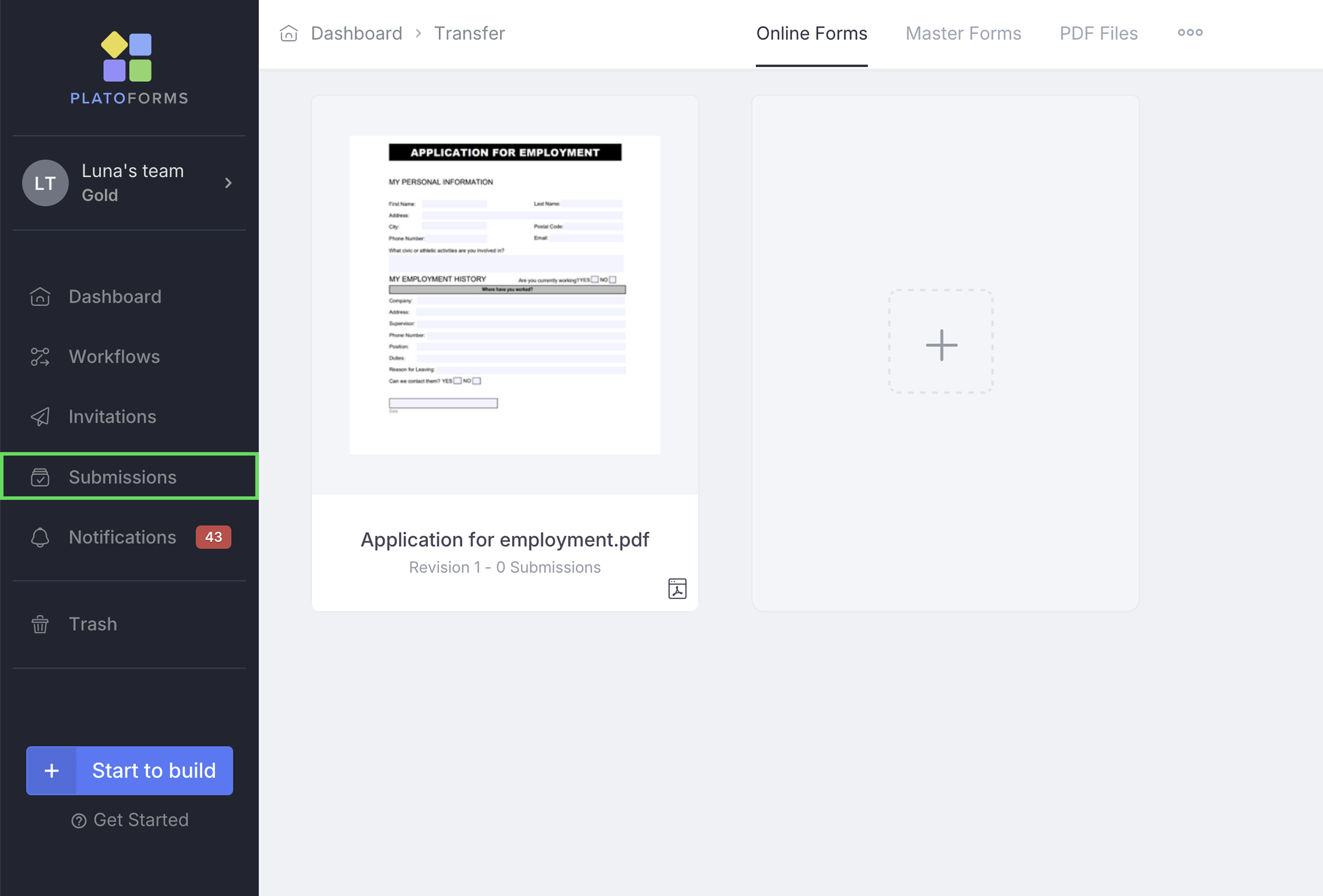
Go to Submissions in the left sidebar.
-
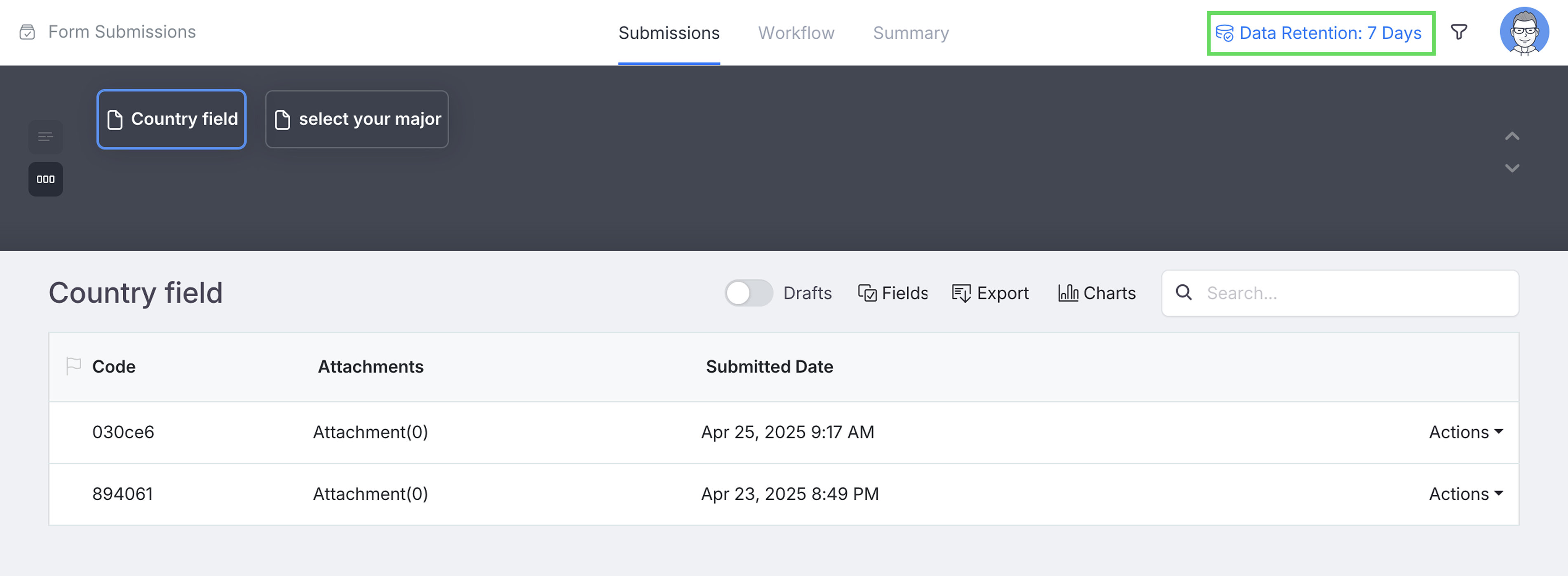
Click Data Retention in the upper-right corner.
-
In the pop-up window, select Erase All Submissions.

-
Confirm the deletion by clicking Confirm.
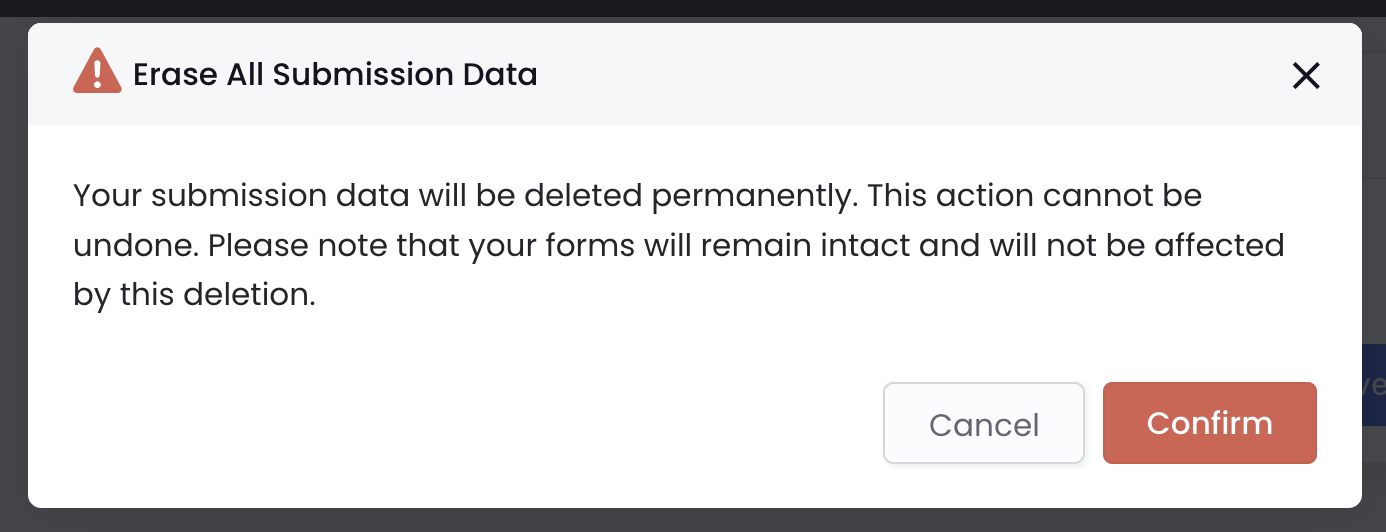
After confirmation, PlatoForms will permanently remove all submission data within minutes.
Notes
If you just want to control how long data is kept, see Change data retention period.
Need More Help?
Check out our full FAQs page or contact support for assistance.