Data retention policy
On this page
This article explains how PlatoForms stores, retains, and deletes your form submission data, and how you can control it to fit your team’s needs.
Data retention policy
-
What is data retention policy
Data retention policy is about how data is stored and deleted for legal or compliance reasons. A basic policy should explain how data is stored, for how long, and on what systems. This usually depends on industry regulations.
At PlatoForms, your form data is protected by strict security standards, and you can decide exactly how long to keep it.
-
What data retention offers
When you retain your data, you get to enjoy our helpful features for the entire retention period. These include the ability to edit forms, keep track of changes, download PDFs, and easily find and share your PDF documents.
-
How long your data will be retened
At PlatoForms, we care about keeping your form data safe, which might include sensitive customer info.
By default, each submission is kept for 3 months after it was last updated, then permanently deleted, even while the form keeps receiving new submissions. When you subscribe to a paid plan for the first time, an unchanged 3-month setting becomes Forever. But, we’re flexible. You can choose your own retention time that suits your needs. For more details, see Account-specific retention time.
NoteIf your paid plan ends, your data retention setting stays as it is for 1 year. After that, the free plan’s 3-month retention applies and older submissions are permanently deleted. We email the account owner when the plan ends, and again 30 days and 7 days before anything is deleted. Renewing your plan before that date keeps all your submissions.
-
Who can change the retention period
Our data storage rules apply to all your team’s forms, and only the Team Admin can change them.
NoteWhen you create an account, you are automatically the Team Admin for your own team.
-
How PlatoForms delete data
When a submission is around longer than our set storage time, we delete everything related to it, like PDFs and attachments, including the PDF of the answers of a Web Form. It’s done securely and permanently to protect your info. With a 0-day retention, a submission is deleted only after at least one of its files has reached your cloud drive.
-
When you delete the data
It might take up to 24 hours for us to remove old submission data from PlatoForms.
-
This feature lets you permanently delete all submission data in one click: ideal for teams with strict data privacy rules or when cleaning up large datasets.
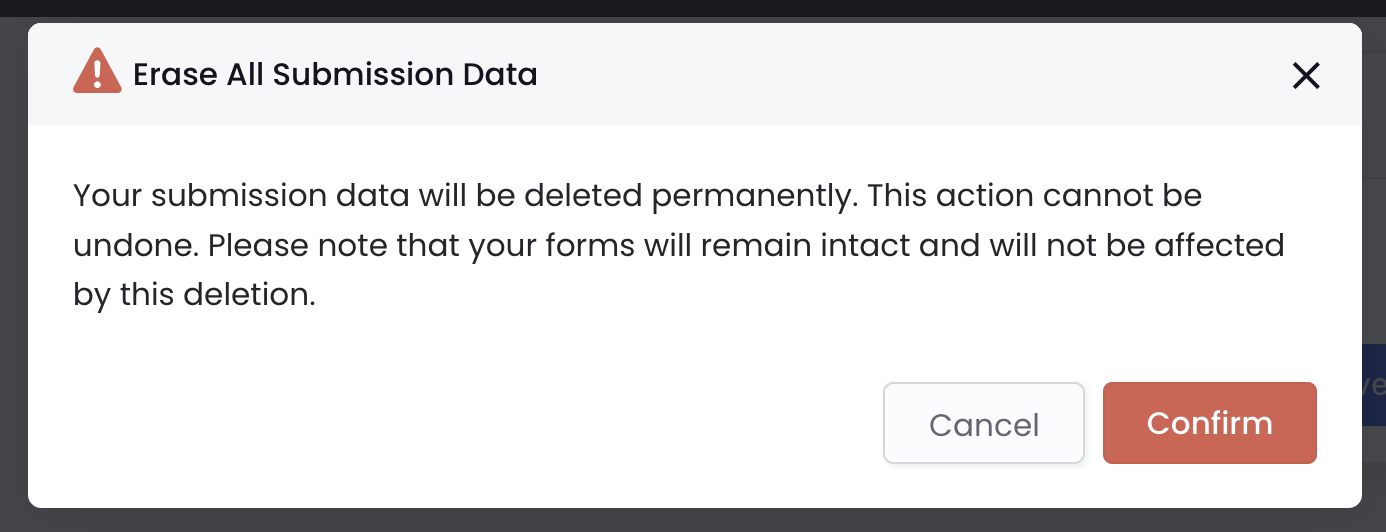
WarningOnce erased, submission data cannot be recovered. Your forms remain intact and will not be deleted.
Account-specific retention time
For detailed information on retention periods based on different account types, please refer to the account-specific details.
| Account | Retention period | Description |
|---|---|---|
| Newly registered | Default: 3 months. | On a free plan or trial. A first paid subscription changes an unchanged 3-month setting to Forever. |
| Trial or free plan | Fixed at 3 months, non-adjustable. After a paid plan ends, your previous setting is kept for 1 year first. | / |
| Premium plans | Choose your retention period:
|
|
| HIPAA-compliant | Set to “Forever” when HIPAA is turned on. The Team Admin can shorten it afterwards, after confirming a warning (“Shorten Data Retention”). | To meet HIPAA standards, establish an in-house backup policy. If you use electronic signatures, choose “Forever” retention so the signed PDF stays with its certificate. A copy of each signature certificate and its timeline is kept for seven years regardless of this setting. |
An account that follows HIPAA rules for secure handling of health data. This ensures patient confidentiality and data privacy. Check Ensure HIPAA compliance for more info.
Change data retention period
You choose how long we keep your data, from 0 days to forever. To set it:
-
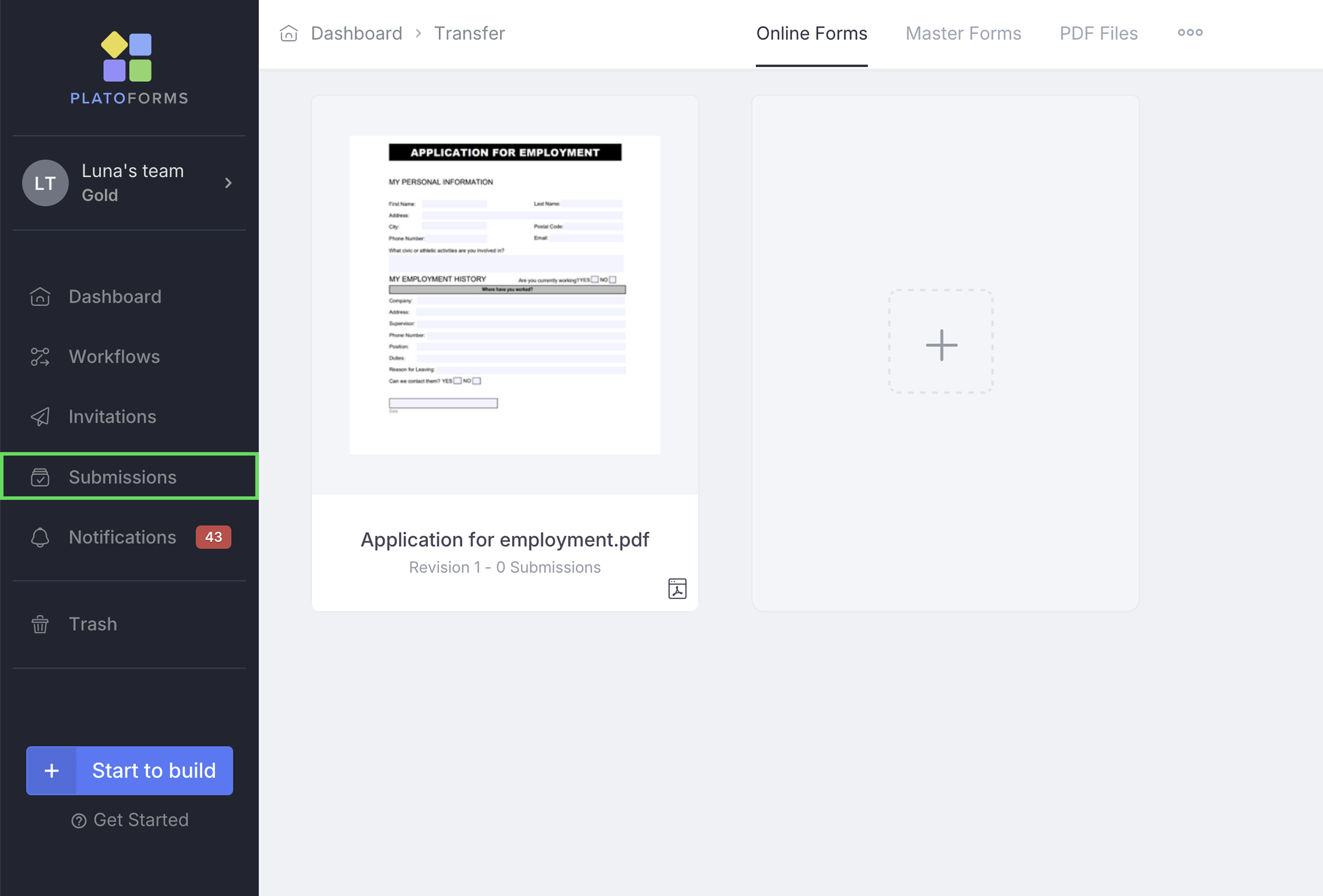
Go to the Dashboard and click on Submissions in the left navigation.
-
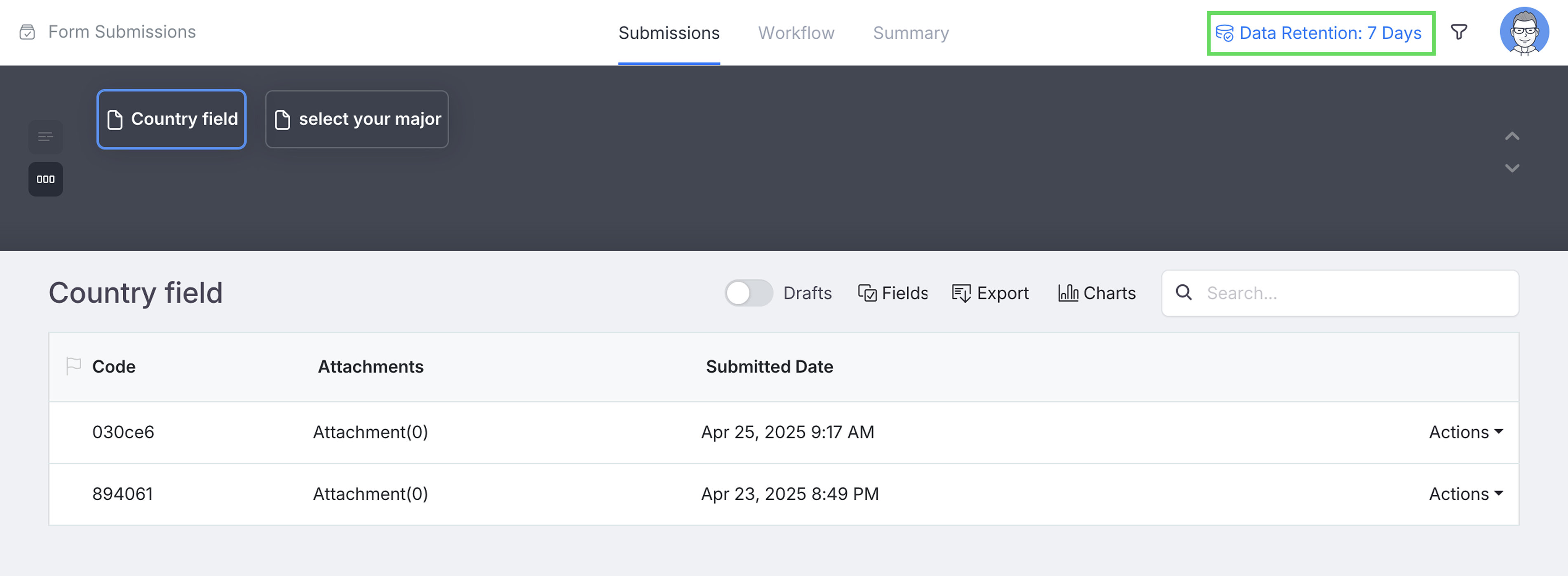
At the top-right of the Submissions page, click Data Retention to open the system-wide data retention settings.
-
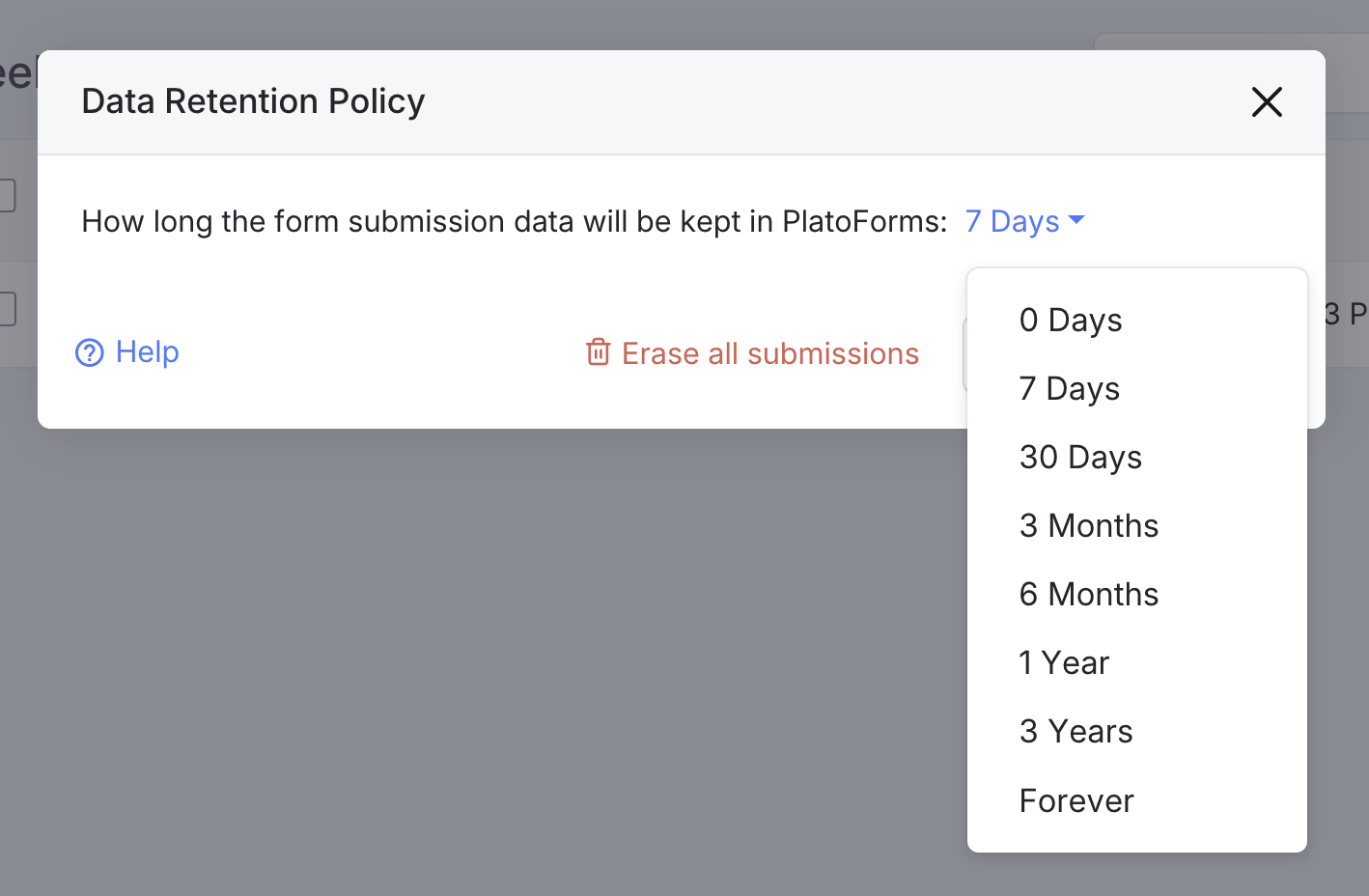
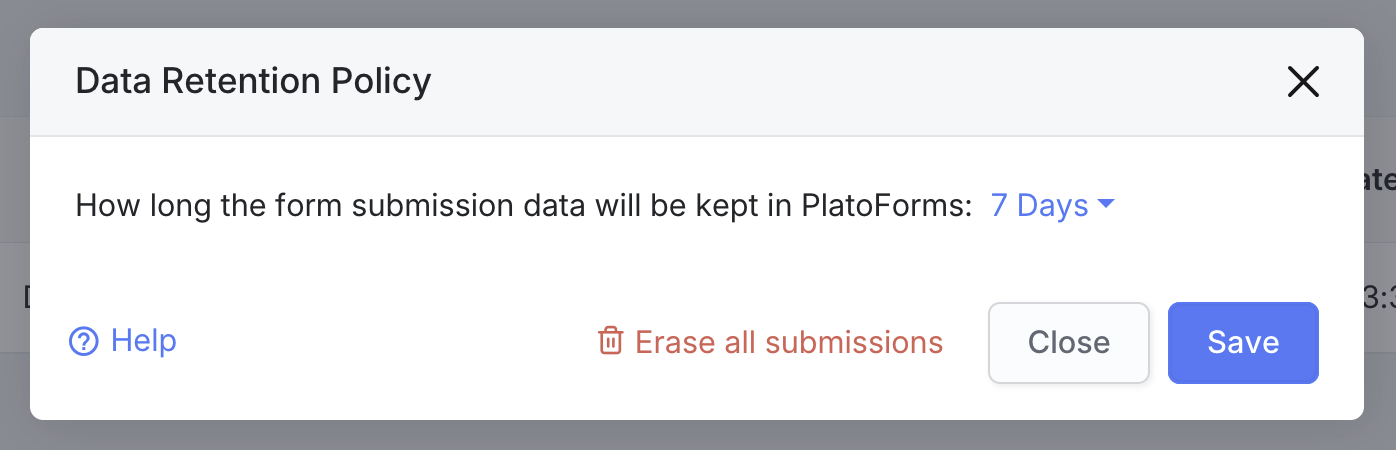
In the Data Retention Policy window, choose your preferred retention period from the dropdown.
 Note
NoteFor a detailed description of the retention period, see the Account-specific retention time section.
-
Click Save to apply your settings.
Erase all submissions
-
Go to the Dashboard and click on Submissions in the left navigation.
-
At the top-right of the Submissions page, click Data Retention to open the system-wide data retention settings.
-
In the Data Retention Policy window, click Erase all submissions.
-
Confirm the deletion by clicking Confirm.