

In 2025, creating online forms is no longer a task reserved for developers. Whether you’re looking to build an online app form, set up an online register form, or make an order form online, there are now countless tools available that make it incredibly simple—even for beginners.
With so many options competing in the market—from Google Forms alternatives to Typeform competitors—finding the right fit can be overwhelming. We’ve tested dozens of platforms and compiled a list of the top 16 free online web form builders to help you create powerful, customizable, and user-friendly forms. Whether you want to build forms online free, integrate with workflows, or just collect data efficiently, this comprehensive comparison of the best form builder alternatives has something for you.
Top 16 free online web form builders:
1. PlatoForms
— Best for PDF-to-Online Form Conversion
Looking for a powerful alternative to traditional form builders like Jotform, Typeform, or Google Forms? PlatoForms stands out as an advanced AI form builder that lets you effortlessly turn your existing PDFs into online forms. Unlike competitors that require you to recreate form layouts from scratch, simply upload your PDF—PlatoForms’ AI-powered form recognition intelligently detects text fields, checkboxes, dropdowns, and other input elements to build a responsive, fillable form in seconds. This makes it especially efficient for organizations that rely on consistent documentation formats.
Whether you’re creating a custom form, an online register form, or an online order form, PlatoForms streamlines the entire form lifecycle—from form creation to submission, approval, and integration. As a comprehensive alternative to Formstack, Wufoo, and SurveyMonkey, it delivers enterprise-grade features without the enterprise price tag.
✅ Key features:
- AI Form Fields Detector that recognizes and converts PDF fields automatically—a feature not available in most Google Forms or Typeform alternatives
- AI Form Generator, which helps you build forms quickly and easily—no manual setup required. Just describe what you want, and AI creates the form for you.
- Ready-Made Form Templates, explore 1000+ pre-designed form templates across industries. Works with both Web Forms and PDF Forms, create yours instantly with one click.
- Master Form support to manage multiple form versions from a single template—superior to competitors lacking version control
- Advanced Workflow feature: Split a single form into multiple steps, allowing different people to fill in different sections—ideal for use cases like real estate contracts, enrollment forms, or medical intake forms
- HIPAA-compliant plans available for handling sensitive healthcare and patient data—making it a better choice than Google Forms for medical use
- Seamless integration with tools like Slack, Zapier, Google Sheets, and more—comparable to Jotform’s integration ecosystem
- Flexible use cases: form online registration, online app form, and online order form builder
- Advanced customization: branding, conditional logic, custom embed scripts, and more
🎯 Ideal for: Healthcare providers, legal teams, educational institutions, and businesses managing high volumes of documents who want a scalable, secure, and smart form solution—especially those seeking a professional alternative to basic tools like Google Forms or looking to replace legacy systems like Adobe Acrobat forms.

2. Google Forms
— The No-Frills Favorite
If you’re searching for forms online free, Google Forms is probably the first name that pops up. As one of the most widely used form builders, it’s the benchmark that many alternatives and competitors compare themselves against.
✅ Pros:
• Free and easy to use
• Instant integration with Google Sheets
• Simple sharing via link, email, or embed
• Real-time response charts and summaries
• Good for form online free use cases
⚠️ Limitations:
- Lack of Workflow, Signature Certificate and Master Form—features available in PlatoForms and other professional alternatives
- Unclear HIPAA compliance—making it unsuitable for healthcare compared to HIPAA-compliant competitors
- Limited customization—unlike more design-focused alternatives like Typeform or FormCan
- Can’t handle complex logic or branded styling—pushing users toward Jotform or Cognito Forms alternatives
🎯 Ideal for: Creating web forms free for internal use, quick surveys, and casual data collection. For more advanced needs, consider exploring Google Forms alternatives like PlatoForms, Typeform, or Jotform.

3. Typeform
— Best for Conversational Forms
Typeform transforms standard forms into sleek, interactive experiences that feel more like a chat than a survey. Its design-first approach and logic-based flow make it ideal for businesses that care about both branding and engagement. Many users search for “Typeform alternatives” when looking for similar conversational experiences at different price points.
✅ Strengths:
• Conversational, one-question-at-a-time UX
• Beautifully customizable to match your brand—superior to Google Forms alternatives
• Smart follow-up logic for deeper insights
• Integrates with 300+ apps (like HubSpot, Slack, and Mailchimp)
⚠️ Limitations:
- Does not support converting PDFs to online forms—available in alternatives like PlatoForms and GoFormz
- Lacks Signature Certificate functionality and Master Form feature—pushing enterprise users toward competitors
- Free plan is limited—only 10 responses/month and basic features, prompting searches for “free Typeform alternatives”
🎯 Ideal for: Marketing teams, UX researchers, and anyone who wants forms that don’t feel like forms. For PDF conversion needs or higher response volumes, consider alternatives like PlatoForms, Tally (unlimited free responses), or Jotform.

4. Jotform
— Most Feature-Packed Free Plan
Jotform is a powerhouse when it comes to form-building—offering advanced features like payment collection, conditional logic, and automation even on the free plan. It’s a popular alternative to both Google Forms (for more features) and Typeform (for better free-tier value). Many users searching for “Jotform competitors” are often looking for either more affordable options or specialized features.
✅ Strengths:
• Drag-and-drop builder with 10,000+ templates
• Collect payments with Stripe, PayPal, Square, and more
• Automate workflows with 150+ integrations
• Includes widgets for calendars, file uploads, and e-signatures
⚠️ Limitations:
- Lacks support for Signature Certificates and does not offer a Master Form feature
- Free tier is generous, but submissions and storage are capped—pushing heavy users toward alternatives
🎯 Ideal for: Small businesses, nonprofits, and anyone who wants forms that do more out of the box.

5. Tally
— The Notion-Lover’s Form Tool
Tally has quickly become a favorite among Notion users and minimalists, offering unlimited forms and responses completely free—making it a compelling alternative to Typeform’s limited free plan. It’s minimalist and surprisingly powerful, with modern features like conditional logic, answer piping, and integrations built right in.
✅ Why it’s great:
• Intuitive, doc-style builder with zero learning curve
• Unlimited forms and responses completely free
• Supports conditional logic, hidden fields, and answer piping
• Integrates with Notion, Airtable, Slack, and more
• No cookie tracking, GDPR-compliant, hosted in the EU
⚠️ Limitations:
- Lacks PDF-to-form conversion, AI feature, workflow automation, Signature Certificate, and Master Form feature—available in competitors like PlatoForms
- Unclear HIPAA compliance—limiting use for healthcare compared to alternatives
🎯 Ideal for: Creators, solo founders, and Notion users who want quick, elegant forms—for free. For PDF workflows or healthcare compliance, consider alternatives like PlatoForms or Formstack.

6. Wufoo
— Tried and Tested
Wufoo has been around since 2006 and still provides a solid form-building experience with easy drag-and-drop tools and strong integrations. While newer alternatives have emerged with more modern features, Wufoo remains a reliable choice for teams that want to collect payments or customize the look of their forms.
✅ Supports:
• Custom form design with themes and CSS
• Embeddable forms for websites and blogs
• Payment collection via PayPal, Stripe, Authorize.Net, and more
• Template library and basic reporting
• Integrations with Salesforce, Mailchimp, WordPress, and others
⚠️ Limitations:
- Lacks PDF-to-form conversion, AI feature, Signature Certificate, and Master Form feature—pushing users toward modern alternatives like PlatoForms or Jotform
- Unclear HIPAA compliance—limiting healthcare applications compared to compliant competitors
- Lacks modern features like real-time collaboration and auto-save drafts—available in newer alternatives
🎯 Ideal for: Users who prefer a classic form builder with payment options and reliable integrations. For more modern features or PDF workflows, explore Wufoo alternatives like PlatoForms, Typeform, or FormCan.

7. Zoho Forms
— Best for CRM Integration
Zoho Forms is a natural choice for businesses already using the Zoho ecosystem, thanks to its seamless CRM integration and workflow automation features. As a strong alternative to standalone form builders, it shines brightest when paired with other Zoho products, though it competes well against tools like Google Forms and 123FormBuilder.
✅ What’s great:
• Mobile-friendly with offline access
• Workflow triggers and instant alerts
• Form login and approval flows supported
⚠️ Limitations:
- Lacks PDF-to-form conversion, AI feature, and Master Form feature—available in competitors like PlatoForms
- Free plan is limited to 3 forms and 500 entries/month—more restrictive than alternatives like Tally or Google Forms
🎯 Ideal for: Zoho CRM users and businesses looking to automate approval workflows with minimal setup. For PDF conversion or more generous free plans, consider Zoho Forms alternatives like PlatoForms or Tally.

8. Cognito Forms
— For Advanced Logic on a Budget
Cognito Forms is perfect for businesses needing advanced form features like calculations and conditional logic, even on a free plan. It’s often discovered by users searching for “affordable Jotform alternatives” or “Google Forms alternatives with logic,” offering a sweet spot between free tools and premium competitors.
✅ What’s great:
• Complex data validation
• Embedded form login and file uploads
⚠️ Not available:
- PDF-to-online form conversion, AI, Signature Certificate, and Master Form features—differentiating it from alternatives like PlatoForms
🎯 Ideal for: Small businesses and teams looking for a powerful, customizable form builder with no-code solutions.

9. GoFormz
— Best for Mobile-Friendly, Work-Order Style Forms
GoFormz is a powerful form builder designed for teams that need mobile-ready, work-order-style forms—especially in industries like construction, field service, and logistics. Its interface mimics familiar paper forms, making it a practical alternative to general-purpose builders like Google Forms or Jotform for field operations. Users often compare GoFormz vs PlatoForms when evaluating PDF-based form solutions.
✅ Strengths:
• Mobile-friendly forms with offline access
• Supports image capture, signatures, GPS, and barcode scanning
⚠️ The Signature Certificate and Master Form features are not supported—capabilities available in alternative solutions like PlatoForms.
🎯 Ideal for: Teams in industries like construction and field service looking to streamline workflows and capture real-time data from mobile devices. For web-based PDF workflows with Master Form capabilities, PlatoForms offers a complementary alternative.

10. 123FormBuilder
— Great for Event and Registration Forms
If your priority is quick setup for events, online register forms, or education forms, 123FormBuilder is an excellent pick. It positions itself as a versatile alternative to Google Forms for users needing more customization and to Eventbrite forms for dedicated registration workflows.
✅ Pros:
• Pre-made templates
• Easy to embed on websites
• Conditional logic on free plan
⚠️ Lacks PDF-to-form conversion, AI feature, Signature Certificate, and Master Form feature—pushing users with document workflows toward alternatives like PlatoForms or GoFormz.
🎯 Ideal for: Businesses, educators, and event planners looking for a simple and secure way to create online forms and automate workflows. For PDF-based workflows, consider 123FormBuilder alternatives like PlatoForms.

11. Formstack
— Best for Workflow Automation and E-signatures
Formstack is more than just a form builder—it’s a full suite for data capture, workflow automation, and secure e-signatures. It’s ideal for organizations that need scalable solutions with deep automation and compliance options, positioning itself as an enterprise-grade alternative to lighter tools like Google Forms, Typeform, or JotForm.
✅ Strengths:
• Drag-and-drop builder with conditional logic
• Built-in e-signature collection
• Advanced workflows for approvals and routing
• HIPAA-compliant plans available—similar to PlatoForms
⚠️ Does not offer a free plan—unlike competitors like Google Forms, Tally, or Jotform. Also lacks AI features, PDF-to-Form conversion, Signature Certificate, and Master Form functionality—available in alternatives like PlatoForms.
🎯 Ideal for: Enterprises and teams seeking to automate complex workflows, reduce manual work, and maintain data compliance. For budget-conscious teams or those needing PDF conversion, consider Formstack alternatives like PlatoForms, Jotform, or Cognito Forms.

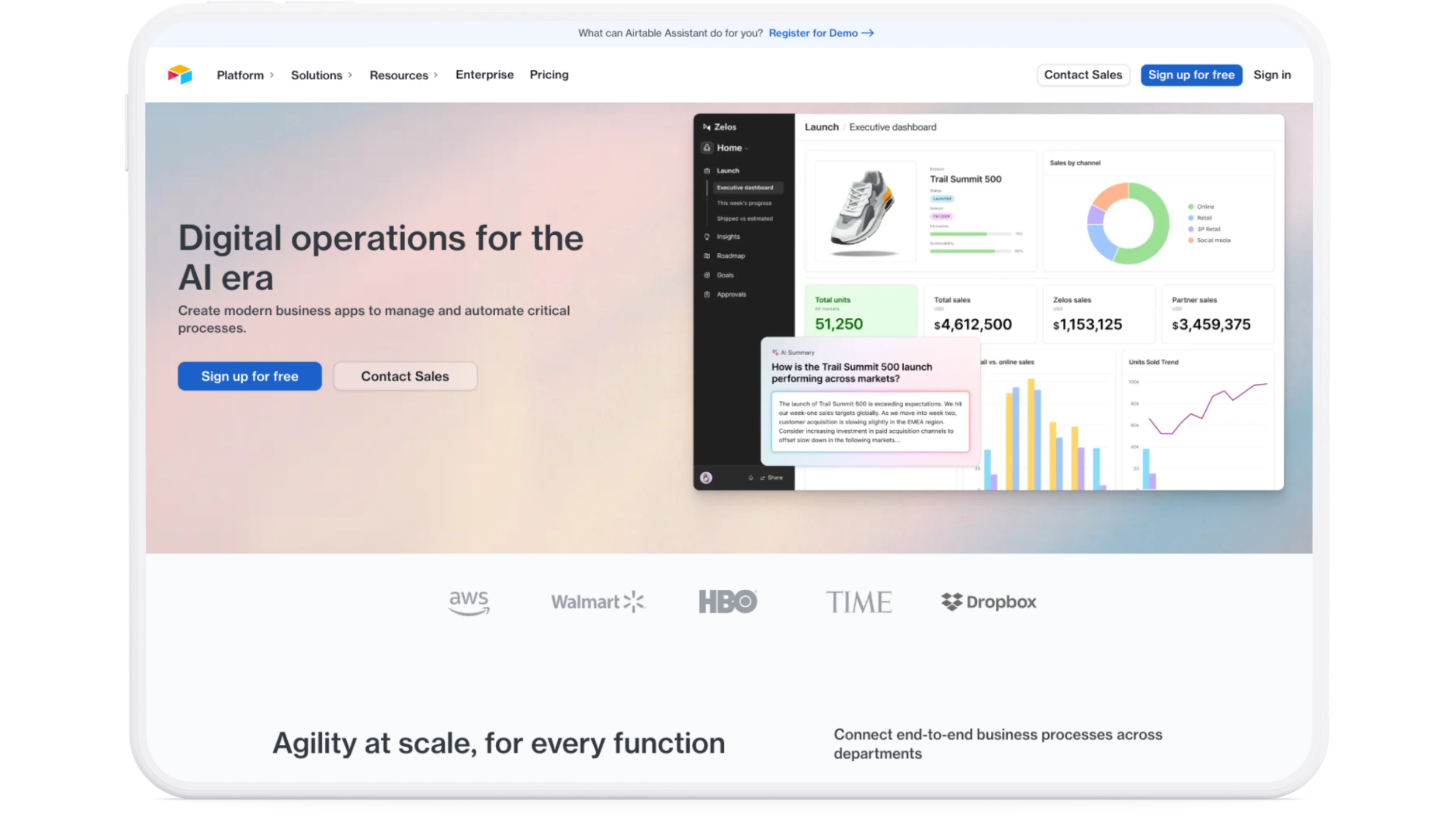
12. Airtable
— Best for Database-Style Form Collection
While not a traditional form builder, Airtable lets you create forms that feed directly into a powerful spreadsheet-database hybrid. Great for teams that want data organization and collaboration in one place. It’s often considered as an alternative to Google Forms when robust data management is a priority, though it’s fundamentally different from form-focused competitors like Typeform or Jotform.
✅ Strengths:
• Forms automatically connect to structured Airtable bases
• Custom views, filtering, and collaboration
• Easy to embed or share
• Great for project tracking, surveys, and lead capture
⚠️ Limitations:
- Does not offer PDF-to-Form conversion, Signature Certificate, and Master Form functionality—features in specialized alternatives like PlatoForms
- Limited visual form design; better suited for data capture and internal operations than public-facing forms—pushing design-focused users toward competitors like Typeform or FormCan
🎯 Ideal for: Teams and enterprises needing a flexible platform for data management, collaboration, and process automation. For traditional form-building with PDF support, explore Airtable alternatives like PlatoForms or Jotform.
13. Playground
— Best for Childcare Center Management
Playground is an all-in-one childcare management platform designed to simplify daily operations and strengthen communication between teachers and families. With tools for attendance, billing, messaging, and documentation, it helps childcare centers stay organized and parents stay informed. While niche-focused, it’s an alternative to generic form builders for childcare-specific workflows.
✅ Strengths:
• Intuitive mobile app for teachers and families
• Seamless check-in/out with digital attendance tracking
• Automated billing and payment reminders
• Built-in messaging and daily activity updates
⚠️ Limitations:
- Does not support PDF-to-Form conversion, AI features, Signature Certificate, workflow automation, and Master Form functionality—available in more versatile competitors
- Unclear HIPAA compliance—limiting healthcare use compared to compliant alternatives like PlatoForms or Formstack
- Offers limited options for third-party integration
- May be suitable primarily for teachers or basic classroom use, rather than professional or enterprise scenarios
🎯 Ideal for: Daycares, preschools, and early childhood education centers seeking a tech-forward solution to streamline operations and enhance parent engagement. For general-purpose form building, consider alternatives like PlatoForms, Jotform, or Google Forms.

14. DocFly
— Best for Simple PDF Editing and Conversion
DocFly is a handy tool for editing PDFs directly in the browser, including adding form fields. While not a full-fledged form builder, it’s great for quickly turning static PDFs into interactive forms.
✅ Strengths:
• Edit PDFs and add fillable fields
• No software installation needed
• Supports export and sharing
• Great for one-off form needs
⚠️ Limitations:
- Limited customization and integrations—pushing users toward full-featured alternatives
- Unclear HIPAA compliance—limiting healthcare use compared to competitors like PlatoForms
- Does not include AI capabilities, Signature Certificate, or Master Form functionality—available in more robust alternatives
- The free plan limits the number of questions and responses; advanced features require a paid subscription
🎯 Ideal for: Teachers, students, and professionals needing a quick, browser-based PDF solution without the complexity or cost of Adobe Acrobat. For advanced PDF workflows with AI and compliance features, consider DocFly alternatives like PlatoForms or FormStack.

15. SurveyMonkey
— Best for Professional-Grade Surveys and Business Insights
SurveyMonkey is a veteran in the online survey space and remains one of the best tools for collecting structured feedback at scale. It’s ideal for customer research, employee feedback, and event follow-ups. Many users compare “SurveyMonkey vs Google Forms” or “SurveyMonkey vs Typeform” when evaluating survey-focused alternatives.
✅ Strengths:
• Professional survey templates
• Analytics and reporting built-in—more sophisticated than Google Forms alternatives
• Easy to share and embed• Logic branching for complex surveys
• Brand recognition and trusted by enterprises
⚠️ Does not support PDF-to-online form conversion, Signature Certificate, or Master Form features—available in document-focused competitors like PlatoForms.
🎯 Ideal for: Businesses and teams that need to gather, analyze, and act on feedback—whether from customers, employees, or the general public. For form workflows beyond surveys, explore SurveyMonkey alternatives like PlatoForms, Jotform, or Typeform.

16. FormCan
— Best for Beautiful Forms with Pre-Made Templates, One-Click Themes, and Pay-As-You-Go or Lifetime Pricing
FormCan is a next-generation form builder designed to deliver both power and aesthetics. With hundreds of ready-to-use templates across industries, and a curated gallery of stunning one-click themes, FormCan makes it effortless to launch polished, professional forms in minutes. It’s a compelling alternative to Typeform for design-conscious users and to Google Forms for those seeking more visual customization.
The real-time preview editor, flexible layout settings, and no-code logic flows make it a favorite among businesses that want control and creativity—without complexity.
✅ Strengths:
• Live form editor with real-time preview
• Wide selection of ready-to-use form templates: feedback, payments, surveys, registrations, bookings, and more
• Curated Theme Gallery with beautiful one-click styles like “Classic Monochrome,” “Rich Sapphire,” and “Ocean Compact”—better visual options than most competitors
• Easy customization: edit fonts, layout, colors, and branding without code
• HIPAA compliance, advanced submission filters, team roles, and audit logs
• Flexible pricing with Pay-as-you-go and Lifetime Deal options—starting at $128 for unlimited forms, submissions, and team members
• Third-party integrations (Stripe, Zapier, Google Drive, Slack, etc.)
🎯 Ideal for: Designers, SMBs, and marketing teams who want beautiful, conversion-ready forms with zero code, zero hassle—and full visual control for life. For PDF workflows or Master Form capabilities, consider complementary alternatives like PlatoForms.

Quick Compare
| Tool | PDF to Online Form | Form Templates | AI Feature | Various Integrations | Free Plan | Approval Workflow | HIPAA Compliance | Signature Certificate | Master Form |
|---|---|---|---|---|---|---|---|---|---|
| PlatoForms | ✅ | ✅ | ✅ | ✅ | ✅ | ✅ | ✅ | ✅ | ✅ |
| Google Forms | ❌ | ✅ | ✅ | ✅ | ✅ | ❌ | ❌ | ❌ | ❌ |
| Typeform | ❌ | ✅ | ✅ | ✅ | ✅ | ❌ | ✅ | ❌ | ❌ |
| Jotform | ✅ | ✅ | ✅ | ✅ | ✅ | ✅ | ✅ | ❌ | ❌ |
| Tally | ❌ | ✅ | ❌ | ✅ | ✅ | ✅ | ❌ | ❌ | ❌ |
| Wufoo | ❌ | ✅ | ❌ | ✅ | ✅ | ❌ | ❌ | ❌ | ❌ |
| Zoho Forms | ❌ | ✅ | ❌ | ✅ | ✅ | ✅ | ✅ | ✅ | ❌ |
| Cognito Forms | ❌ | ✅ | ❌ | ✅ | ✅ | ✅ | ✅ | ❌ | ❌ |
| GoFormz | ✅ | ✅ | ✅ | ✅ | ✅ | ✅ | ✅ | ❌ | ❌ |
| 123FormBuilder | ❌ | ✅ | ❌ | ✅ | ✅ | ✅ | ✅ | ❌ | ❌ |
| Formstack | ❌ | ✅ | ❌ | ✅ | ❌ | ✅ | ✅ | ❌ | ❌ |
| Airtable | ❌ | ✅ | ✅ | ✅ | ✅ | ❌ | ✅ | ❌ | ❌ |
| Playground | ❌ | ❌ | ❌ | ❌ | ✅ | ❌ | ❌ | ❌ | ❌ |
| DocFly | ✅ | ❌ | ❌ | ❌ | ✅ | ❌ | ❌ | ❌ | ❌ |
| SurveyMonkey | ❌ | ✅ | ✅ | ✅ | ✅ | ❌ | ✅ | ❌ | ❌ |
| FormCan | ❌ | ✅ | ❌ | ✅ | ✅ | ❌ | ✅ | ✅ | ❌ |
FYI 👉🏻 Master Forms allow you to create a form once and reuse it across multiple PDFs, significantly increasing work efficiency—a feature not commonly found in most form builder alternatives.
✍️ Final Thoughts
Choosing the right webform builder depends on your needs—whether it’s creating custom forms, building an online application, or setting up a quick order form. Many tools offer free online forms with varying features and flexibility.
When comparing alternatives and competitors in the form builder space, consider what matters most: PDF conversion capabilities, HIPAA compliance, workflow automation, or design flexibility. While Google Forms remains the baseline for simple needs, more sophisticated alternatives like Typeform, Jotform, and Tally have carved out their own niches. For specialized use cases—mobile field work (GoFormz), survey analytics (SurveyMonkey), or visual design (FormCan)—specialized competitors often outperform general-purpose tools.
If you’re looking for an all-in-one solution that works seamlessly with PDF forms and is HIPAA-compliant, PlatoForms stands out as a comprehensive alternative to both legacy document tools and modern form builders. With its AI-powered PDF-to-form conversion, AI Form Generator, Master Form capabilities, and advanced workflow features, it’s a powerful choice for businesses that need a scalable, secure, and efficient form solution—positioning itself as a strong competitor to tools like Jotform, Formstack, and GoFormz while offering unique capabilities not found in alternatives like Google Forms or Typeform.
Ready to build smarter forms? Try PlatoForms for free today.