
Find trending topics and quick answers here
Hi, how can we help?
Can I secure forms with passwords
Question
Can I password-protect an online form for my client, and how do I do it?
Answer
Yes, you can! With PlatoForms, you can protect your forms using an invitation password. When this feature is enabled, only recipients who receive a unique password via email can open the form.
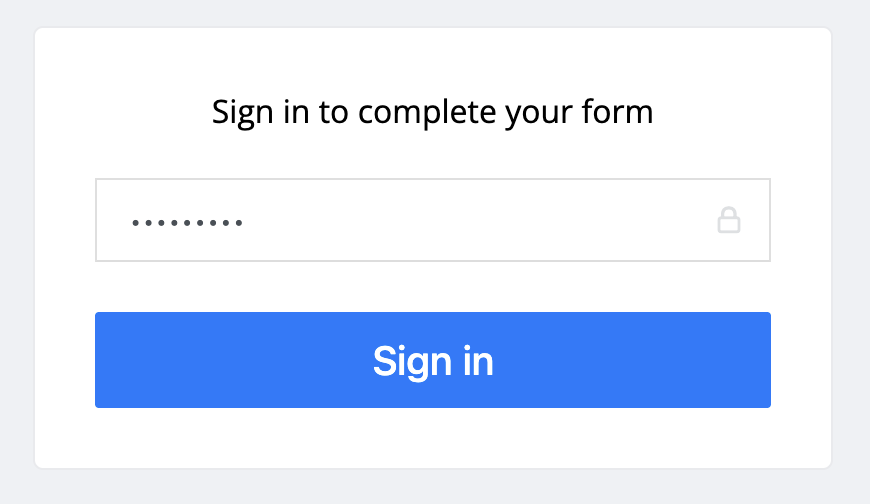
Here’s what your client will see:

They’ll need to enter the password to access the form:
How to set a password for your form
To protect your form with a password, follow these simple steps:
-
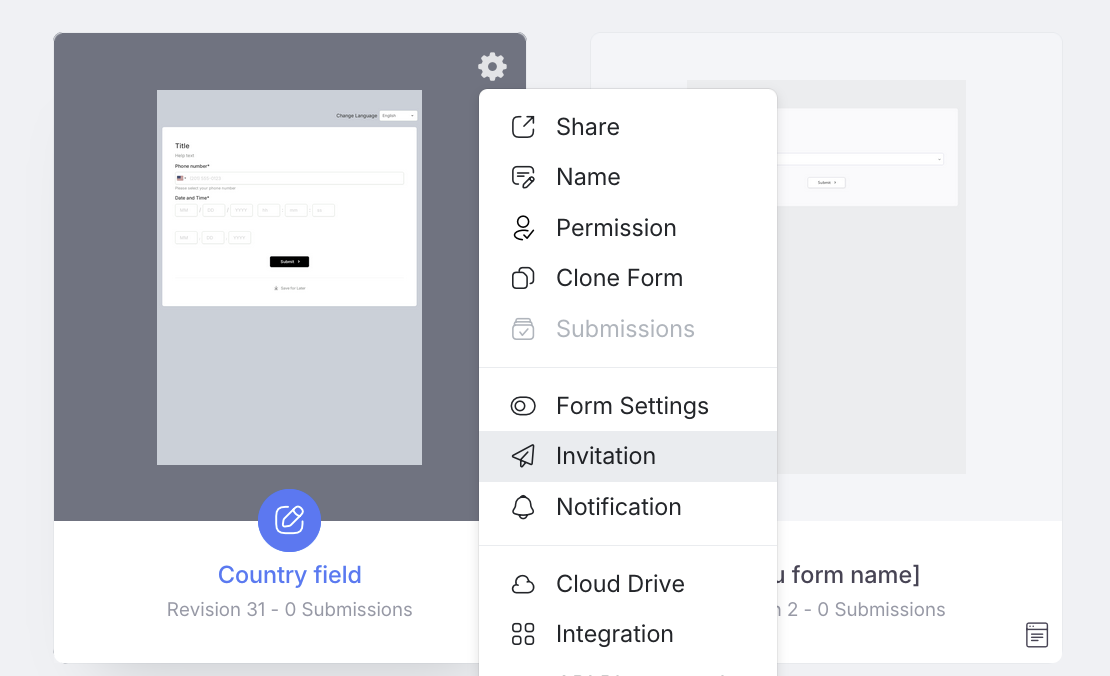
On your Dashboard, hover over the form you want to secure.
-
Open the Invitation panel.
-
Enable Tracking Invitation.

-
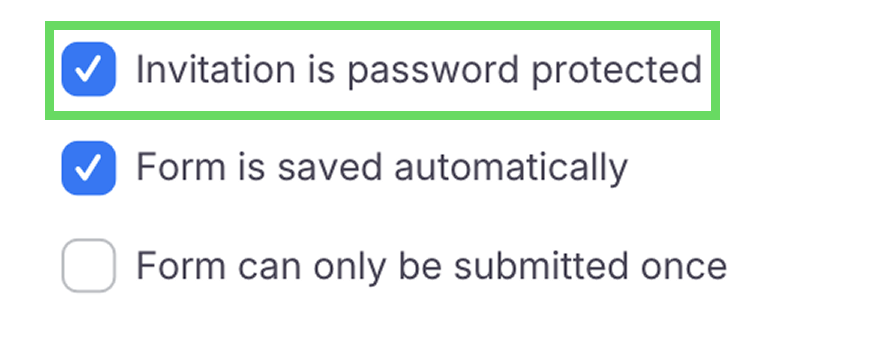
Scroll down and check the box for Invitation is password protected.
-
Click Save.
That’s it! PlatoForms will send your recipient a secure email with the password they’ll need to access the form.
For more details, refer to the Secure form with password section in the User Documentation.
Discover form invitations
Find more about form invitations here.
Have more questions? Visit our FAQs page or contact us.