



Ever wished your online fillable forms could adapt seamlessly to users’ responses? Join us as we explore the enchanting world of Conditional Logic in this blog! Discover how it transforms your forms, jazzing up customer interactions, and elevating completion rates!
Table of Contents
What is Conditional Logic?
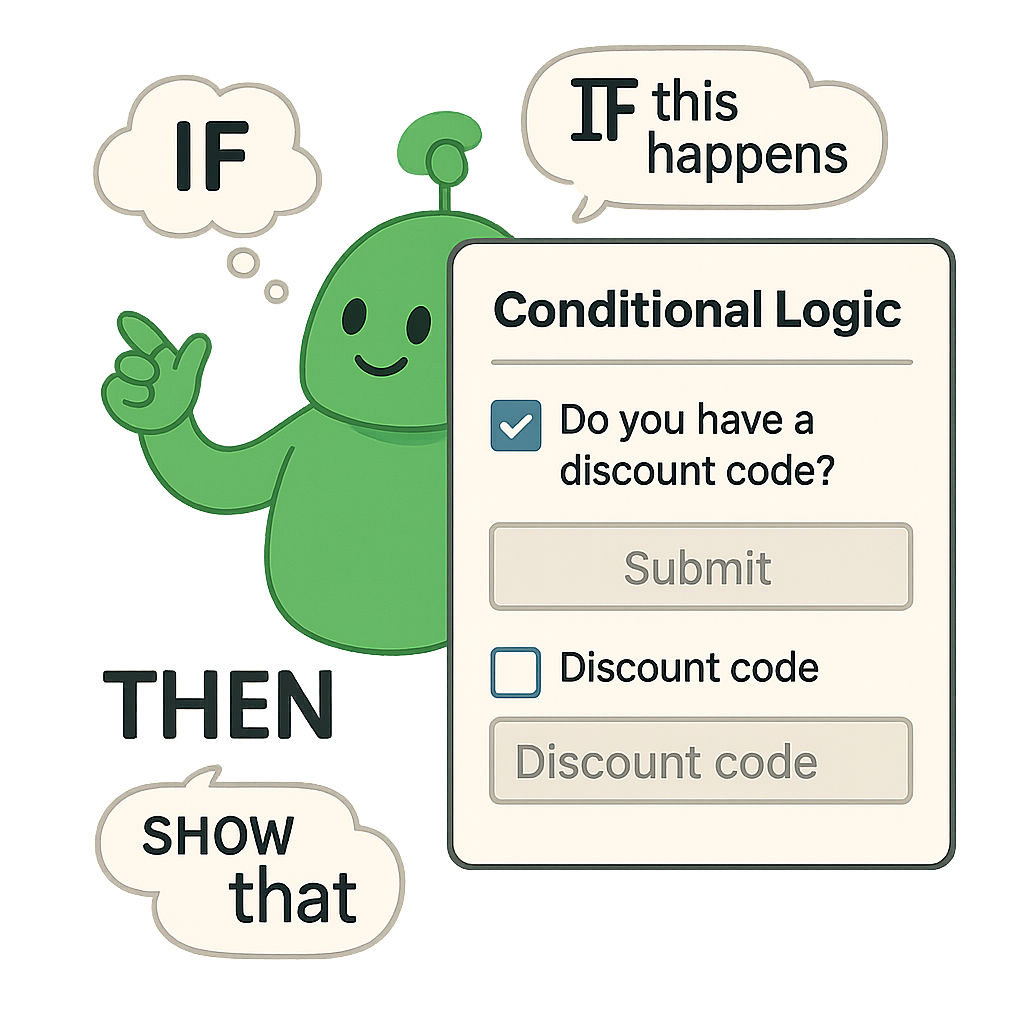
Conditional logic for interactive form is the secret behind creating smart PDF forms and interactive form experiences. With this powerful feature in PlatoForms, your online fillable forms can adapt in real time based on what users select—showing or hiding questions, skipping irrelevant sections, or performing automatic calculations.
It’s like telling your form:
“If this, then that.”
Examples of conditional logic in action:
-
If a customer selects “I have a discount code”, reveal a field to enter it.
-
If a user hasn’t used your latest feature, skip the related questions.
-
If someone chooses delivery over pickup, update pricing automatically.
Whether you’re building dynamic surveys, online order forms, or smart onboarding workflows, conditional logic helps you create forms that are:
✅ Shorter
✅ Smarter
✅ More engaging
Perfect for boosting form completion rates, improving user experience, and driving form automation—without writing a single line of code.
Why Use Conditional Logic?
1. Shorter forms = Higher completion rates
Studies show reducing form fields from 11 to 4 can increase conversion rates by up to 120%.
The shorter and more relevant your form, the more likely users will complete it.
With conditional logic, you can:
- Show only relevant fields
- Skip unnecessary steps
- Keep your forms clean and quick
🌸 Example:
You’re a florist offering a pre-order form.
Question: “Do you need delivery?”
- Yes → Show address fields
- No → Skip to payment
2. Your form feels like a real conversation
Instead of a rigid questionnaire, your form becomes responsive and engaging.
Conditional logic can:
- Use answers from previous questions
- Personalize follow-ups
- Even recall a user’s name throughout the form
🗨️ Example:
“Hi Lily, thanks for your feedback! About your comment on Product B, we’d love to know more.”
3. One form, multiple journeys
You don’t need to build separate forms for each use case anymore.
One dynamic form can cover:
- New vs. existing customers
- Product vs. service inquiries
- Internal vs. external users
Just apply logical paths, and let the form handle the flow.
Real Case: Simplify Forms with Jump Questions
In this part, we’ll show you a real-life example of how conditional logic can make a difference in your form experience. Get a clear idea of how to set it up on your own with PlatoForms’ helpful tutorials and best practices. It’s easy and powerful!
What is Jump Questions? A “Jump Question” is a kind of conditional logic. It allows the form to skip certain questions or sections based on the user’s responses. In other words, depending on how a user answers a particular question, the form can dynamically direct them to different parts of the form, bypassing irrelevant sections.
Scenario: Imagine you’re designing a customer purchase form. If customers have a discount code, they must enter it for validation. Without a code, they can proceed to the next steps directly. Jump Questions make this personalized journey possible.
How to set up jump question logic:
-
Add the Fields:
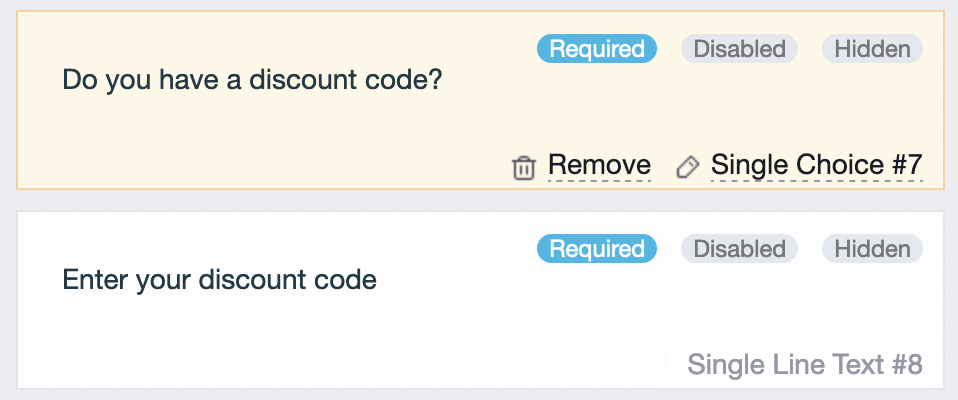
- Choice field (“Have a discount code?”) with “Yes” and “No” options.
- Text Field (“Enter discount code”).
-
Apply Logic to the Fields:
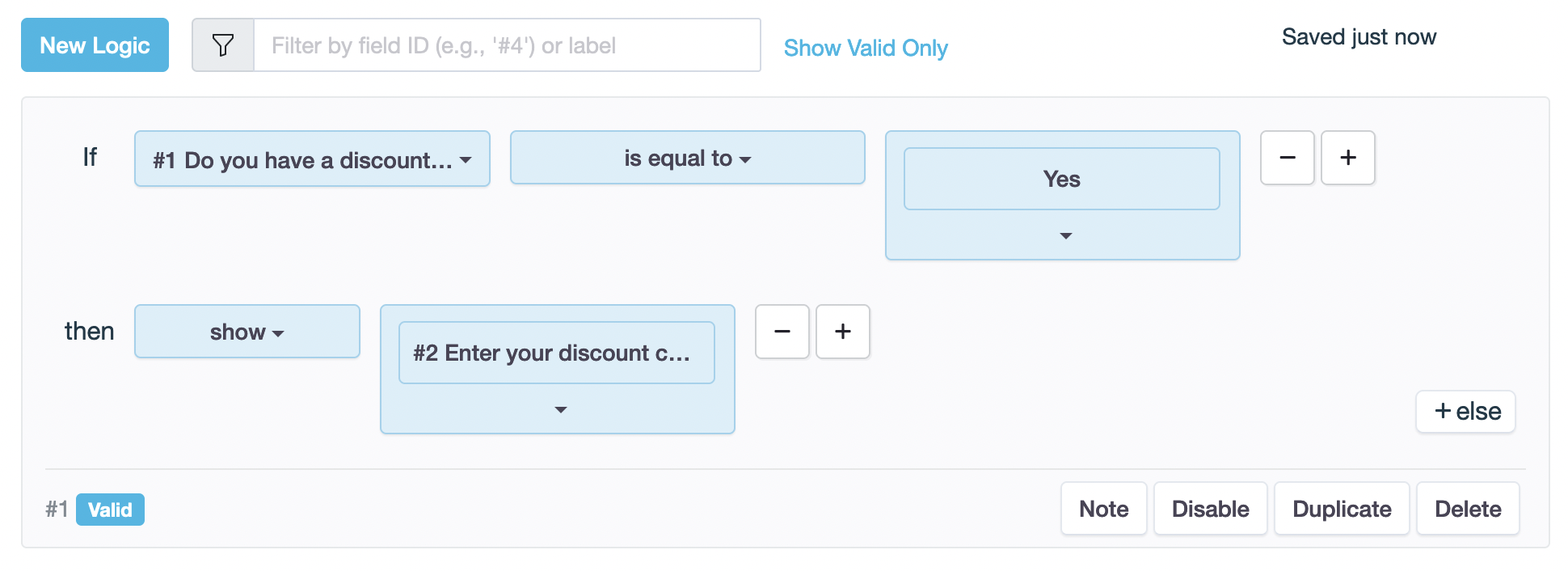 If "Have a discount code?" is "Yes", then show the Text Field for entering discount code.
Preview:
Watch the magic unfold when users click “Yes”—input box appears for seamless discount code input.

Guides on Conditional Logic
If you’re ready to dive into the world of conditional logic and transform your forms, we’ve got you covered! For a step-by-step guide, check out the PlatoForms user manual—it’s your roadmap to mastering the art of conditional logic. Prefer a more visual approach? Don’t miss our video tutorial below, making the learning process a breeze! Let the magic begin!
To take your form sophistication to the next level, discover additional conditional logic features in PlatoForms such as Skip Pages, Branching Questions, and more. Check out the Commonly-used form logic section for insights on creating tailored and flexible form designs.
Common Pitfalls & How to Avoid Them
| Issue | Solution |
|---|---|
| You delete a field used in a logic rule | Plan first; avoid deleting dependent fields |
| Missing jump paths | Double-check every answer option has a path |
| Unsupported logic field types | Note: Some field types like descriptions or upload fields can’t be used as logic conditions |
Use Preview Mode to test every path before publishing.
Why Conditional Logic = Better Forms
Whether you’re collecting feedback, selling products, or onboarding users, conditional logic turns your PDF forms into smart, responsive tools that:
- Engage users
- Improve data accuracy
- Boost completion rates
Thanks to PlatoForms, setting up logic is intuitive and powerful.
Elevate Your Forms with PlatoForms!
In the vast landscape of online PDF form tools, PlatoForms stands out as a comprehensive solution, empowering users to effortlessly convert, create, and submit PDF forms online.
Packed with features such as conditional logic, Multi-languages, and API integration, PlatoForms isn’t just a tool; it’s your key to a seamlessly efficient form-filling experience.
By integrating Conditional Logic into your online forms, you open the door to enhanced user engagement, streamlined processes, and significantly improved completion rates. Take the plunge into a user-friendly tool like PlatoForms, where implementing Conditional Logic is a breeze, and witness the revolution in your form-filling experience today.
It’s time to elevate your forms to new heights! Sign up here!


