

Creating a fillable PDF online used to be complicated. Tools often broke your layout, didn’t support scanned PDFs, or required you to manually rebuild every field.
With PlatoForms, you can convert a PDF into an online fillable form, or turn it into a mobile-friendly web form, all while keeping the original PDF layout intact when needed.
This guide covers the two creation paths available today and how to choose the right one.
🧭 Choose Your Workflow (100% Accurate Decision Map)
When you upload a PDF to PlatoForms, you will see two creation options:
- Online PDF Form – PDF layout preserved
- Web PDF Form – mobile-first web form, PDF generated after submission
Both paths support AI-assisted field detection.
If you don’t have a finalized PDF yet, you can also start from a ready-made template.

Simple guidance:
- Choose Online PDF Form → if your PDF layout must remain unchanged
- Choose Web PDF Form → if you want the best user experience and modern UI
Option A — Online PDF Form
Keep the PDF layout exactly · Add fillable fields · Generate merged PDFs
This is the correct choice for:
- Government-style forms
- Branded company templates
- Contracts, waivers, onboarding documents
- Any form where the PDF must stay visually identical
Step A1 — Log In or Sign Up
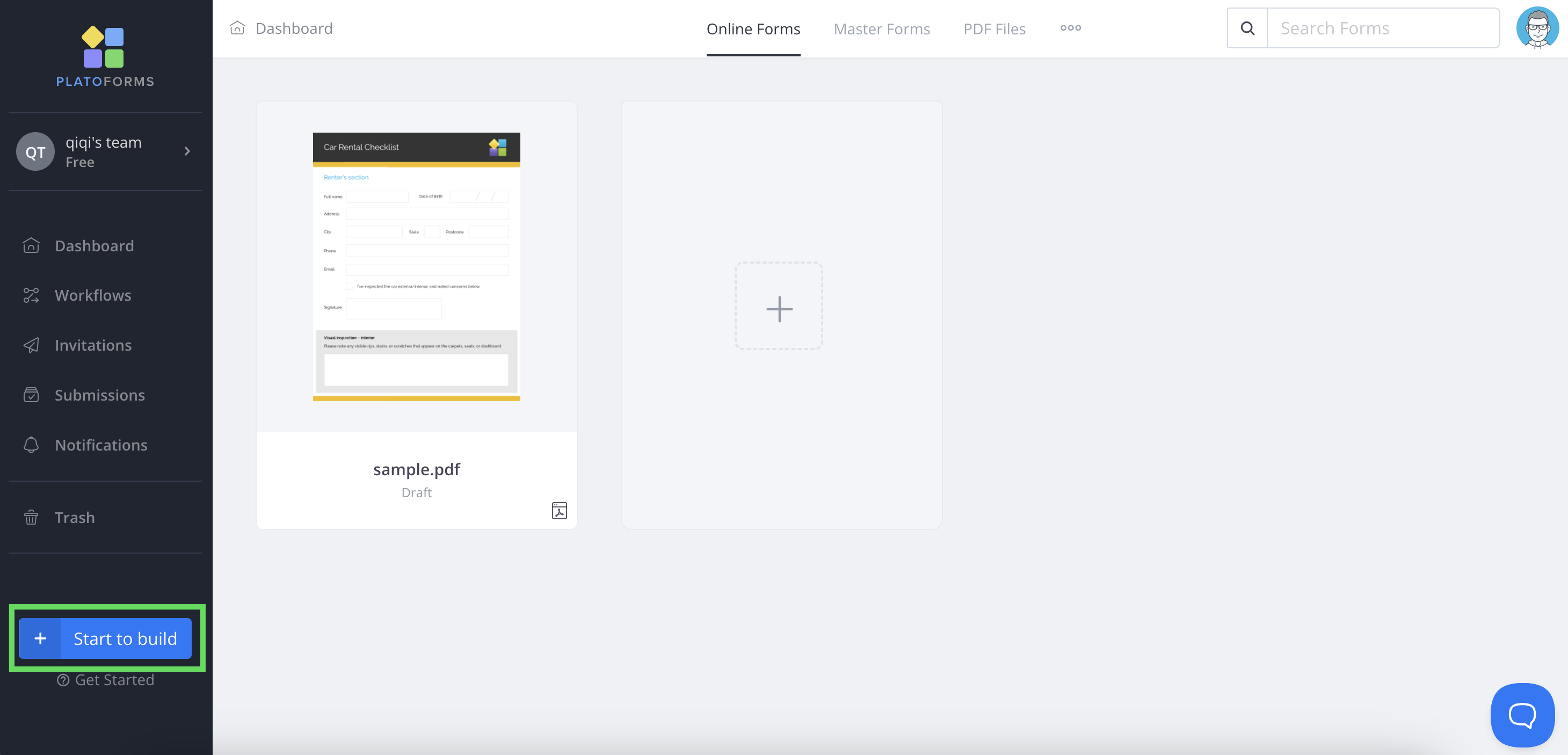
Visit the login page and click Start to Build → Online PDF.
Step A2 — Upload Your PDF
You can upload:
- scanned PDFs
- image-based PDFs
- static PDFs
- multi-page PDFs
PlatoForms displays your PDF as the base template.
Step A3 — Add or Edit Fields (AI suggestions included)
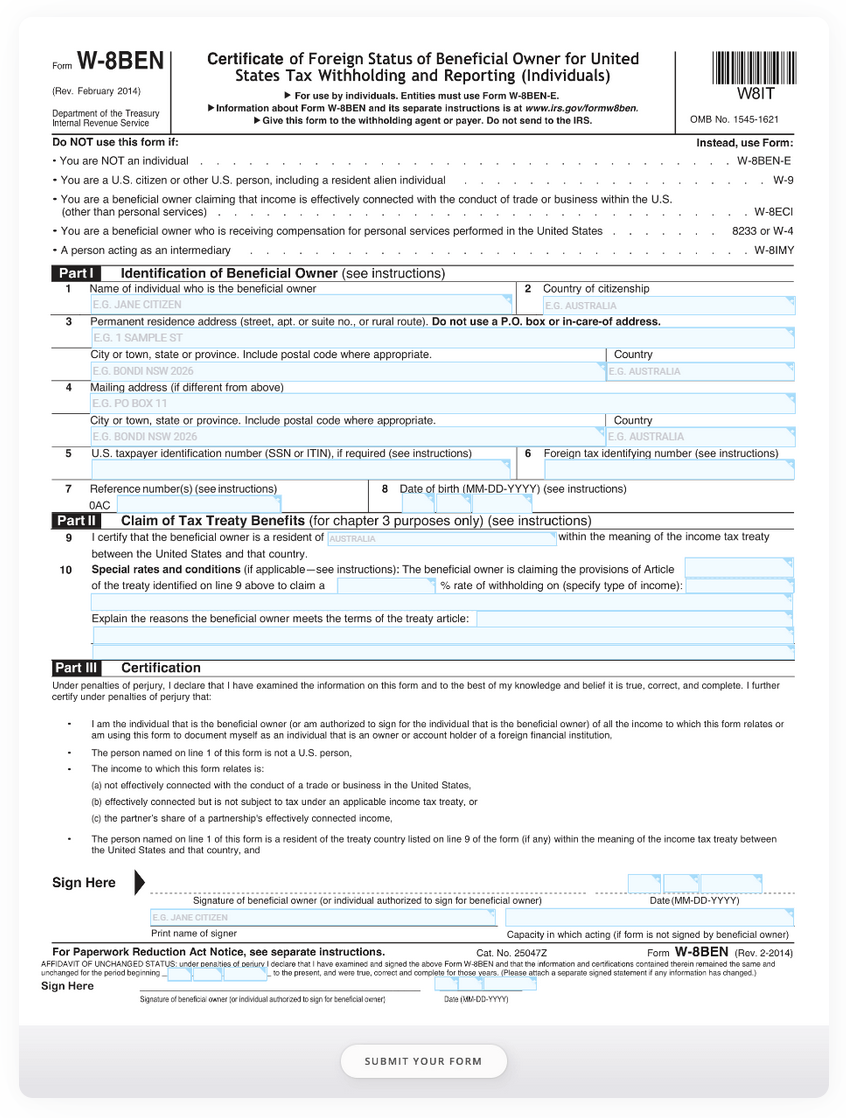
AI detects:
- text fields
- checkboxes
- signature areas
- dates
- table-like patterns
You can manually adjust:
- field types
- required rules
- labels
- validation
- multi-language text
- conditional visibility (only basic conditions for PDF forms)
Step A4 — Preview Your Fillable PDF Form
Use Preview & Design to view:
- how users will fill it online
- how the final PDF will look with merged data
Step A5 — Publish & Share
Publishing gives you:
- a public URL
- an embed code
- a QR code for quick sharing offline or on mobile
You can embed the form into any platform that supports iframe or HTML embed blocks — including most website builders, customer portals, and internal dashboards.
Step A6 — View Submissions
Online PDF Form submissions appear in Submissions Dashboard, where you can:
- download final PDFs
- export data (CSV/XLSX/PDF)
- integrate with Sheets, Zapier, Make, Slack
This flow matches the official documentation.
Option B — Web PDF Form
Mobile-first web UI · Classic & Conversational · PDF generated after submission
Use this when you want:
- a modern web form
- better UX on phones
- themes, styling, logic, multi-language
- ability to switch between Classic and Conversational mode
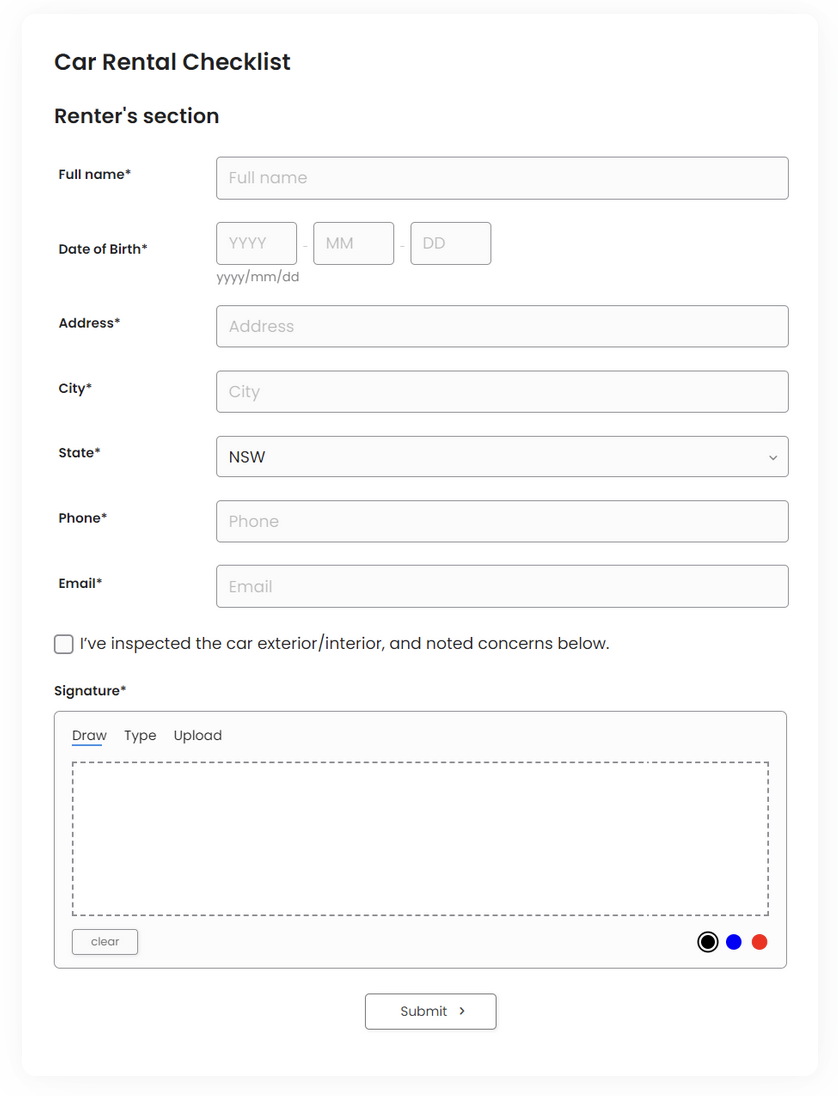
Over the past year, Web PDF Forms have become significantly more powerful—not just visually, but structurally.
They now support more advanced form fields and Conversational Form mode, making them suitable for long, complex, and mobile-heavy workflows.
Step B1 — Upload PDF → Select Web PDF Form
PlatoForms extracts:
- field labels
- text blocks
- checkboxes
- repeated structures
This produces a fully editable web form.
Step B2 — Choose Your Layout Mode
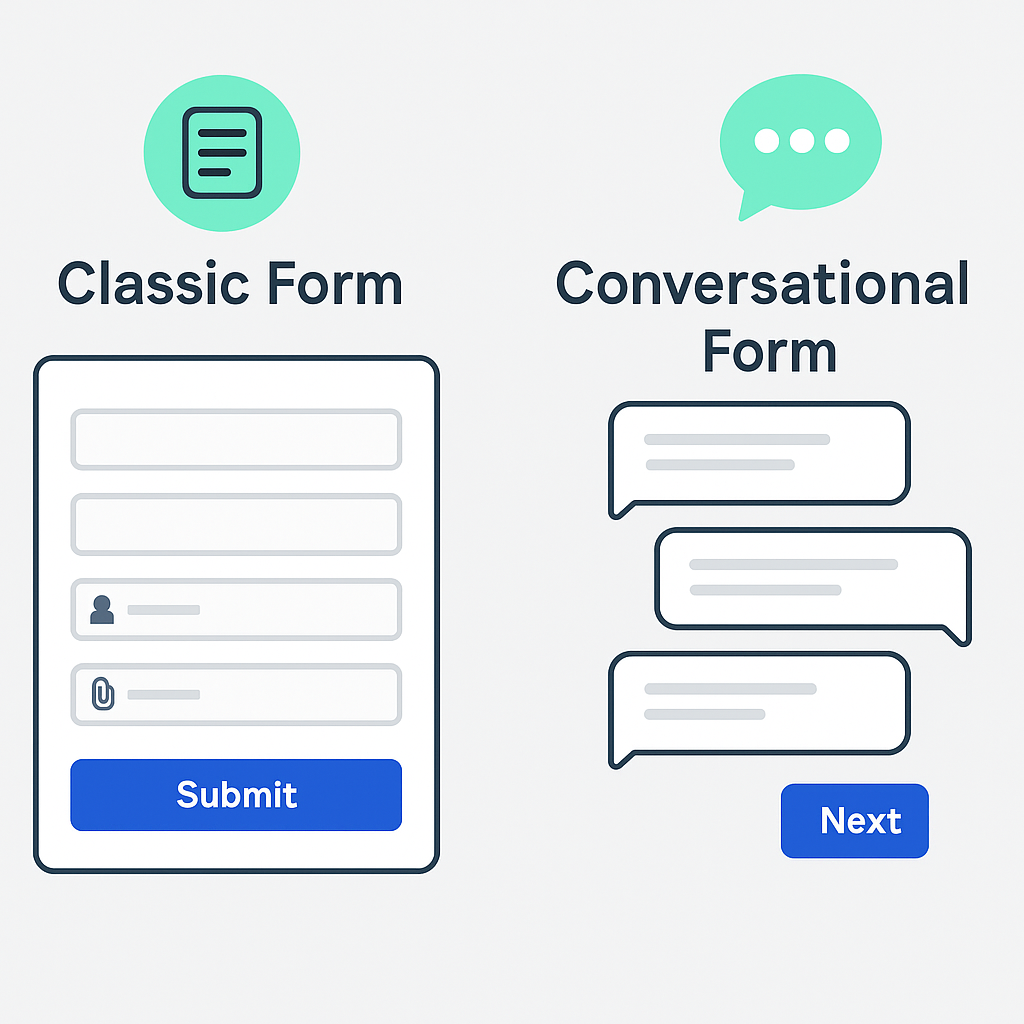
Classic Form vs Conversational Form
| Classic Form | Conversational Form | |
|---|---|---|
| Layout | All fields on one page | One question per step |
| Best for | Short, simple forms | Long or complex forms |
| User flow | Scroll-based | Step-by-step guided flow |
| Navigation & progress | Basic | Progress indicator, navigation controls, welcome page |
| Customization | Standard form styling | Full theme customization |
| Mobile experience | Acceptable for short forms | Optimized for mobile completion |
| Typical use cases | Internal requests, quick data collection | Applications, registrations, surveys |
| Completion rates | Faster for very short forms | Higher for long, user-facing forms |
You can switch between Classic and Conversational modes at any time under Preview & Design.
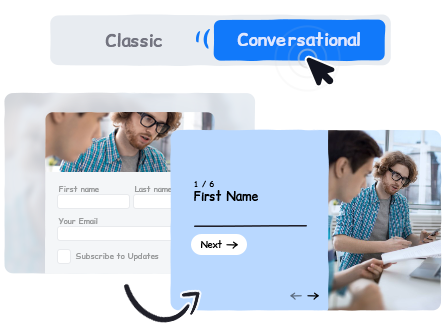
When should you use Conversational mode?
- Your form has many questions
- Most users will fill it on mobile
- Completion rate and user guidance matter
For short internal forms, Classic mode is often faster.
For complex, user-facing workflows, Conversational mode usually performs better.
Fact-checked: Conversational Form works for Web Forms, Web PDF Forms, and Master Forms — not for Online PDF Forms.
Step B3 — Customize with Web Form Features
In addition to layout modes, Web PDF Forms support a wide range of advanced features designed for dynamic, user-facing workflows:
- Themes, colors, and fonts
- Welcome Page
- Multi-language forms
- Prefilled fields
- File uploads
- Conditional Logic (full support)
- Repeat groups
- Attachments
- Integrations
(Zapier, Make, Google Sheets, Slack, and more)
All features listed above are fully supported in Web PDF Forms. Online PDF Forms support only a subset of these capabilities due to PDF rendering and layout constraints.
As a result, Web PDF Forms are typically used for dynamic, mobile-first, and logic-heavy workflows, while Online PDF Forms are best suited for cases where preserving the original PDF’s visual layout is critical.
Step B4 — Output as Final PDF
Even though users fill a web form, the final output is:
- your original PDF template,
- automatically filled in with mapped data.
This matches the official Web PDF Form workflow.
Comparison Table (Fully Accurate)
| Feature | Online PDF Form | Web PDF Form |
|---|---|---|
| AI field detection | ✅ Yes | ✅ Yes |
| PDF layout preserved | ⭐⭐⭐ Yes | ❌ No |
| Mobile-first UI | ⭐ Medium | ⭐⭐⭐ Excellent |
| Conversational mode | ❌ Not available | ✅ Yes |
| Classic mode | Basic | Full |
| Conditional logic | Limited | Full |
| Theme customization | Minimal | Extensive |
| Integrations | Core | All |
| Prefilled fields | Yes | Yes |
| Final output | Original PDF | Auto-filled PDF |
| Best for | Legal docs & strict layouts | Modern UX & long forms |
Many teams combine Templates + Web PDF Forms as a starting point—using templates to define structure, then attaching or generating PDFs only at the submission stage.
This avoids locking design decisions too early while keeping PDF output fully compliant.
Integrations (Validated Against Docs)
Supported:
- Google Sheets (official)
- Zapier
- Make (Integromat)
- Slack
- Integrately
- Pabbly Connect
- APIXDrive
- Appcues
- Email notifications
- Webhooks / API
Web PDF Forms → support all integrations
Online PDF Forms → core integrations (Sheets, Zapier, Make, Slack)
Bonus — AI Form Generator (Confirmed Features)
AI Form Generator supports:
- Web Forms
- Web PDF Forms
- Classic / Conversational layouts
AI can:
- generate fields
- assign field types
- create structure
- allow Short / Standard / Extended versions
⚠ It does not rebuild Online PDF Form layout (correct).
FAQ (Corrected for Accuracy)
Can I make a PDF fillable online for free?
Yes. Free Forever includes 1 form, 100 submissions/month, 100 MB storage.
Does AI work for both PDF options?
AI field detection works for Online PDF Form and Web PDF Form.
Can I convert scanned PDFs?
Yes, scanned and image-based PDFs are supported.
Does Conversational Form work for PDF forms?
It works for Web PDF Forms, not Online PDF Forms.
Does PlatoForms charge extra for integrations?
No extra platform fees. Some integrations depend on your plan.
Ready to convert your PDF into an online fillable form?
Whether you start from a PDF, a template, or a blank idea, PlatoForms lets you choose the right level of structure—from pixel-perfect documents to conversational, mobile-first experiences—without rebuilding the same form twice.
Upload → choose your path → publish.


