
Find trending topics and quick answers here
Hi, how can we help?
How to switch between classic and conversational form layouts?
Question
Can I change my form from classic to conversational layout after creating it?
Answer
Yes, you can switch between layouts with one click at any time without affecting your form data or responses—all form fields, logic, and collected submissions remain intact. You can also preview both classic and conversational layouts before publishing, so you can decide which style works best. The switch only changes how questions are presented to users, while all underlying functionality stays the same.
How to switch layouts
-
Open your form in the PlatoForms editor.
-
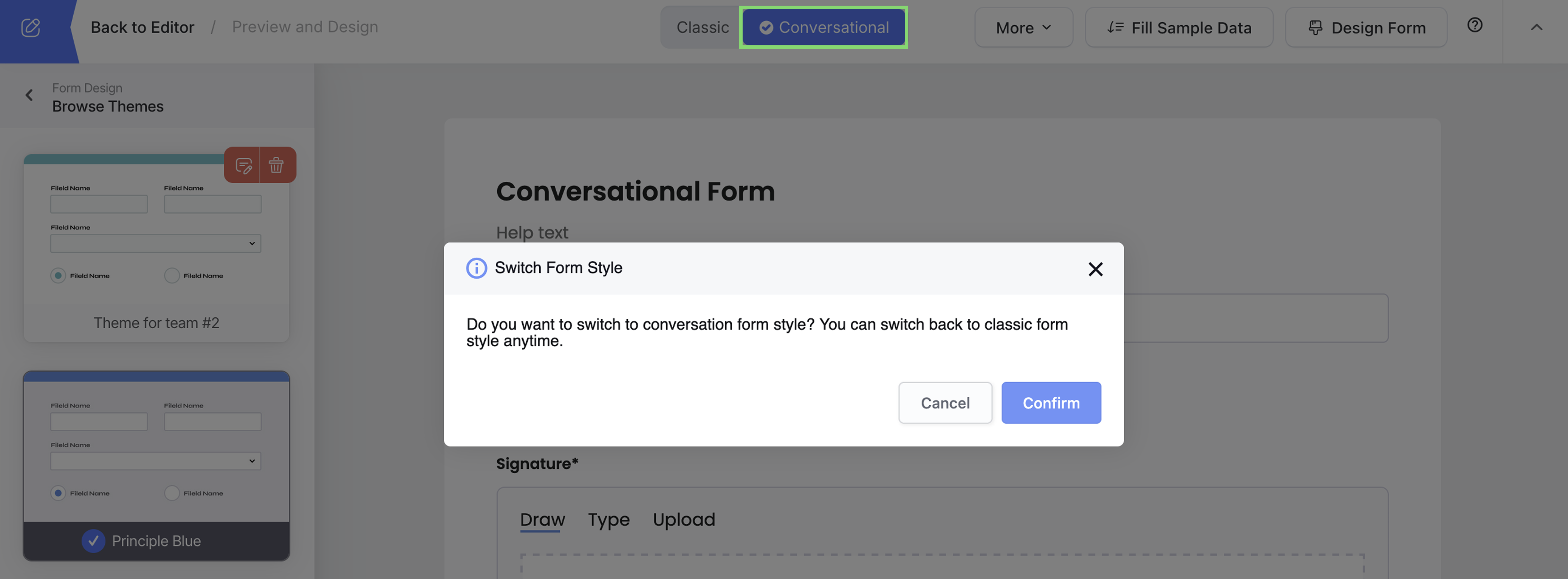
Look for the layout toggle button in the top toolbar.
-
Click Conversational to switch to chat-style, or Classic for traditional layout.
-
Preview your form to see how it looks.
What’s the difference?
-
Classic layout: All questions visible on one page - familiar, fast completion.
-
Conversational layout: One question at a time - engaging, chat-like experience.
Need More Help?
Check out our full FAQs page or contact support for assistance.