










Find trending topics and quick answers here
Hi, how can we help?
Search by task, feature, or problem - not just a single keyword.
How to switch between classic and conversational form layouts?

Question
Can I change my form from classic to conversational layout after creating it?
Answer
Yes, you can switch between layouts at any time in Preview & Design without affecting your form data or responses. All form fields, logic, and collected submissions remain intact. You can also preview both classic and conversational layouts before publishing, so you can decide which style works best. The live form changes only after you click Publish. The switch only changes how questions are presented to users, while all underlying functionality stays the same.
How to switch layouts
-
Open your form in the PlatoForms editor.
-
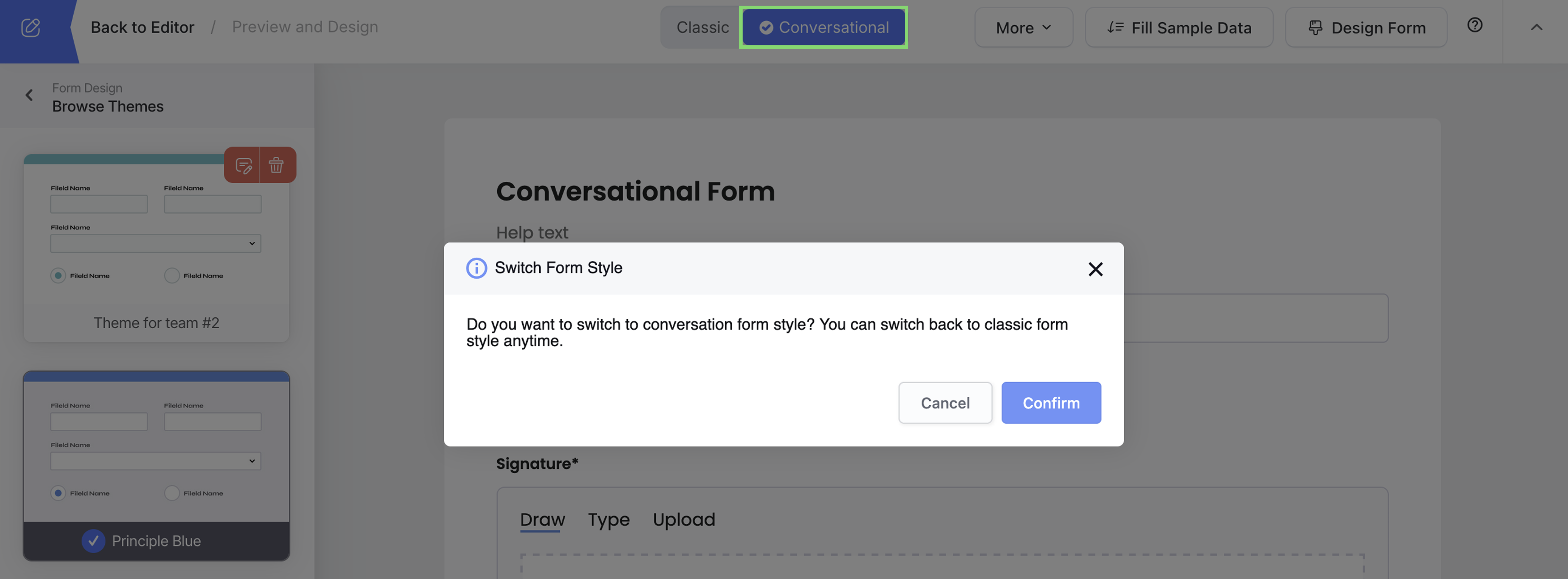
Open Preview & Design and find the Classic / Conversational switch in its top bar.
-
Click Conversational to switch to chat-style, or Classic for traditional layout, then click Confirm in the Switch Form Style box.
-
Preview your form to see how it looks.
-
Click Publish so the live form uses the new style.
What’s the difference?
-
Classic layout: All questions visible on one page - familiar, fast completion.
-
Conversational layout: One question at a time - engaging, chat-like experience.