
Find trending topics and quick answers here
Hi, how can we help?
Why am I receiving duplicate email notifications?
Question
Why am I receiving duplicate email notifications after setting up notification routing?
Answer
The short answer: Your “Default” notification tab is likely still active.
When you use Conditional Logic to route emails to different receipents (e.g., Sales, HR, or Support), you are creating “Custom” notification rules. However, PlatoForms has a built-in Default Email Tab that is designed to send a notification for every submission, regardless of any logic you’ve set up.
If both the Default tab and your Logic-based tab have email addresses filled in, the system will trigger both, resulting in a duplicate notification.
How to fix email duplication
To ensure your emails are routed correctly without duplicates, follow these steps:
-
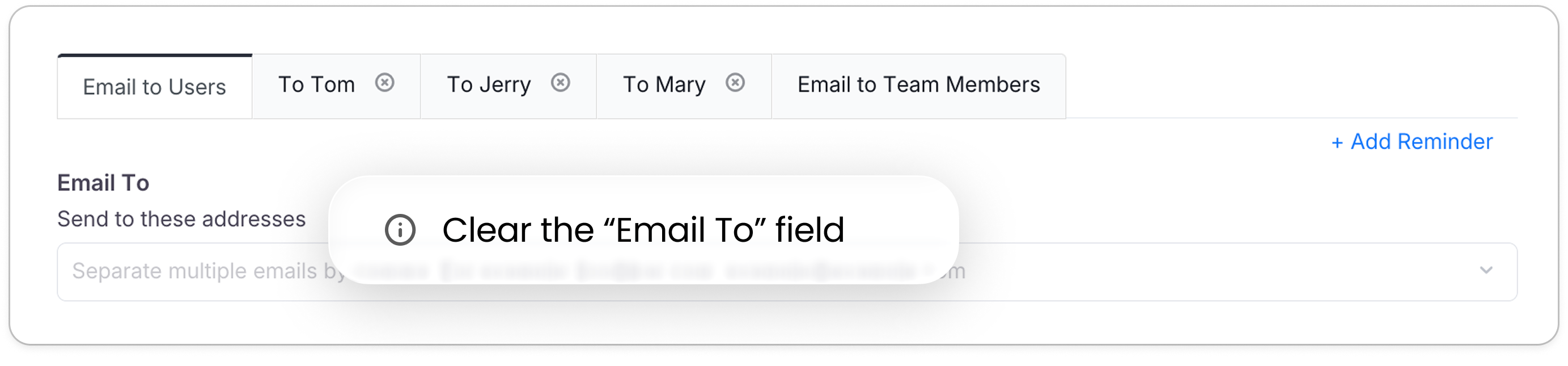
Clear the Default Tab: Go to Form Notification and locate the very first tab (usually named Email to Users). Leave the “Email To” field completely blank.
-
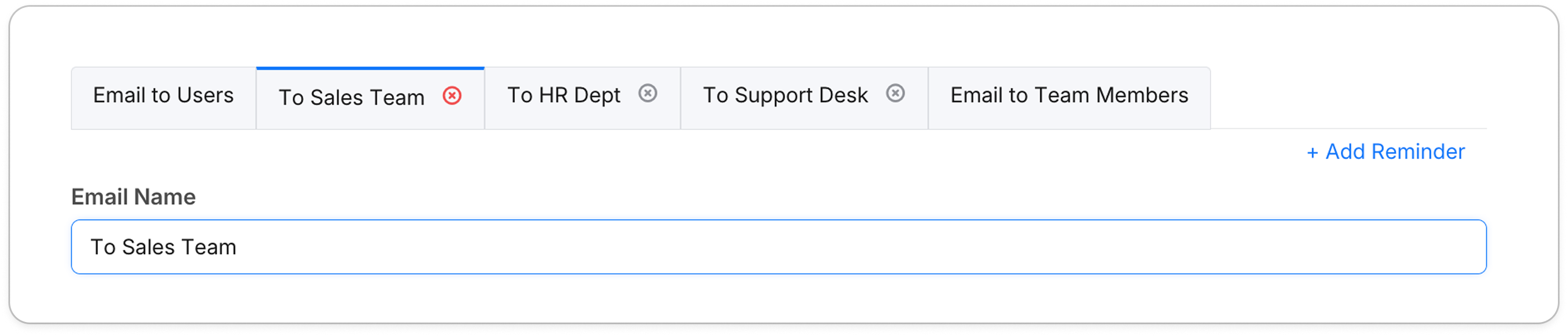
Name Your Custom Tabs: Use the Email Name field in your logic-based tabs to give them clear titles like “To Sales Team” or “To Support Desk”.
-
Verify the Logic: In the Conditional Logic builder, ensure your “Then” action is set to
send emailand correctly points to the specific Email Name you created.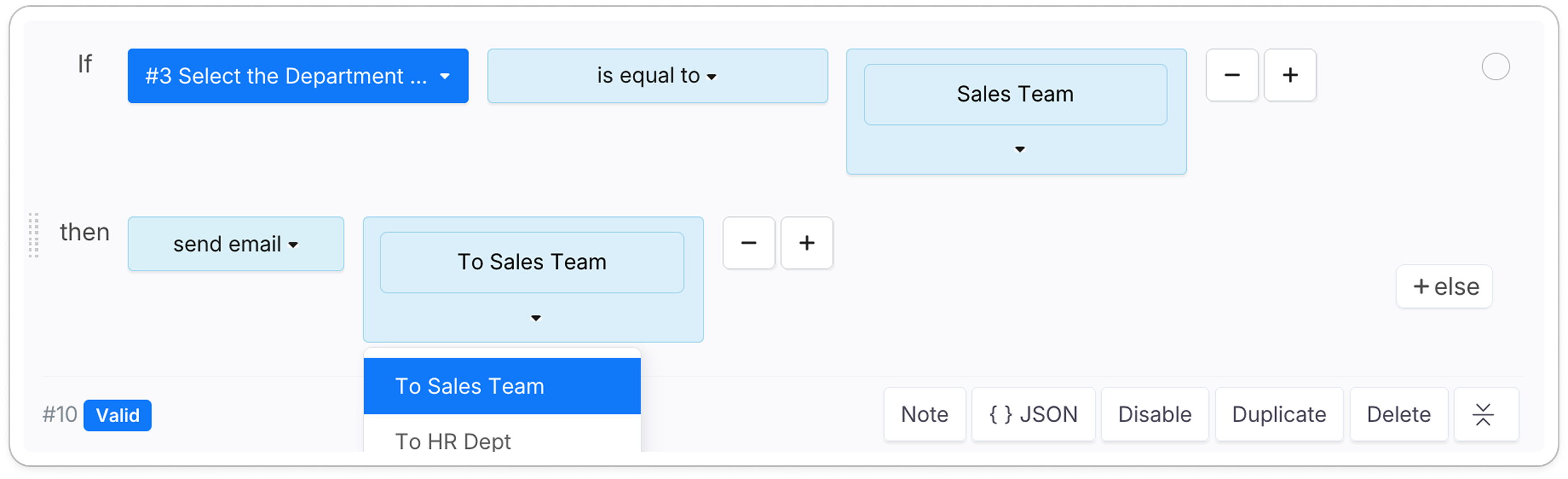
Have more questions? Visit our FAQs page or contact us.