Paper waivers are a liability in more ways than one. They get lost, the handwriting is often illegible, and when you actually need to produce one—whether for an insurance claim or a dispute—it’s usually buried in a folder no one can find.
Online waiver forms eliminate that risk. They ensure every participant signs before walking through your door, while every submission is automatically stored and searchable in seconds. This guide covers the essentials of a legally valid waiver and how to build a workflow that fits your specific needs.
What Is a Waiver Form?
A waiver form—legally known as an exculpatory agreement—is a critical document where one party acknowledges the inherent risks of an activity and voluntarily agrees to waive their right to sue if an accident occurs.
In an increasingly digital world, a waiver is more than just a “check-the-box” task; it’s about establishing Assumption of Risk. It is most commonly used for:
- Photo and media releases — consent to use someone’s image in marketing
- Medical and service consent — acknowledgment of a treatment’s risks or side effects
- Youth activity consent — parent or guardian sign-off for minors
- Data and privacy acknowledgments — agreement to terms of service or data collection
A waiver doesn’t make you bulletproof in court—no document does—but a well-written, properly signed waiver significantly strengthens your position if a dispute arises.
Are Online Waivers Legally Binding?
Yes, in most jurisdictions. In the United States, the Electronic Signatures in Global and National Commerce (ESIGN) Act makes electronic signatures as valid and enforceable as handwritten ones. Most U.S. states have also adopted the Uniform Electronic Transactions Act (UETA), which covers intrastate commerce. The EU has its own equivalent framework under the eIDAS Regulation.
That said, a few conditions need to be in place for a digital waiver to hold up:
- Intent to sign — the signer must deliberately complete the signature, not accidentally
- Consent to sign electronically — the signer should have the option to sign on paper instead
- The signature must be logically associated with the document — it needs to be part of a single, verifiable record
- A copy must be sent to the signer — keep a record they received it
- Secure, tamper-evident storage — the signed document must remain unaltered and accessible for the duration of its legal relevance
One important note: minors cannot sign a waiver—the form wouldn’t be valid because minors cannot legally consent to its terms. For youth activities, always have a parent or guardian sign on the minor’s behalf.
We’re not lawyers, and this isn’t legal advice. Requirements vary by industry, jurisdiction, and activity type. Have your waiver language reviewed by legal counsel before you use it for anything high-stakes.
What to Include in a Waiver Form
The core fields don’t change much across industries. Every waiver needs:
- Full name of the participant (and guardian name if signing for a minor)
- Date of signing
- Description of the activity or service being waived
- Plain-language statement of risks — vague language weakens enforceability
- Acknowledgment checkbox — “I have read and understood the above” creates an active record of consent
- Signature field — with timestamp and, ideally, IP address for audit purposes
- Emergency contact — especially for physical activities
What varies by industry is what goes around those core fields. More on that below.
Waiver Form Templates by Industry
The same base waiver structure gets adapted for very different contexts. Here’s how the requirements shift.
Fitness and Gyms
Gym waivers typically cover equipment use, physical training risks, and personal injury. You’ll want to include:
- The specific equipment or classes covered
- Any pre-existing condition acknowledgment (“I am in adequate physical condition to participate”)
- A photo/video release if you use member footage for social media
- Whether the waiver covers drop-in visits, membership, or both
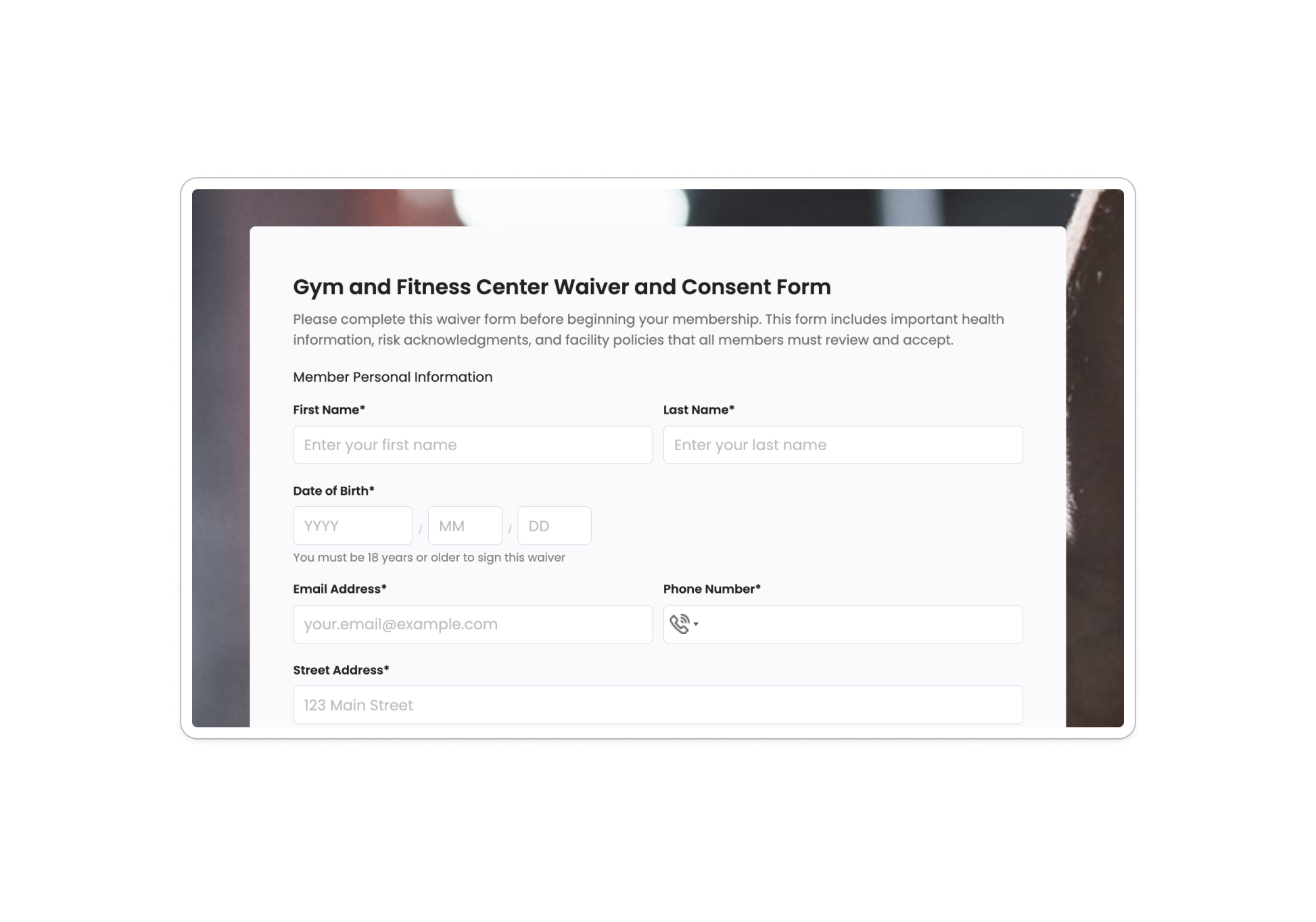
Use the Gym Membership Waiver template →
Events and Adventure Activities
Camps and youth programs typically include medical information, emergency contacts, photo release consent, and assumption of risk for activities. Parents complete everything online during registration, ensuring complete documentation before activities begin. The same applies to adult adventure activities: the waiver should list specific risks, not just gesture at them generally.
For high-risk activities like climbing, skydiving, or water sports, courts tend to look more closely at whether the risks were clearly described and whether the participant genuinely understood what they were signing. Generic boilerplate works less well here.
Use the General Liability Waiver template →
Salons and Spas
Salon waivers serve a different purpose: documenting that a client was informed of the risks of a specific treatment—chemical services, microblading, lash extensions—and consented to proceed. These often include:
- The specific service being performed
- Known risks or potential reactions
- Allergy or sensitivity disclosure
- A field for the technician’s name (for internal records)
Use the Salon Client Waiver template →
Youth Programs and Schools
When participants are minors, the parent or guardian signs on their behalf—and the form should make that explicit. Include:
- Student’s name and date of birth
- Guardian’s name and relationship to the student
- Specific activities or field trips covered
- Medical information and emergency contacts
- Photo/media release (separate from the liability waiver, or clearly labeled as a distinct section)
Use the Youth Sports Participation Waiver template →
Yoga and Fitness Classes
Similar to gym waivers, but often scoped to a specific class type or instructor. Add a field for the classes or sessions the waiver covers, and whether it’s a single-session or ongoing agreement.
Use the Yoga Class Waiver template →
How to Build an Online Waiver Form with PlatoForms
Step 1 — Start from a Template
Browse the PlatoForms waiver template library and pick the template closest to your use case. Each template includes the standard fields already configured, so you’re editing rather than building from scratch.
Step 2 — Let AI Fill in the Fields (Optional)
If you’re starting from a blank form or want to add fields beyond what the template includes, use the AI Form Generator. Describe what you need in plain English—“a waiver for a rock climbing gym with emergency contacts and a pre-existing injury disclosure”—and it generates the field structure instantly. Edit, reorder, or remove fields from there.
Useful if your waiver covers something niche enough that no template quite fits, or if you want to combine a liability waiver with a registration form in a single step. If you’d prefer a guided, one-question-at-a-time layout for participants on mobile, switch to Conversational mode with a single click—no rebuilding required.

Step 3 — Add Your Waiver Language
Paste your waiver text into a Paragraph or Rich Text field at the top of the form. This is the section the participant reads before signing—keep it visible and unambiguous. If you’re using a long document, consider using a scrollable text block so the full text is presented before the signature field.
Step 4 — Add an Acknowledgment Checkbox
Below your waiver text, add a Checkbox field with a label like:
“I have read and understood the terms above, and I agree to the conditions stated.”
This creates a deliberate record of consent beyond the signature alone. Set it as required so the form can’t be submitted without it checked.
Step 5 — Add the Signature Field
Add a Signature field after the checkbox. Participants can sign with a finger on mobile or a mouse on desktop. PlatoForms generates a signature certificate for each submission—this includes the timestamp and form data, which strengthens the audit trail.

Step 6 — Configure the Confirmation Email
Set up an automatic email that sends a copy of the signed form to the participant immediately after submission. This satisfies the legal requirement that the signer receive a copy, and it reduces “I never signed anything” disputes.
In Form Notifications, you can customize this email to include the participant’s name, the signed PDF, and any relevant next steps (like check-in instructions or what to bring).
Step 7 — Control What Appears in the Generated PDF (Optional)
If you’re using a waiver that doubles as a registration or intake form, you can use conditional PDF field visibility to clean up the generated document. Fields that aren’t relevant to a specific participant—a section they left blank because it didn’t apply to them—can be hidden from the PDF output automatically.
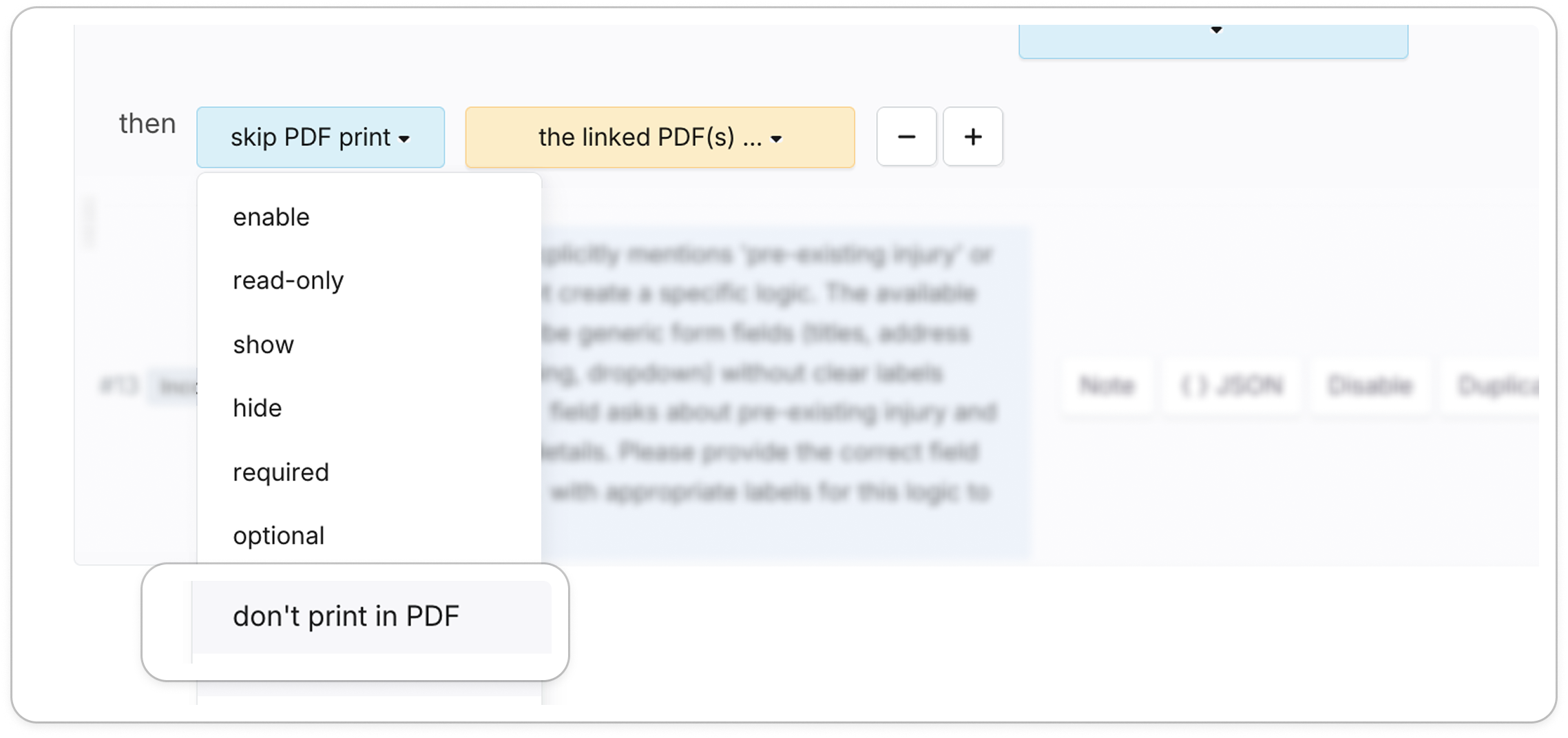
For example: if a participant answers “No” to having a pre-existing injury, the follow-up field asking for details simply won’t appear in their signed PDF. The document stays clean without any manual editing.
Find it in: Form Builder → Logics panel. You can also describe the rule in plain English and use Gen by AI to generate the logic for you.
Step 8 — Set Up Routing (Optional)
If your waiver covers multiple activity types—a gym that runs both group classes and personal training, for example—use the Logic panel to route submissions to the right coordinator automatically. Class waivers go to the group fitness inbox; PT waivers go to the trainers.

Step 9 — Share or Embed the Form
Copy the form link and:
- Send it in your booking confirmation emails
- Add it to your website as an embedded form
- Display it on a tablet at check-in using the form URL in a browser
For businesses with high walk-in volume, embedding the form on an iPad at the front desk is the most reliable way to make sure no one skips it.
Common Mistakes to Avoid
Using vague language about risks. “Participant acknowledges the inherent risks of the activity” is weaker than listing the actual risks: falls, equipment failure, overexertion. Specificity helps in court.
Making it too long to read. If participants scroll past a wall of text to get to the signature field, they’re not reading it—and a court may take note of that. Keep waiver language clear and reasonably scannable.
Skipping the acknowledgment checkbox. A signature alone is good; a signature plus an active “I have read this” checkbox is better. The checkbox documents deliberate consent.
Not sending a copy to the signer. This is a legal requirement in most jurisdictions, and it also reduces disputes. Automate it with Form Notifications.
Letting waivers expire silently. Most waivers cover a specific session, period, or membership term. If you want ongoing coverage, state that clearly—and consider whether annual re-signing makes sense for your context.
Frequently Asked Questions
Does a waiver protect me from all liability?
No. Waivers reduce liability exposure and strengthen your position if a dispute arises, but they don’t eliminate it. Gross negligence, intentional misconduct, and violations of law typically can’t be waived. Consult a lawyer about what your waiver can and can’t cover in your jurisdiction.
Can a minor sign a waiver?
No. Minors cannot legally consent to waiving their rights. A parent or legal guardian must sign on their behalf. Your waiver should collect the guardian’s name, relationship, and signature—not the minor’s.
How long should I keep signed waivers?
This varies by jurisdiction and industry. A general rule of thumb is to keep them for at least the statute of limitations period for personal injury claims in your area, which is commonly 2–3 years in the U.S.—longer for youth activity waivers. Check with legal counsel for your specific situation.
What’s the difference between a waiver and a consent form?
A waiver asks someone to give up a legal right (typically, the right to sue). A consent form asks someone to agree to something (a treatment, photo use, terms of service). In practice, many forms combine elements of both. The key difference is the legal effect: waivers are specifically about limiting liability.
Do I need a lawyer to write my waiver?
You don’t need one to create the form itself, but having a lawyer review the waiver language before you use it is strongly recommended—especially for high-risk activities. Templates give you a solid structure; legal review makes sure the language holds up in your specific context.
Other Waiver Templates
- Adventure Activity Waiver — for outdoor and high-risk experiences
- Childcare Activity Waiver — for daycare and after-school programs
- Medical Treatment Waiver — for healthcare and therapy services
- Photography Session Release — for photo and media use consent
- Event Participation Release — for community events and fundraisers
References & Documentation
- U.S. Electronic Signatures in Global and National Commerce Act (ESIGN Act), 15 U.S.C. § 7001
- PlatoForms, Waiver Form Templates
- PlatoForms Documentation, Configure Form Notifications
- PlatoForms Documentation, Set Form Logic
Need to collect more than signatures? PlatoForms handles payments, conditional logic, and multi-language forms in the same form.
Comparing form builders? See how PlatoForms stacks up in the PlatoForms vs. Tally breakdown.
Handling medical waivers or patient consent with PHI? See our guide to HIPAA-compliant forms for healthcare.