
Find trending topics and quick answers here
Hi, how can we help?
Search by task, feature, or problem - not just a single keyword.
Can I convert my form to a Conversational Form

Question
How can I tell if my form can be converted to a Conversational Form?
Answer
Conversational Form works with supported web-based forms, including Web Forms, Web PDF Forms, Master Forms, and supported web-based Workflow steps.
The easiest way is to check it directly in the form builder. Follow these steps:
-
Open your form in the builder.
-
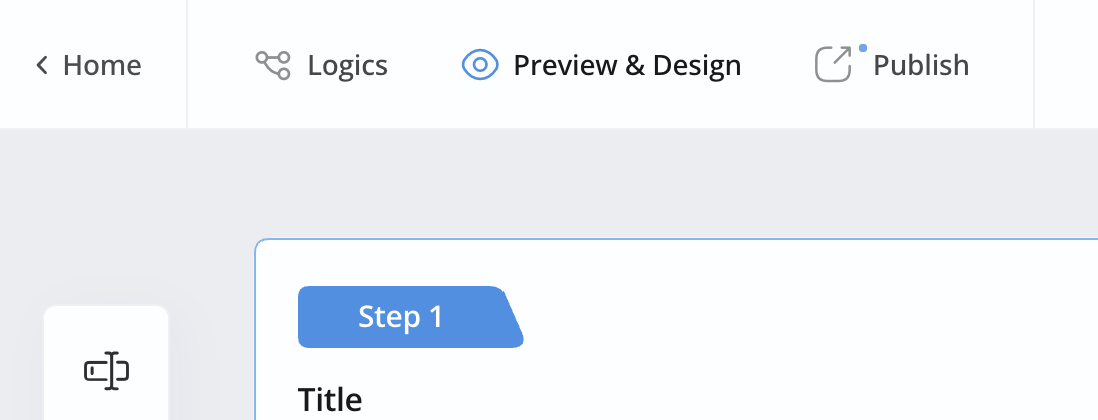
Click Preview & Design.
-
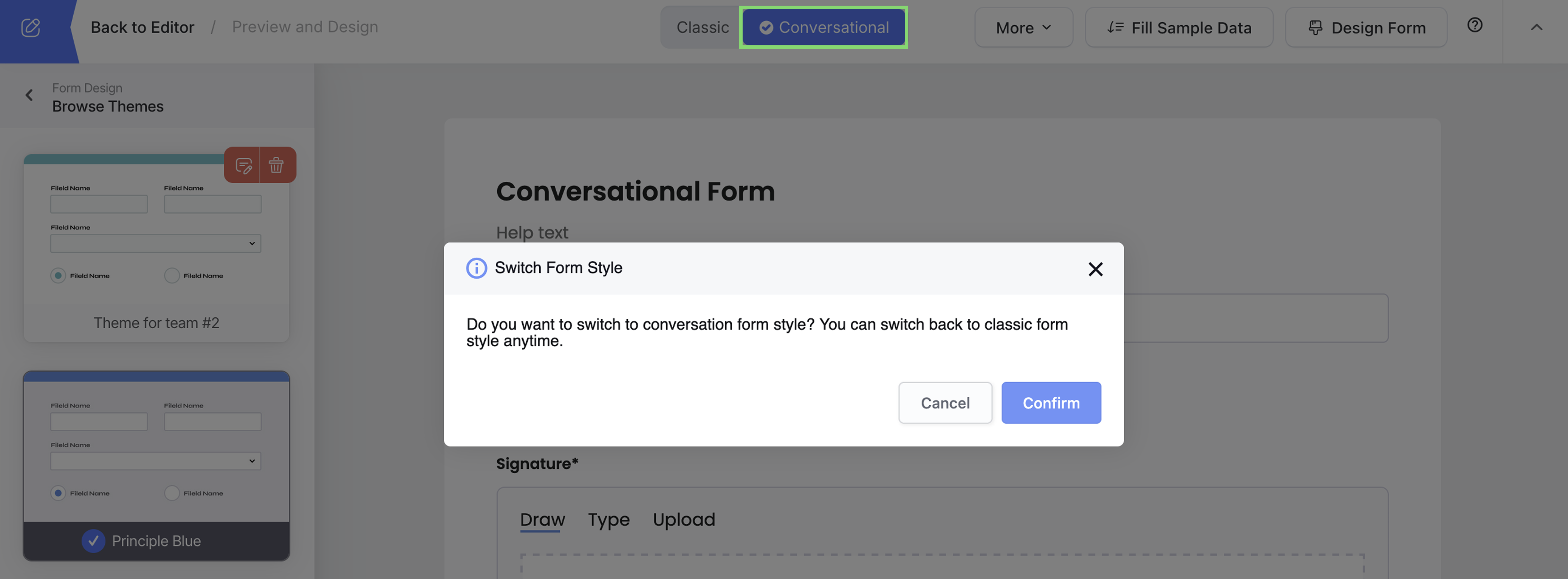
Look at the top of the preview window.
-
If you see a Classic / Conversational switcher → ✅ Your form can be converted.
-
If you don’t see the switcher → ❌ Your form can’t be converted.
Why this happens
PDF online forms use the original PDF as the visual background.
Because of this fixed layout, they stay in Classic mode and don’t support Conversational style.
Good to know
- Conversational Form works with web-based forms, including Web Forms, Web PDF Forms, Master Forms, and supported web-based Workflow steps.
- PDF online forms (forms that keep a PDF as the background) are not supported.
- If you’re unsure, the Preview & Design screen is always the fastest way to check.
Video tutorial
Prefer a visual walkthrough? This video shows how Conversational Form works.