
Find trending topics and quick answers here
Hi, how can we help?
Search by task, feature, or problem - not just a single keyword.
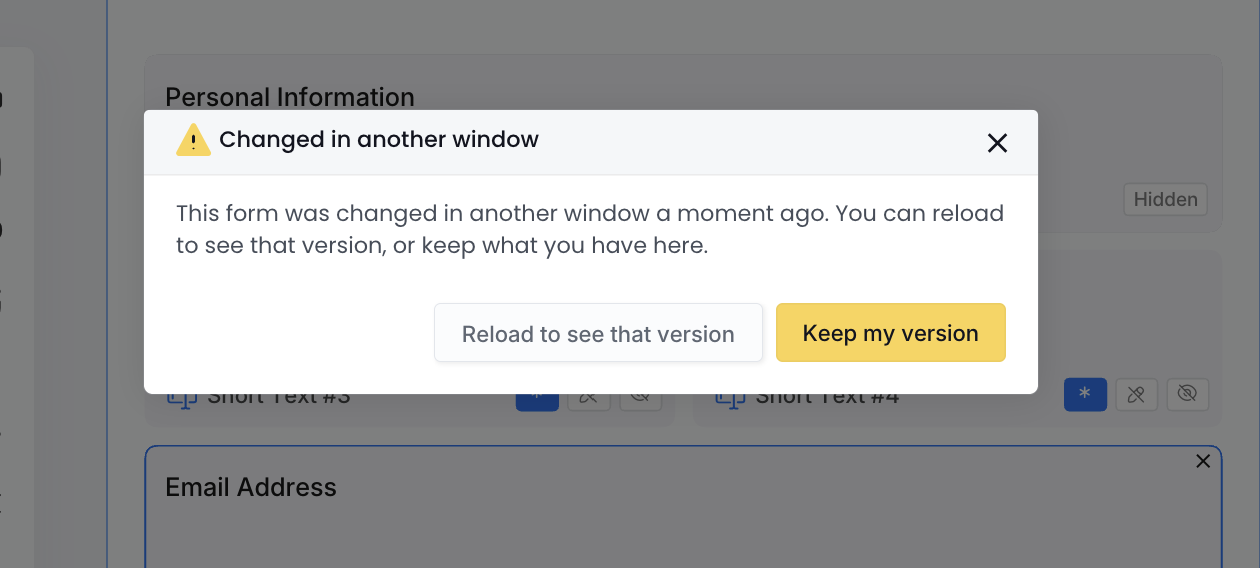
Why do I see “Changed in another window” when I edit a form or document?

Question
I’m editing a form or PDF document and a message says Changed in another window. What does it mean, and which button should I click?
Answer
The form or document was changed and saved somewhere else: in another of your tabs or windows, or by a teammate who is editing it too. PlatoForms shows the message as soon as you return to this window, so you can choose which version to keep.
What each button does
- Reload to see that version: loads the latest saved version, including the changes made elsewhere.
- Keep my version: keeps what you have in this window. If you then save here, your version replaces those changes.
If you’re not sure which version is right, click Reload to see that version first. You can then check what was changed and continue editing from the latest version.
Avoid the message
Edit a form or document in one tab or window at a time. If you opened it earlier and forgot about it, close the older tab before you start editing again. When you share editing with teammates, agree on who is working on it.