You spent time setting up your Google Form. You added sections, configured branching logic, and gave each step a clear title. In preview, it looked structured and clean.
Then you checked the responses. Many people who opened the form never finished.
In many cases, the issue isn’t your questions. Google Forms sections work well for simple surveys. But when they’re used to simulate a true multi-step workflow, certain structural limitations begin to show. These drop-offs are often predictable — especially in longer or more complex forms.
Here are five areas where Google Forms multi-step setups tend to fall short, and what that looks like in practice.
1. Limited progress visibility
The scenario: A homeowner starts your 6-section form during lunch. By section three, there’s no clear sense of how much remains. They’re unsure whether they’re halfway through or just getting started. Without visible progress feedback, they close the tab.
What Google Forms offers:
Google Forms provides a basic progress bar option in Settings > Presentation, but it is minimal and not customizable. It doesn’t display step numbers by default, and it cannot be styled or adapted to different visual themes. For more structured multi-step workflows, this can feel limiting.
On longer forms, uncertainty around completion time often increases drop-off.

How PlatoForms handles it differently:
In PlatoForms, the progress bar is automatically generated from your page breaks — each page becomes a step, so your form structure directly defines the user journey.
The navigation bar can be styled, shown or hidden, and customized to match your layout, branding, and visual theme.
Because it’s tied to page structure, progress updates automatically when you add or remove pages — no manual fixes required.

This keeps respondents oriented while giving you full control over how progress is presented.
For more details, refer to Customize the form design.
2. Branching works only with specific field types
The scenario: You’re building a job application form. You ask “How many years of experience do you have?” using a number field for cleaner spreadsheet data. You want to route applicants based on their numeric answer.
What you discover in Google Forms:
Branching logic works only with multiple-choice and dropdown questions. It doesn’t support number fields, short text, dates, or scales as triggers. To enable routing, you may need to convert your numeric question into predefined ranges such as “0–1 years” or “2–3 years.”
This workaround enables branching, but your spreadsheet now contains text labels instead of numeric values. That can make sorting and filtering more cumbersome later.
PlatoForms lets you attach conditional logic to any field type. You can use number inputs, text fields, checkboxes, and date pickers to trigger jumps.
-
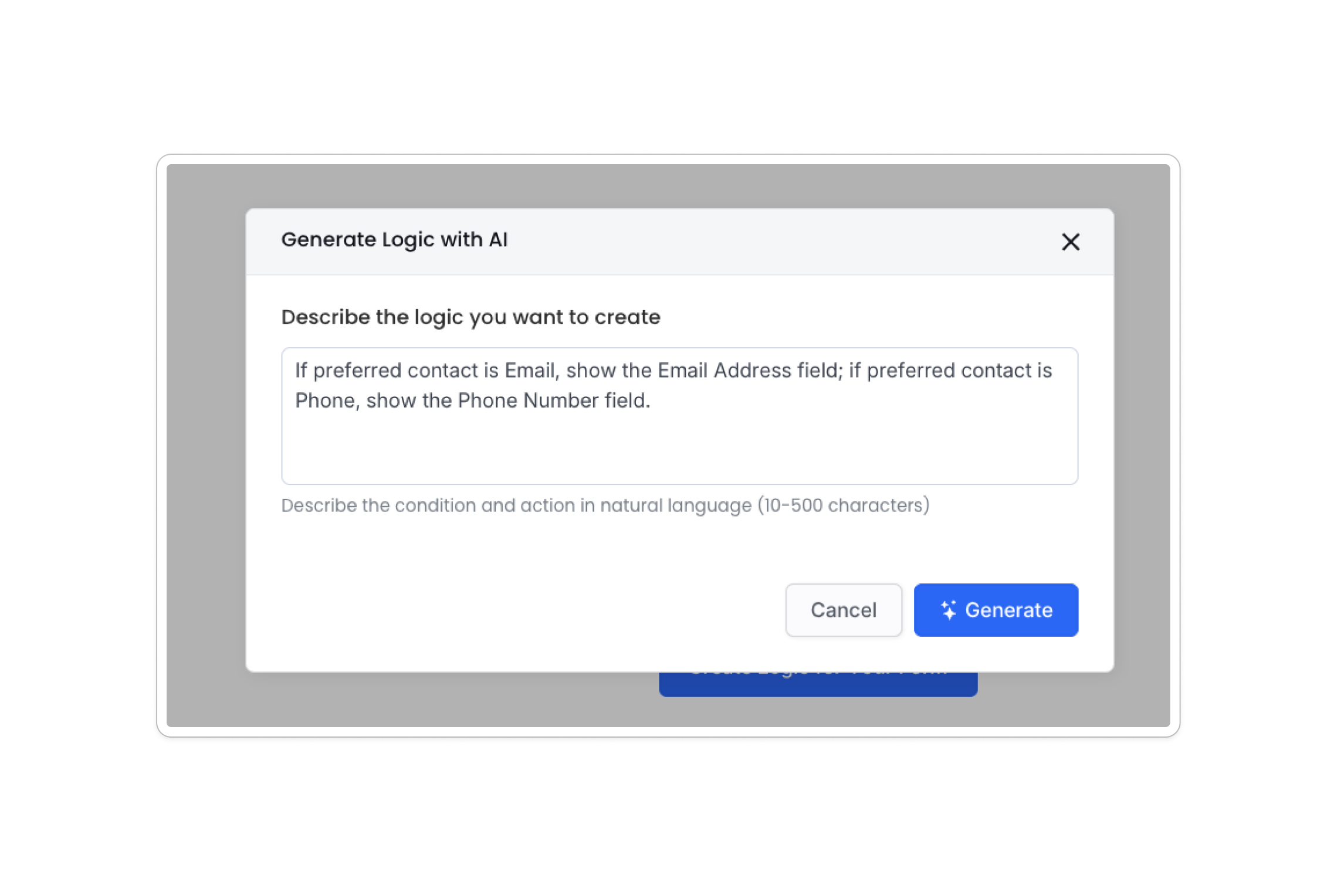
AI-Powered Logic: Instead of manual setup, you can use AI to generate complex logic rules instantly. Simply describe your branching needs in plain language, and the AI builds the conditions for you.
-
JSON Support: For advanced users, PlatoForms supports JSON-based logic. This allows you to import, export, or fine-tune highly complex rules with code-level precision.

Read More: How to Add Conditional Logic to Google Forms (And Its Limitations)
3. No built-in save and resume for most use cases
The scenario: An HR team sends out a detailed onboarding form that takes around 10–12 minutes to complete. A new hire begins filling it out but pauses to look up banking details. When they return later, their previous entries are gone.
What you look for in Google Forms:
There’s no dedicated “save draft” or “resume later” feature for general respondents. While signed-in users may have limited session-based recovery, if the tab closes or the session ends, responses are not preserved unless the form has already been submitted.
For longer forms that require people to gather documents or reference information, this can increase drop-off.
PlatoForms ensures respondents can return to their partially completed forms exactly where they left off. You can offer two seamless recovery options:
-
Auto-save: Progress is saved automatically in the background. Even after an accidental closure, previous responses are retained.
-
Save for Later: You can add a dedicated button that gives respondents a unique link to return within 60 days. They can email the link to themselves or bookmark it for later use.


4. No native payment collection inside the form flow
The scenario: You run paid workshops. Your Google Form collects registration details and then directs users to an external payment link. Some complete the form but forget to pay. Others pay but don’t submit the form.
What you find in Google Forms:
There’s no built-in payment field or native Stripe integration. Third-party add-ons exist, but they often redirect users to external pages, creating a fragmented experience.
As a result, you may need to manually reconcile form submissions with payment records across different systems.
PlatoForms includes a built-in Stripe payment widget that works as a form step. Users complete their details and payment within a single flow, producing one consolidated record. Apple Pay and Google Pay are also supported for faster mobile checkout.
Read More: How to Collect Payments with Google Forms for Free
5. Limited design flexibility between sections
The scenario: You’re building a quote request form and want a branded welcome step, a feature-selection step, and a clean contact step. In Google Forms, all sections share the same layout and theme.
What you see in Google Forms:
You can customize a single header image, background color, and font in Theme settings. These apply uniformly across the entire form. Section-specific layout adjustments aren’t supported.
While this works for standard surveys, it can feel restrictive when the form represents a brand or client-facing workflow.
PlatoForms supports multiple layouts, including Classic and Conversational display modes. You can also create a dedicated welcome screen that visually differs from later steps.

For more details, see Switch to Conversational Form.
Quick Comparison
| Feature | Google Forms | PlatoForms |
|---|---|---|
| Progress Bar | Minimal/Not Styled | Fully Customizable |
| Logic Triggers | Dropdown/MC only | Any Field (AI & JSON support) |
| Save & Resume | No (Requires login) | Auto-save & Save for Later |
| Payments | External links only | Native Stripe Widget |
When Google Forms is the right tool
Google Forms is excellent for quick surveys, internal feedback, simple RSVPs, and short forms that require minimal branching. It’s fast, free, and tightly integrated with Google Workspace.
The limitations above typically become relevant when forms grow more complex — such as multi-step lead qualification, transactional workflows, onboarding processes, or branded client experiences.
What to consider in a Google Forms alternative
If you’ve encountered any of the scenarios above, it may be helpful to look for:
- Clear progress visibility
- Conditional logic across all field types
- Save and resume functionality
- Integrated payment collection
- Flexible design controls
PlatoForms is designed for teams managing more advanced workflows. It offers a 15-day free trial, so you can test whether it fits your use case before committing.
Try PlatoForms free for 15 days →
No credit card required.