


If you’ve opened the settings page of Claude, ChatGPT, or another AI assistant recently, you may have noticed an option called Connectors or MCP. This isn’t another fleeting tech buzzword — it might be one of the quieter infrastructure shifts reshaping how we interact with software in 2026.
Quick answer: MCP (Model Context Protocol) is an open standard that lets AI assistants connect to external tools, data, and software through a common interface. Instead of building a separate integration for every AI assistant, a service can expose its capabilities through an MCP server that any compatible AI client can use.
In this post, we’ll cover:
- The problem: AI assistants have always been isolated
- What MCP does: a standard door through the wall
- How does MCP work?
- What can you do with MCP?
- MCP vs. API: what’s the difference?
- Why is MCP important now?
- What this means if you use these tools
- Where PlatoForms fits in
- Frequently asked questions
The problem: AI assistants have always been isolated
AI chat assistants have gotten remarkably capable over the past few years. They can write code, analyze data, and draft documents. But there’s been an awkward limitation the whole time: an AI assistant may be able to reason about your work without actually having access to the live data or actions inside the tools where that work happens.
You can ask ChatGPT to help draft an email, but it can’t see your inbox. You can ask Claude to analyze a spreadsheet, but you have to copy and paste the data into the chat first. There’s a wall between what an AI assistant can reason about and the tools you actually use every day — your project management software, your CRM, your form system, your database.
Every company that wanted to connect its product to an AI assistant had to invent its own integration from scratch: writing a plugin, matching a different API format, maintaining its own authentication logic. The result was a fragmented ecosystem — a plugin built for one assistant simply didn’t work on another.
What MCP does: a standard door through the wall
The Model Context Protocol (MCP) was introduced by Anthropic in November 2024 and has since evolved into an open standard with broader community governance, with a straightforward goal: let AI assistants speak the same language when talking to any external tool.
Think of it like the logic behind USB. Before USB, every peripheral had its own proprietary connector — printers used one type of plug, mice another, scanners yet another. USB standardized all of that: any device that supported the standard could plug into any computer and just work, without a separate driver built for that specific machine.
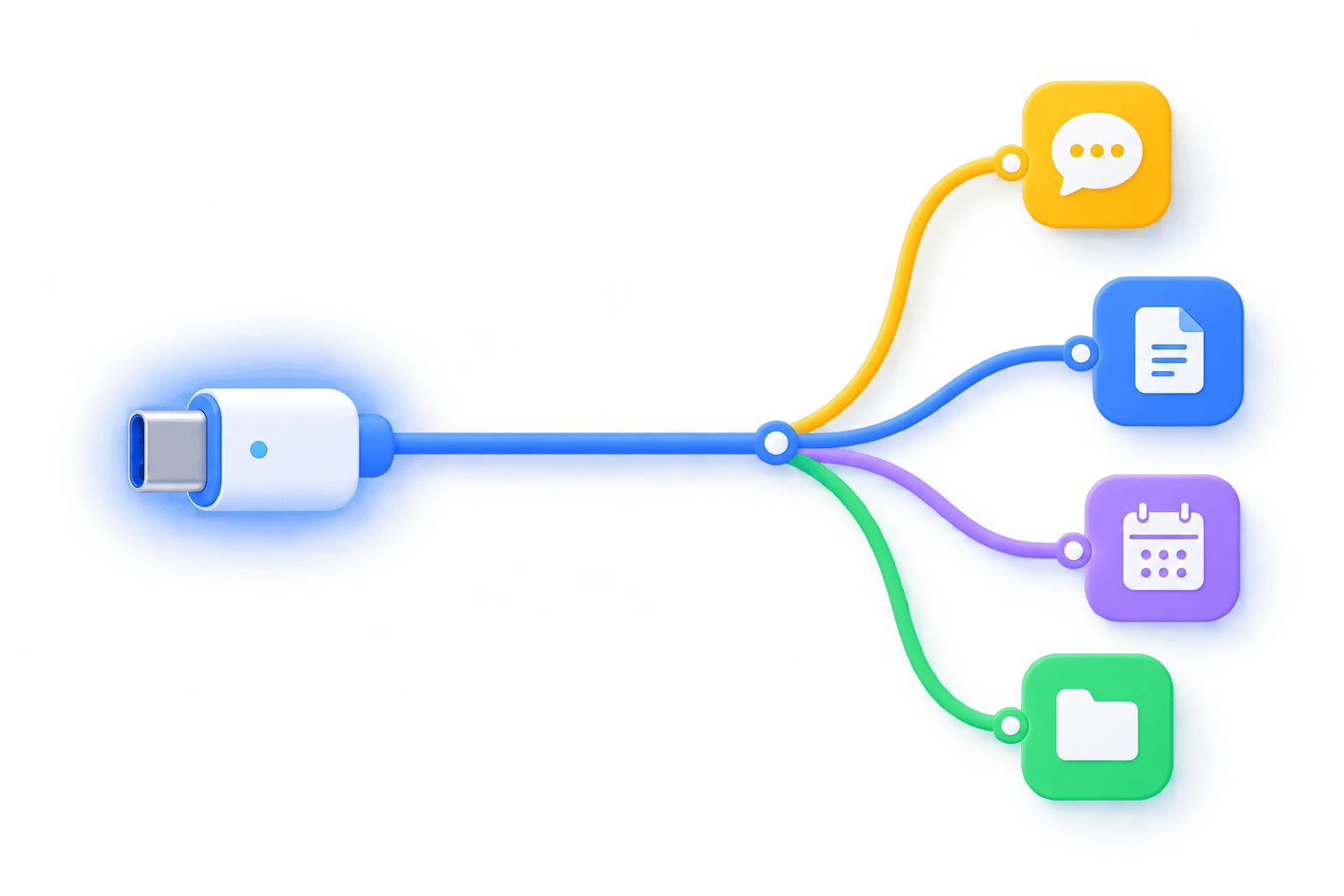
MCP is trying to do the AI equivalent. A product only needs to build one MCP-compliant service (commonly called an MCP server), and, in principle, the same server can be used by multiple MCP-compatible AI assistants — which today already includes Claude, ChatGPT, Cursor, and OpenAI Codex — without requiring a separate protocol integration for each one.
What is an MCP server?
An MCP server is the software layer that exposes a product’s tools, resources, data, or other capabilities through MCP. It sits between an AI application and the service it needs to interact with. The AI application acts as the MCP client, while the server provides the capabilities the client can discover and use.
Why this matters: Before MCP, “AI integration” meant picking one assistant and building for it. With MCP, one server can be reached by any compatible client — including assistants that don’t exist yet.
How does MCP work?
The flow is simpler than it sounds:
AI assistant (MCP client) → MCP server → External tool, data, or service
When you connect an AI assistant to an MCP-enabled service, the assistant acts as the MCP client. The MCP server exposes the tools, resources, and prompts that service makes available. When you ask the assistant to do something, the client discovers and calls the appropriate capability through MCP, then returns the result to you.
What can you do with MCP?
MCP can give AI assistants access to external data, tools, and actions. Technically, MCP defines capabilities such as tools, resources, and prompts — tools the model can call, resources it can read, and reusable prompt templates a server can offer. From a user’s perspective, though, the easiest way to think about what an MCP connection can do is in three categories:
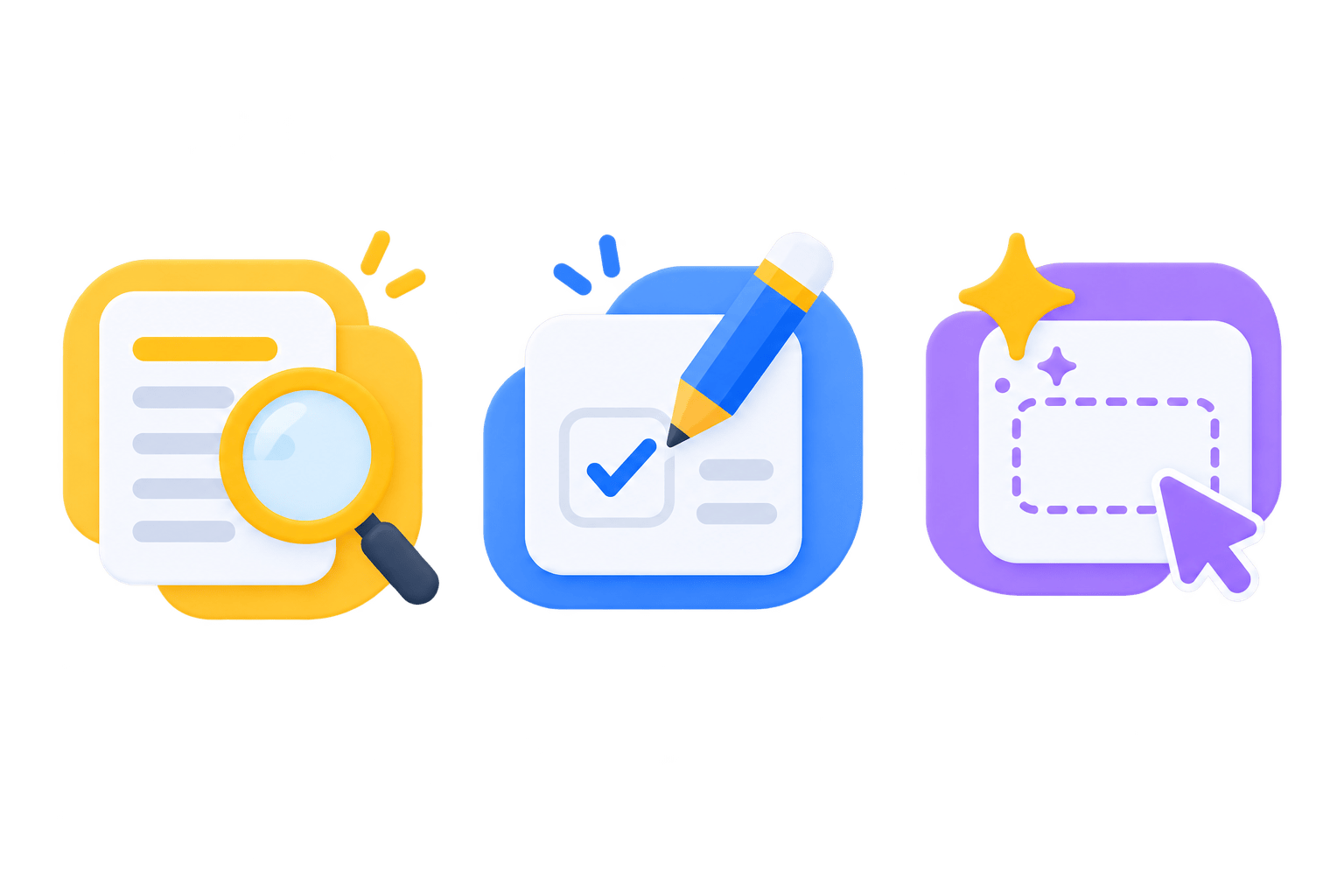
- Read — letting the assistant query the actual data in your account. “Show me last week’s sales records.” “Where does this project stand right now?”
- Write — letting the assistant take action on your behalf. Submit an entry, send a notification, update a status.
- Create — going a step further, letting the assistant generate new content or configuration based on your description. “Build me a client intake form.”
Critically, all of this happens only within the scope you explicitly authorize. For remote MCP connections that require authorization, MCP supports standardized OAuth-based authorization flows — you sign in, review the access being requested, and grant the connection the permissions it needs, which can be revoked at any time. Your password isn’t typically shared with the AI assistant itself; instead, the connection uses authorization credentials such as access tokens, with the exact flow depending on how the MCP server is configured.
Why this matters: The access model is opt-in and auditable by design, not a blanket “give the AI your login.” That distinction is what makes connecting real business data to an AI assistant something teams can actually adopt with confidence.
If the security question is the one holding you back — what exactly gets shared, who can see it, and what happens if something goes wrong — Is MCP Safe? covers it in full.
MCP vs. API: what’s the difference?
An API defines how software exposes functionality to other software. MCP defines a standardized way for AI applications to discover and interact with the tools, resources, and prompts an MCP server exposes.
In practice, an MCP server often uses an existing API behind the scenes. MCP doesn’t replace APIs — it adds an AI-friendly protocol layer on top of the capabilities a product already has, so an AI assistant can discover and use them without a custom integration for that specific assistant. PlatoForms provides both options through its Developer Hub: the API for custom integrations and MCP for conversational access.
Why is MCP important now?
So why is MCP suddenly everywhere in 2026? The standard itself has been around for a while, but a few things had to line up before it became genuinely usable.
Mainstream AI assistant providers got on board together. Once Claude, ChatGPT, and Cursor — major AI products with growing MCP support — started natively supporting MCP connections, adding MCP support stopped being a niche technical experiment for a software product and became a much more meaningful distribution channel for software products.
The connection experience simplified fast. Early MCP setups often required manually configuring a handful of parameters. Increasingly, products now support one-click connections — open settings, enter an address, sign in and authorize, and you’re done in under a minute, no technical background required.
It solves a real, high-frequency pain point. Anyone who spends their day switching between multiple pieces of software, copying and pasting data back and forth, immediately understands the value of letting an AI assistant just handle it directly.
And MCP itself is maturing beyond a simple tool-connection standard. The latest 2026 specification adds a stateless protocol core, MCP Apps, a Tasks extension, and stronger authorization mechanisms — signs that the ecosystem is moving from experimentation toward production infrastructure.
What this means if you use these tools
If you’re a regular user of some SaaS product, MCP support means you may no longer need the “open this tool — do the thing — close it — open the next tool” routine. You could simply tell Claude or ChatGPT, “Check the forms submitted last week” or “Send this client a pre-filled invitation link,” and the assistant carries it out directly, within the access you’ve granted — no manual login, no clicking through menus, no copy-pasting.
For product teams, this also opens up a new distribution model — users don’t need to know your product’s name before they can use its capabilities. As long as they’re already using an AI assistant that supports MCP, your functionality has a chance of getting invoked right when they need it.
PlatoForms is on this path too
For form teams, MCP means an assistant can do more than explain how a form works. With PlatoForms MCP, it can find forms, read submissions, create pre-filled links, start a form in the online form builder, or create a new PDF document from a description.
Claude on the web and desktop connects to PlatoForms with OAuth, as do Claude Code and current OpenAI Codex releases. Cursor and other compatible MCP clients can use OAuth when supported or a PlatoForms API key as a fallback.
The official PlatoForms plugin for ChatGPT is now available. Install it from the Plugins Directory and connect your PlatoForms account with OAuth.
If you want to try another supported assistant, ask your team admin to enable AI Assistant Access (MCP).
Want to see MCP applied to real form work? Explore PlatoForms MCP to see what your assistant can read, create, and help you manage, then follow the MCP setup guide to connect a supported assistant.
If you manage forms, submissions, or client intake and want to see what this looks like in practice — the specific things you can ask and what still requires your judgment — What MCP Means for Form Teams walks through it.
Frequently asked questions
What does MCP stand for?
MCP stands for Model Context Protocol, an open standard for connecting AI applications with external tools, data, and services.
What is an MCP server?
An MCP server exposes tools, resources, and other capabilities that an MCP-compatible AI application can discover and use.
Is MCP an API?
No. MCP is a protocol for AI applications to interact with external capabilities. An MCP server can use an API behind the scenes.
Is MCP only for developers?
No. Developers build MCP servers, but end users can use MCP-enabled connections through supported AI assistants without writing any code.
What AI assistants support MCP?
Support varies by product and changes over time. MCP-compatible clients currently include AI assistants and developer tools such as Claude, ChatGPT, Cursor, and Codex.
Related Reading
- What MCP Means for Anyone Who Manages Forms, Submissions, or Client Intake
- Is MCP Safe? What Gets Shared, Who Can See It, and What You Can Do About It
- Introducing the New PlatoForms: AI-Powered, Global, and Redesigned
- Elevate Your Workflows with PlatoForms & Make Integration
- 7 Signs Your Online Form Builder Is Not Safe for Sensitive Data


