
Find trending topics and quick answers here
Hi, how can we help?
Can respondents resume the progress after closing the form
Question
My online form consists of multiple pages. Can respondents resume the progress after accidental closure?
Answer
Absolutely! You can let your respondents resume the progress in two ways:
-
Auto-save: Progress is automatically saved. Even if the form is closed, previous responses are retained.
-
Save for later: Adds a Save for Later button, providing respondents with a link to return and complete their form within 60 days.

These options guarantee a seamless experience, even after accidental closure or returning later to complete. Choose the best-fit option and set it up as follows:
Auto-save option
-
Hover over the form on the Dashboard.
-
Click the Settings (gear) icon, then click Manage Form.
-
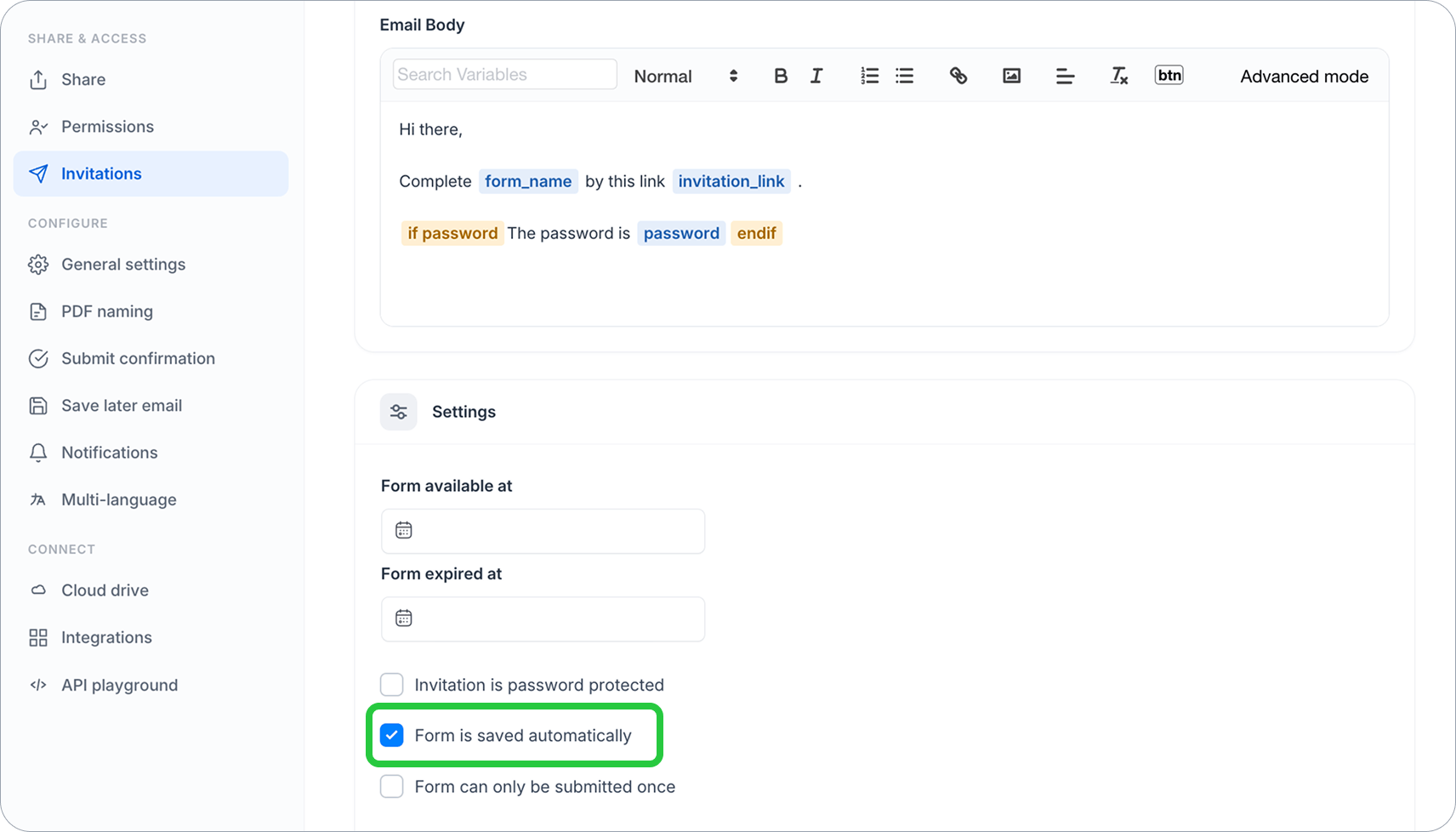
In the left sidebar, click Invitations under SHARE & ACCESS.
-
Configure your invitation. For detailed instructions, check the Set your invitation section.
-
Scroll down to the Settings section and check Form is saved automatically
Save for later option
-
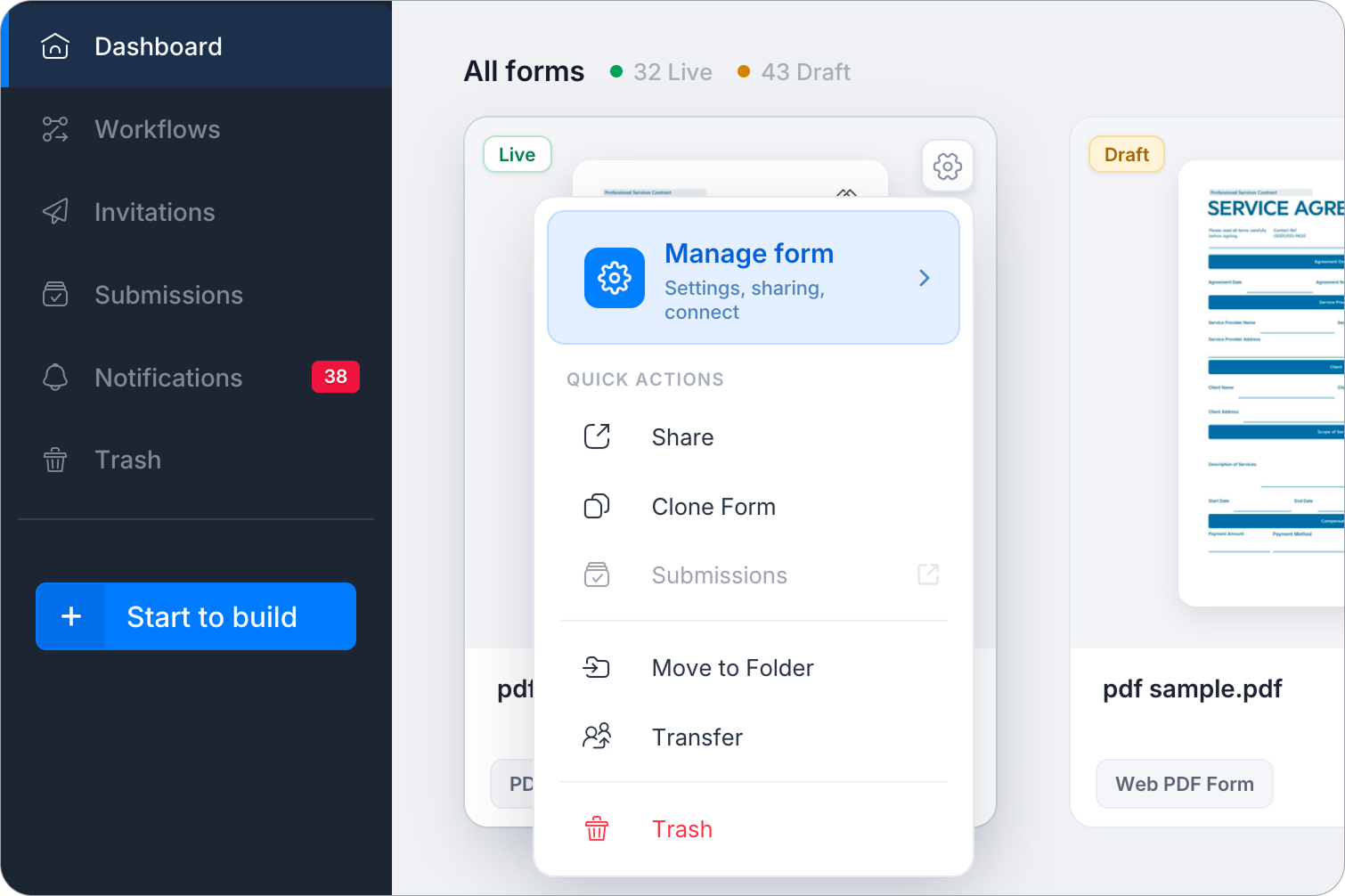
Hover over the form on the Dashboard.
-
Click the Settings (gear) icon, then click Manage Form.
-
Under General settings, scroll to the SAVE-FOR-LATER section and switch on Enable “Save for Later”.
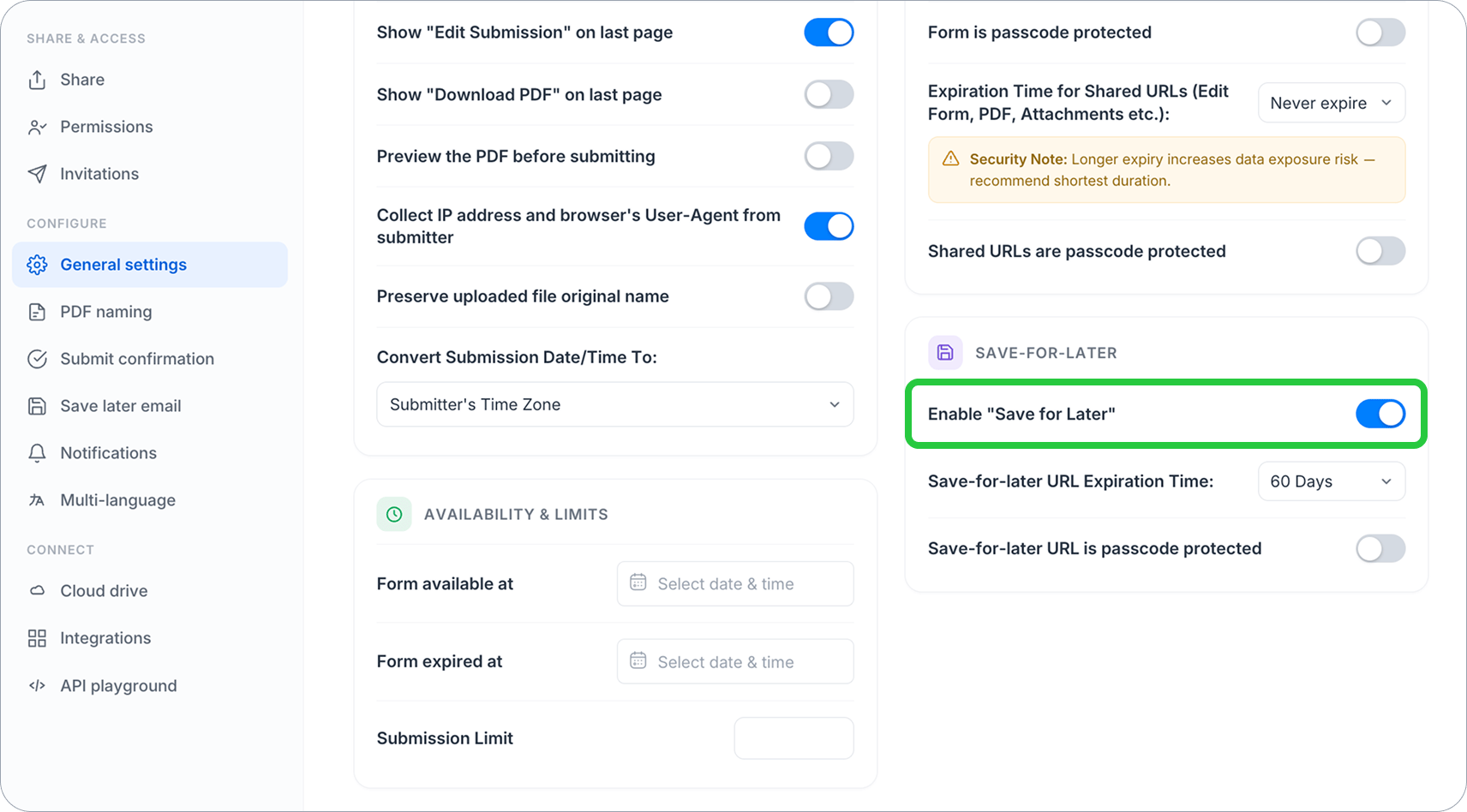
Note: If respondents click Save For Later multiple times, they’ll still access the same link. They can also send it to their email or bookmark it for later use.
Explore more
Have more questions? Visit our FAQs page or contact us.