
Find trending topics and quick answers here
Hi, how can we help?
Search by task, feature, or problem - not just a single keyword.
How can I prove a PlatoForms e-signature is valid?

Question
Someone signed a form in PlatoForms. How can I, or the other party, prove the signature is valid and the signed PDF hasn’t been changed?
Answer
An electronic signature holds up because of the evidence recorded with it: that the signer agreed to sign electronically, intended to sign, and signed this exact document. Every PlatoForms signature certificate records that evidence and links to a public verification page.
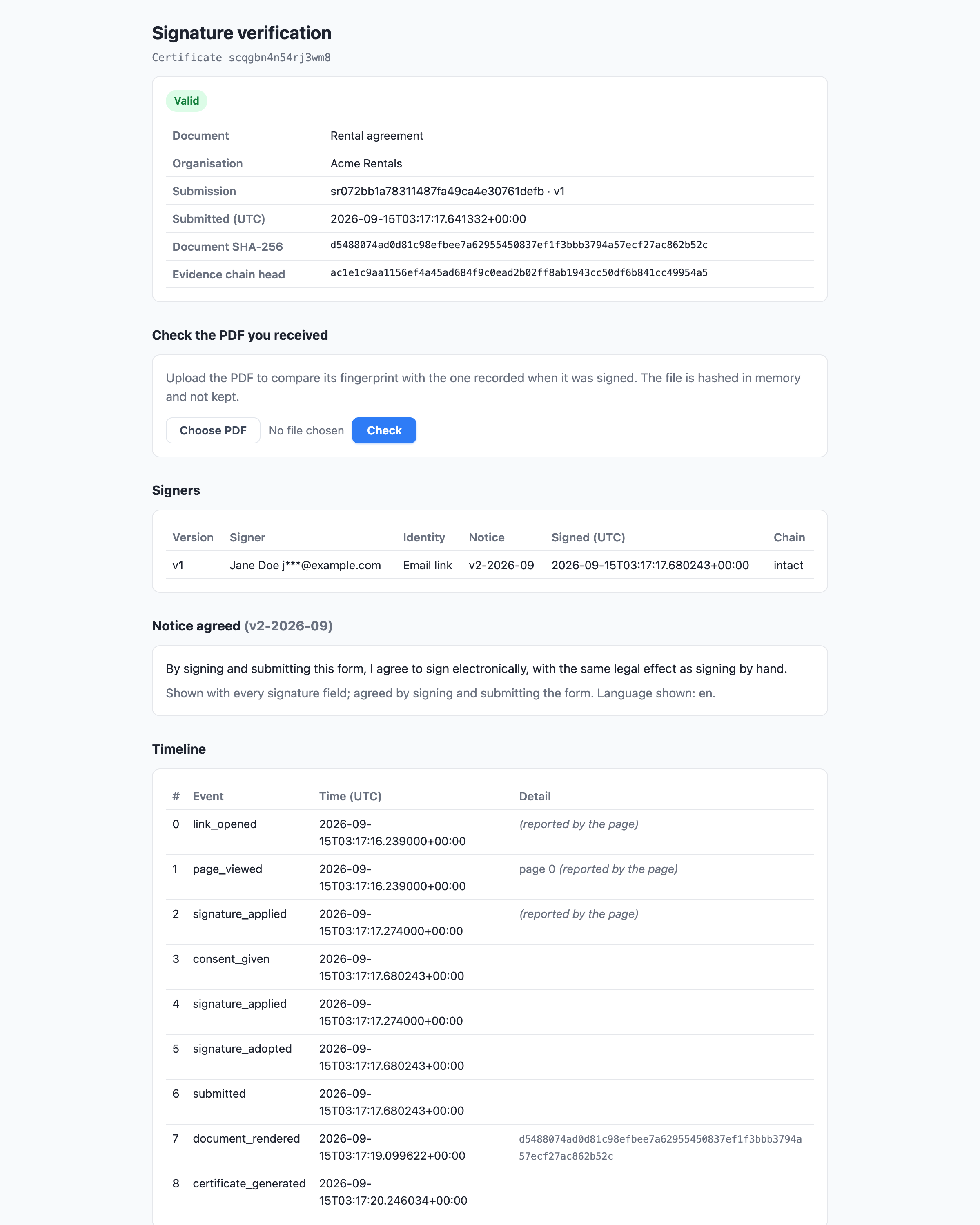
Anyone with the certificate’s link can open the page. No PlatoForms account is needed. The page shows:
- Whether the evidence chain is intact.
- Who signed, with their email addresses partly hidden.
- The notice they agreed to.
- The timeline of the signing.
Nothing on the page can be edited. For teams with HIPAA compliance turned on, the page hides the signer and document details until a matching PDF is checked.
How do I open the verification page?
-
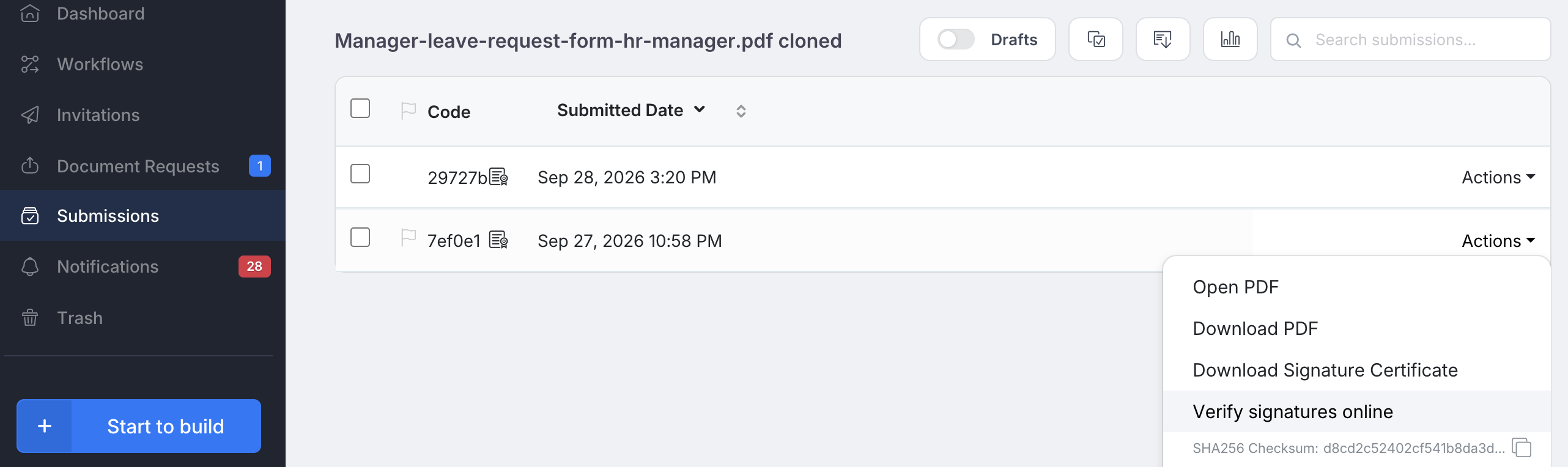
From PlatoForms: on the Submissions page, open the submission’s actions and click Verify signatures online.
-
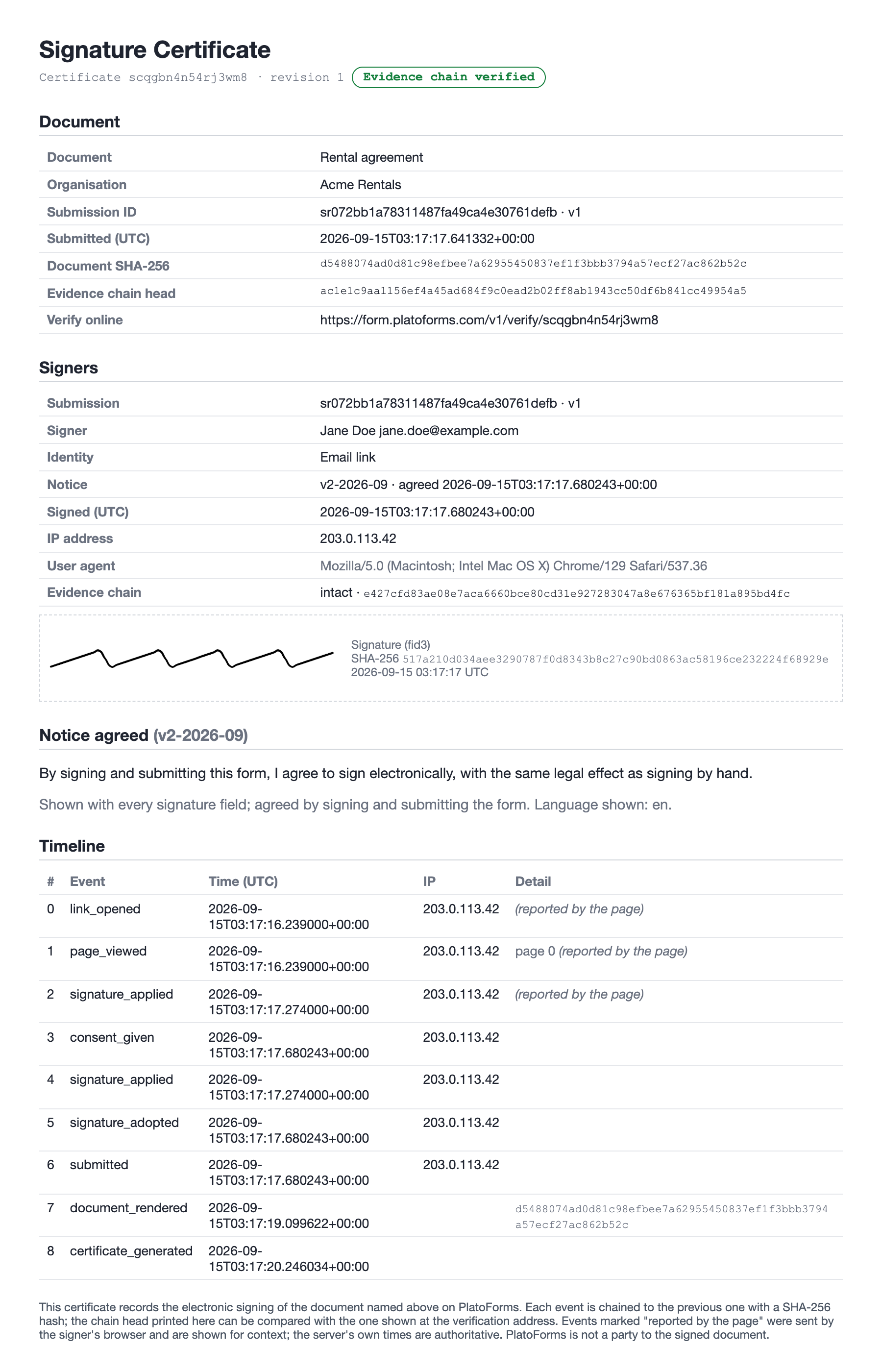
From the certificate: the signature certificate has a Verify online link printed on it. You can download the certificate from the Submissions page, and the default notification email attaches it. Forms created before this became the default need two variables in the email body.
See After the submission.
A certificate is created only when the form is sent through an invitation or a workflow step with the signature certificate turned on. A form filled in from its public link has no certificate, because there is no record of who received the link.
How do I check that the signed PDF hasn’t been changed?
On the verification page, under Check the PDF you received, click Choose PDF, pick the signed file and click Check. PlatoForms compares the file’s fingerprint with the one recorded when it was signed and tells you whether they match. The file is only checked, not stored.
Is the signature legally binding?
PlatoForms signatures are electronic signatures backed by recorded evidence. See Legally binding electronic signatures for the countries that recognise them and the documents that need a different kind of signature.