
PlatoForms User Guide
訪問欄位屬性
標籤
本頁描述如何訪問表單欄位的屬性面板。
訪問欄位屬性
要訪問表單欄位的屬性面板,請按照以下步驟進行:
-
從 儀表板 打開您的表單以進入表單構建器。
-
在左側的 欄位面板 中,懸停在您想編輯的欄位小工具上。
-
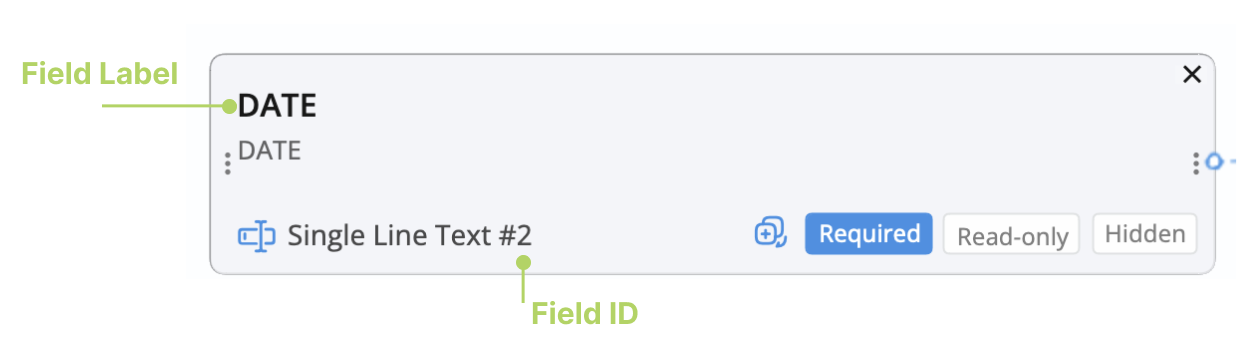
點擊圖像中標記的 欄位標籤 或 欄位 ID。
 Note
Note-
欄位 ID 是一個唯一的代碼,有助於區分欄位,使您更容易找到想要編輯的欄位。此 ID 通常顯示為欄位類型後的一個數字。例如,如上圖所示,在 “單行文本 #2” 中,“2” 是欄位 ID。
-
在舊的表單構建器中,點擊欄位小工具右下角的欄位 ID 以訪問其屬性。
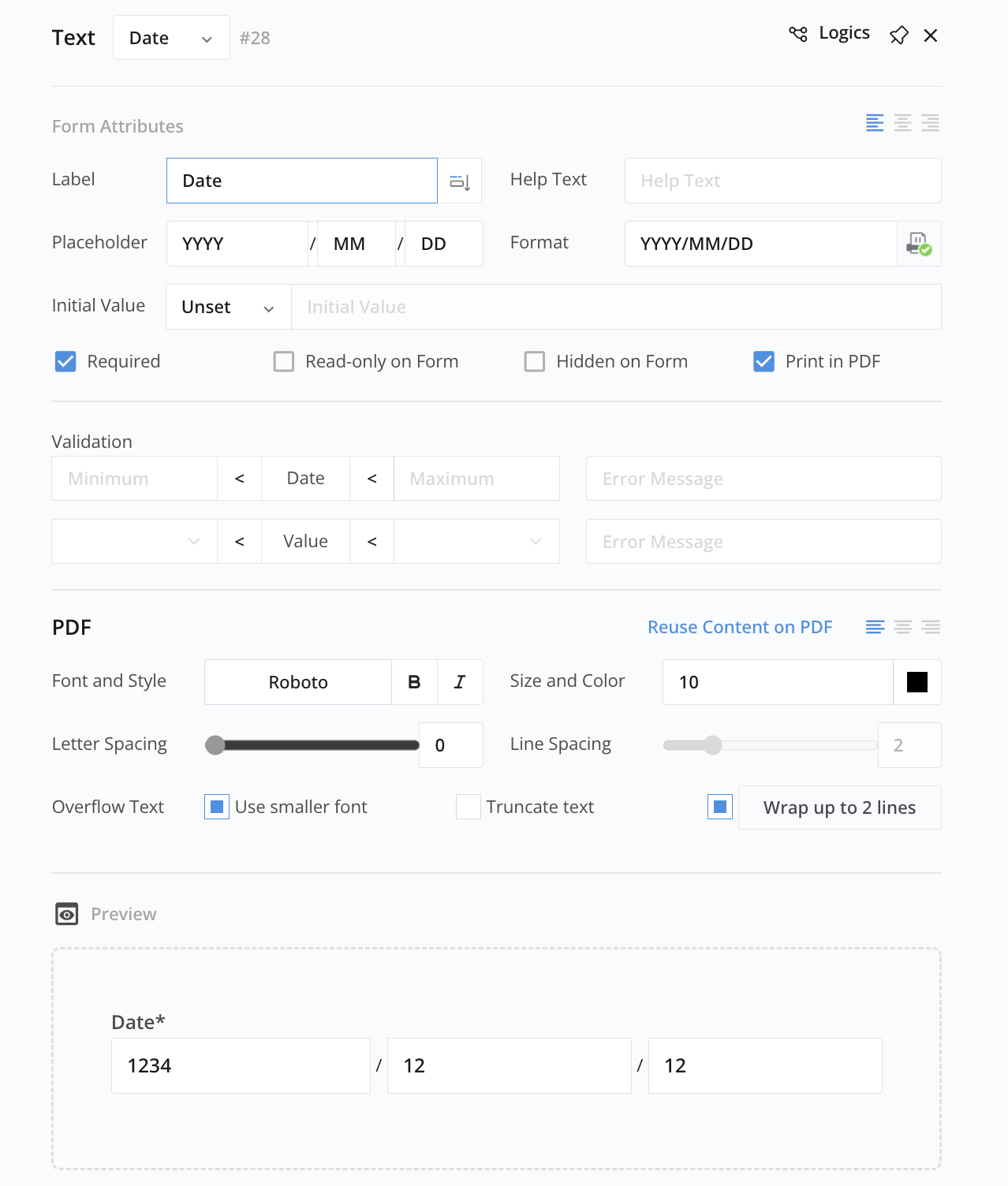
您將打開欄位的屬性面板,如下所示。
-
-
根據需要編輯欄位屬性。