PlatoForms User Guide
Ctrl+K
  • Form Builder

    Creating an Online Form for an Existing PDF

  • Custom Domain

    With Builder you can build three types of forms: online web forms, online PDF forms, and master forms.

  • Master Form Builder

    you will arrive at the Form Builder. On the form Builder, there are three main sections:

将表单转移到另一个账户

在本章中,您将学习如何将表单转移到另一个 PlatoForms 账户。

当您需要将表单所有权移交给同事、客户或另一个账户时,此功能非常有用,无需重新创建或复制表单。

转移表单

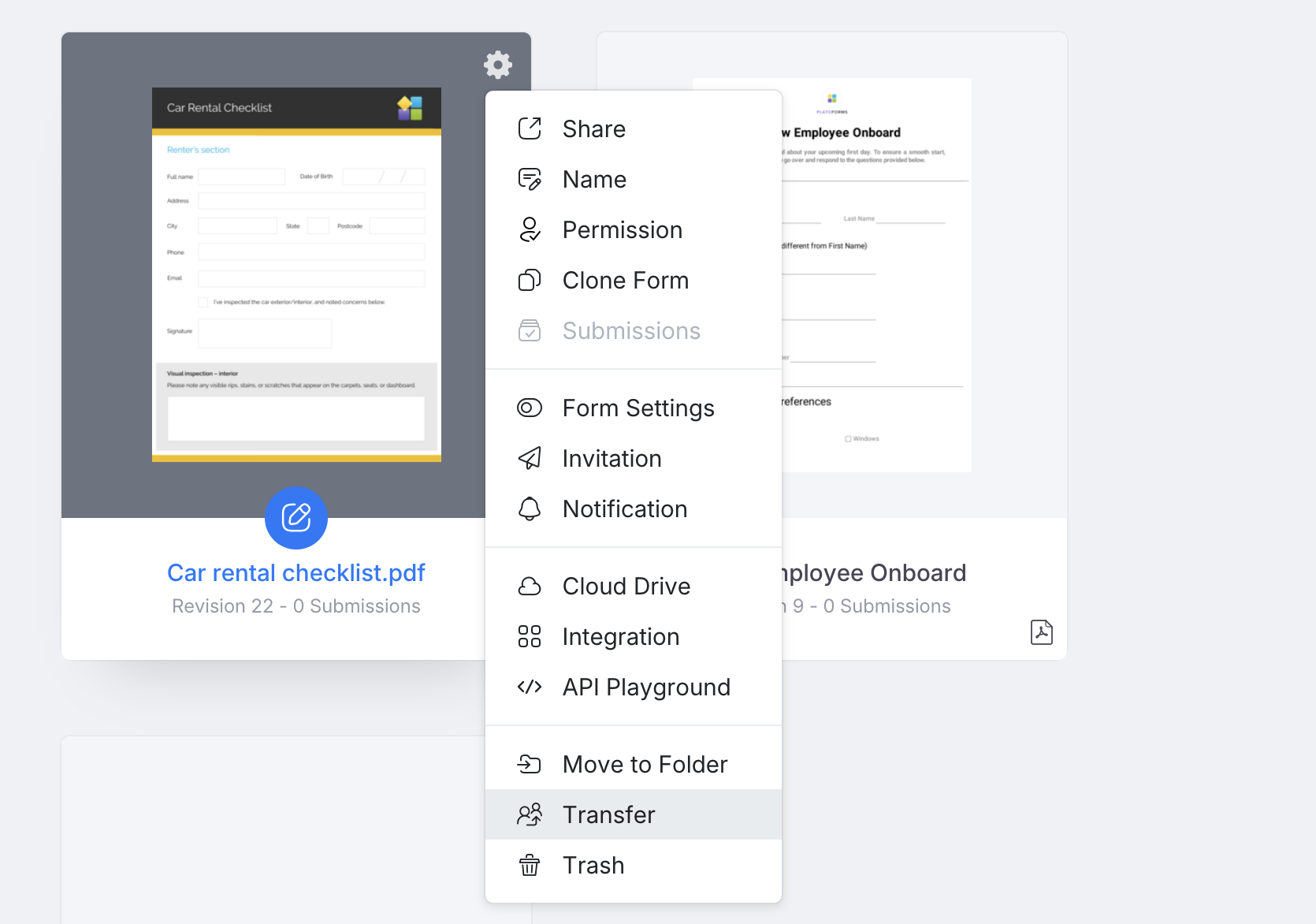
  1. 仪表板上将鼠标悬停在所需的表单上。

  2. 点击右上角的设置(齿轮)图标并选择转移

    Transfer option

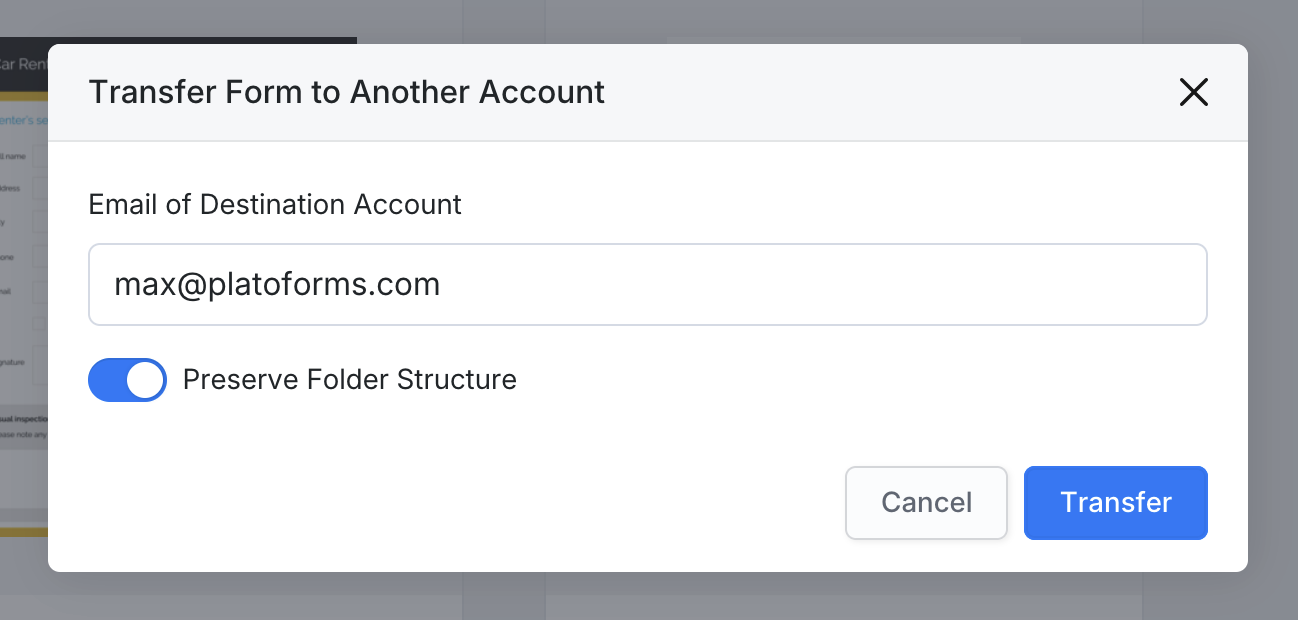
  3. 在弹出窗口中,输入目标账户的电子邮件地址

  4. (可选)如果希望表单在接收者的仪表板中以相同名称出现在一个新文件夹中,请切换保留文件夹结构

    Preserve Folder Structure

  5. 点击转移,然后确认操作。

确认后,表单及其所有提交内容将被移动到指定账户。

Note

此操作无法撤销

当转移失败时

如果您看到错误信息**“指定的账户不存在”**,请仔细检查输入的电子邮件地址是否与一个活跃的 PlatoForms 账户相关联。
只有现有账户才能接收转移的表单。

Is the content helpful?