
PlatoForms User Guide
使用文件夹组织表单
标签页
在本章中,我们将引导您通过在 PlatoForms 中使用文件夹来组织表单的过程。此功能旨在简化您的体验,特别是在处理大量表单时。
创建文件夹
-
进入您的 仪表板。
-
在顶部切换标签以选择新文件夹的目标位置。
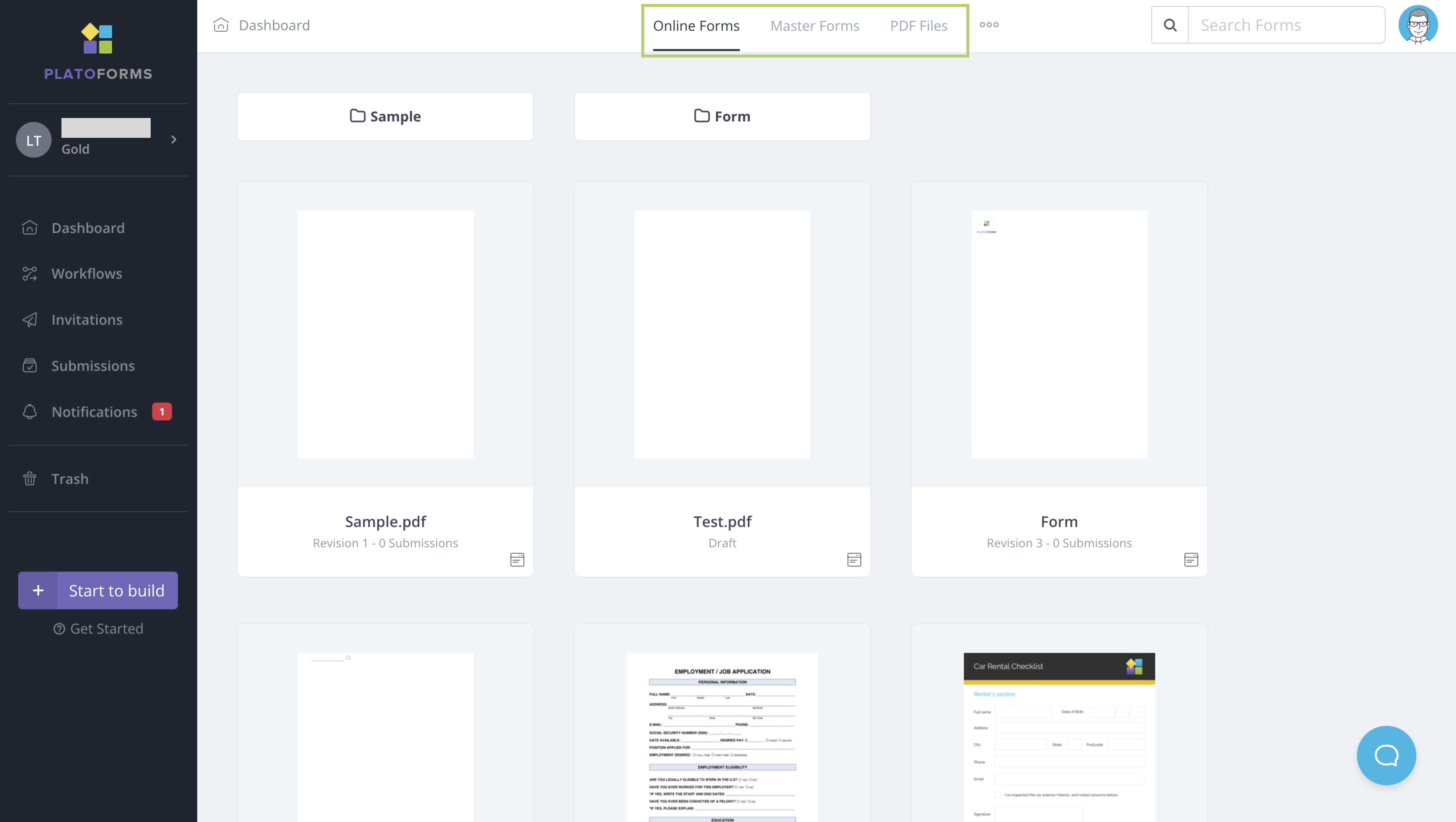
-
点击圆点 (•••) 图标并选择 创建文件夹。
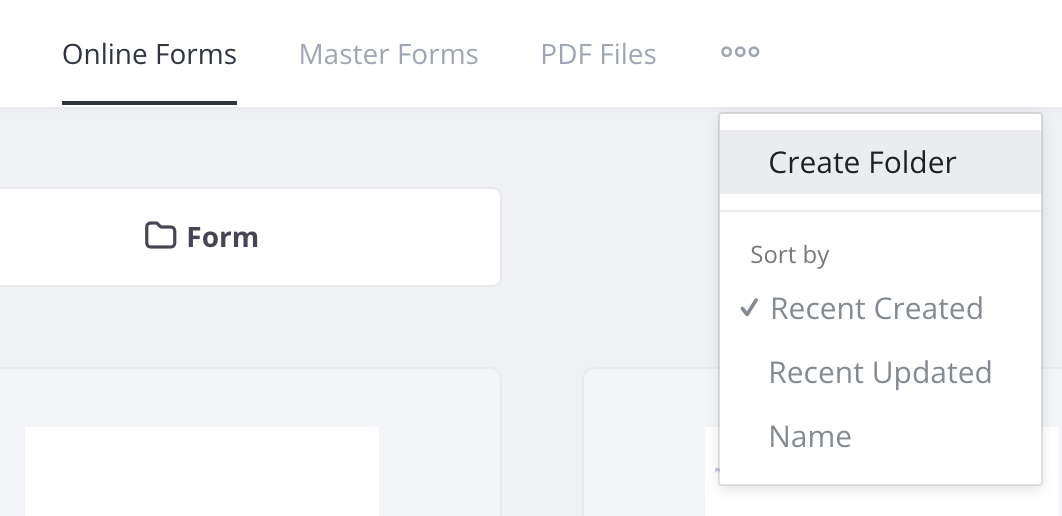
-
为您的文件夹命名并点击 保存。
这将在您选择的标签下创建一个新文件夹。
将表单放入文件夹
创建新表单时,点击现有文件夹以将其放入其中。您的新表单将整齐地组织在您选择的文件夹下。
将表单移动到文件夹
您可以将现有表单移动到选定的文件夹中。要执行此操作:
-
在 仪表板 上将鼠标悬停在所需表单上。
-
点击右上角的 设置(齿轮)图标并选择 移动到文件夹。
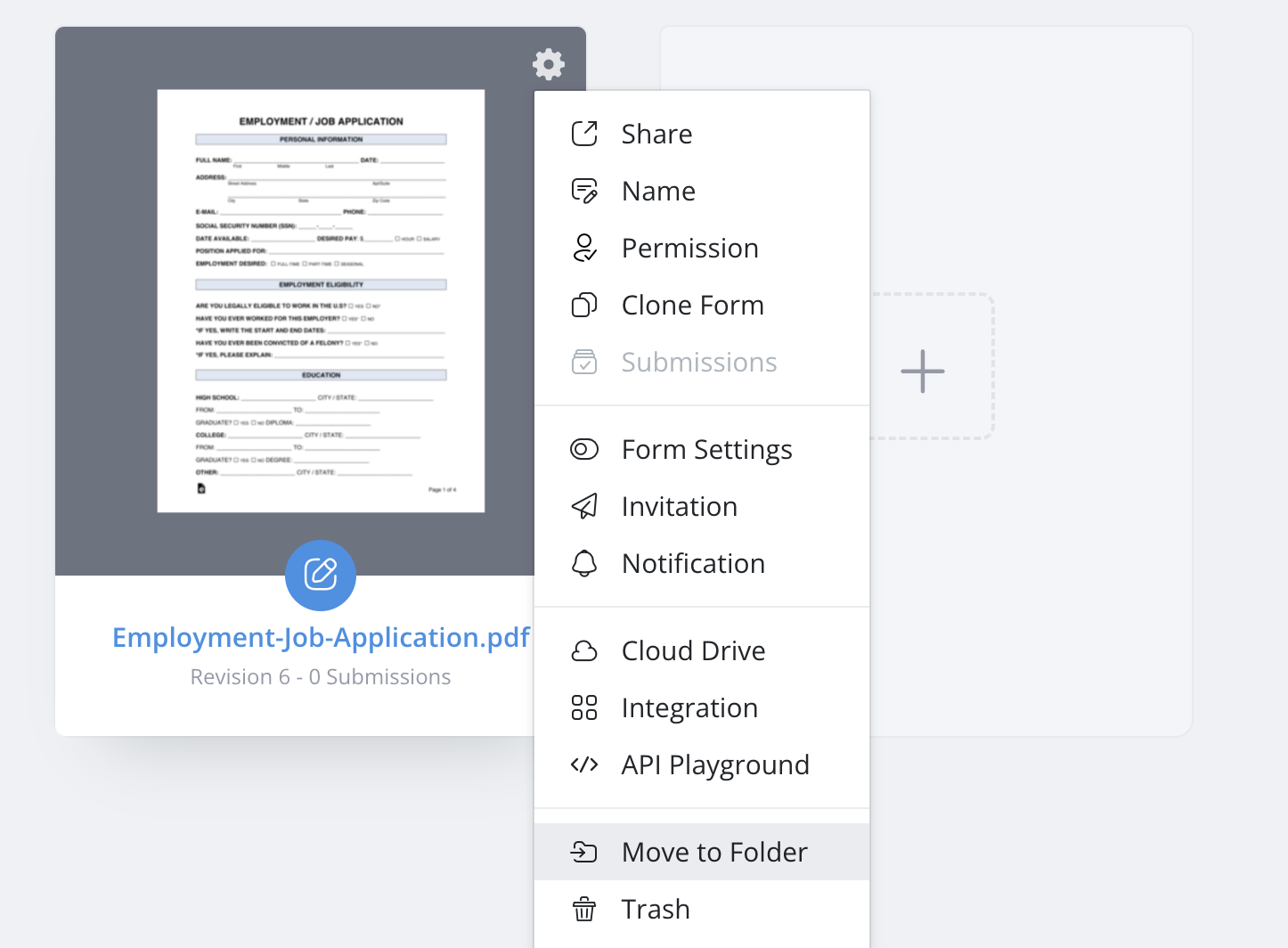
-
选择所需的文件夹并点击 移动。
排序您的表单
您可以通过点击圆点 (•••) 图标按 名称、创建日期 或 更新日期 排序表单。
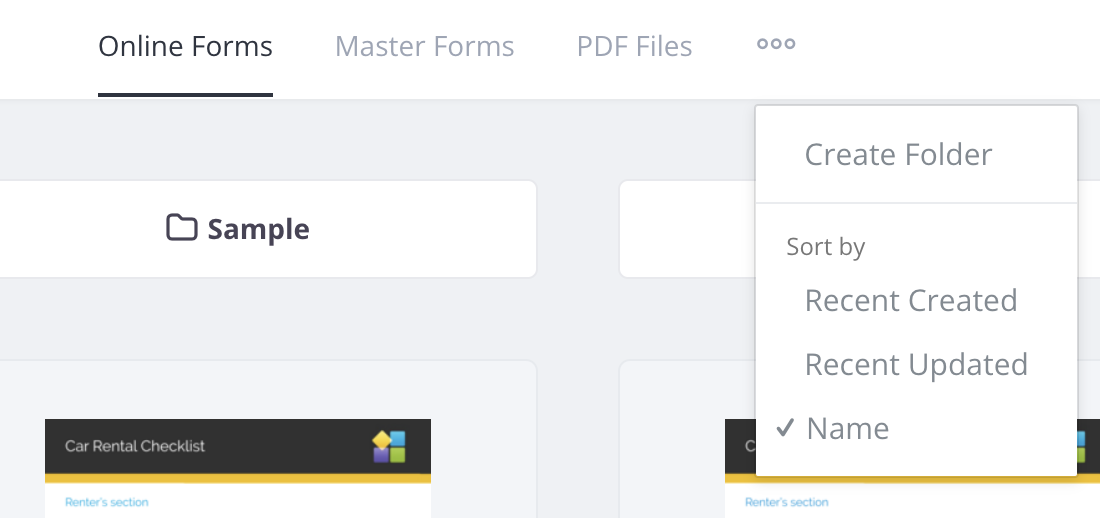
- 最近创建: 按创建日期从新到旧排序。
- 最近更新: 按更新日期从最近到最早排序。
- 名称: 按字母顺序从 A 到 Z 排序。