
Form types
Tabs
PlatoForms offers four main types of forms to match your workflow. Review the details below to find the right one for your project.
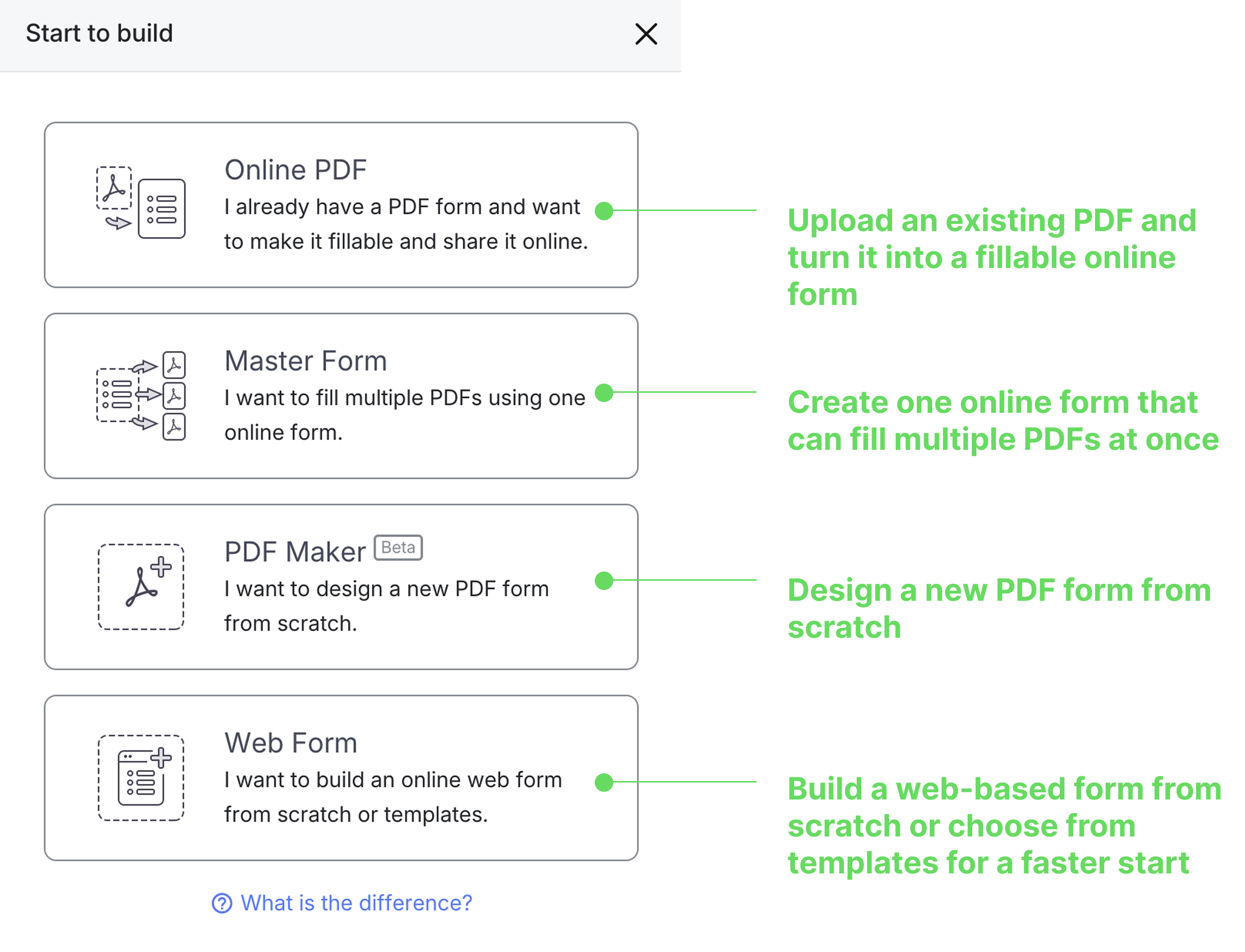
Online PDF
Scenarios:
- Already have a PDF? Upload it and turn it into a fillable online form.
- Choose how you want your form to appear—preserve the original layout or create a modern web version.
Options:
-
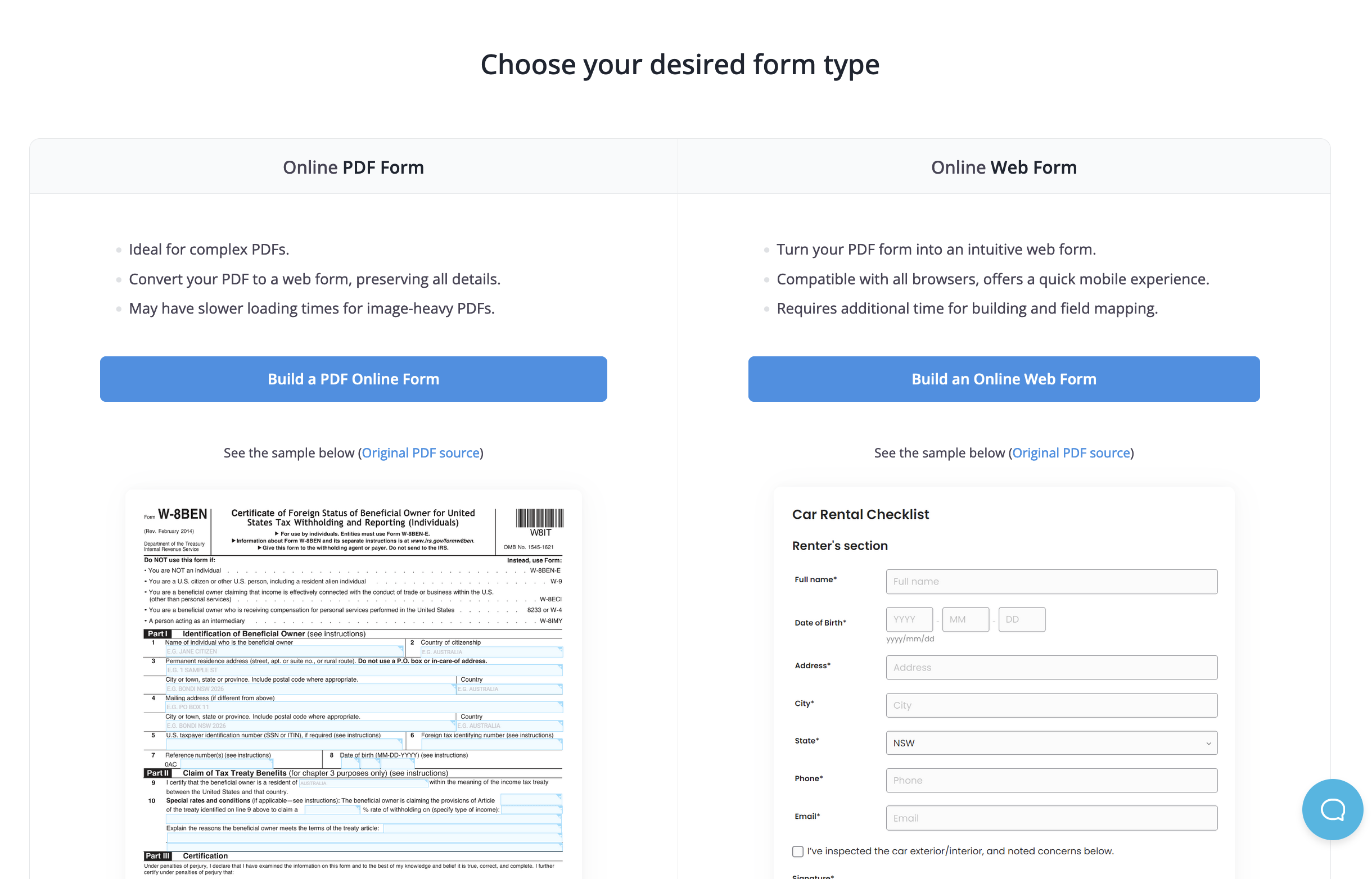
Select Build a PDF Online Form to preserve your document’s exact appearance while making the fields fillable.
-
Select Build an Online Web Form to convert your PDF into a mobile-friendly form that works seamlessly on any device.
Features:
- Ideal for digitizing existing PDFs.
- Compatible with Chrome, Firefox, Opera, Safari, and Edge.
- Note: image-heavy PDFs may take longer to load.
Master Form
Scenarios:
- Need one online form to fill multiple PDFs at once.
- Perfect for multi-document processes like contracts or application bundles.
Features:
- Reuse the same fields across multiple PDFs.
- Automatically syncs shared data between linked documents.
PDF Maker
Scenarios:
- Want to create a brand-new PDF form from scratch.
- Useful when you don’t have an existing PDF but still want a downloadable, printable version.
Features:
- Design your own PDF layout directly in PlatoForms.
- Add fields and sections freely.
- Beta feature—functionality may continue to evolve.
Web Form
Scenarios:
- Want a fully web-based form that doesn’t rely on a PDF.
- Ideal for modern, mobile-friendly experiences.
Features:
-
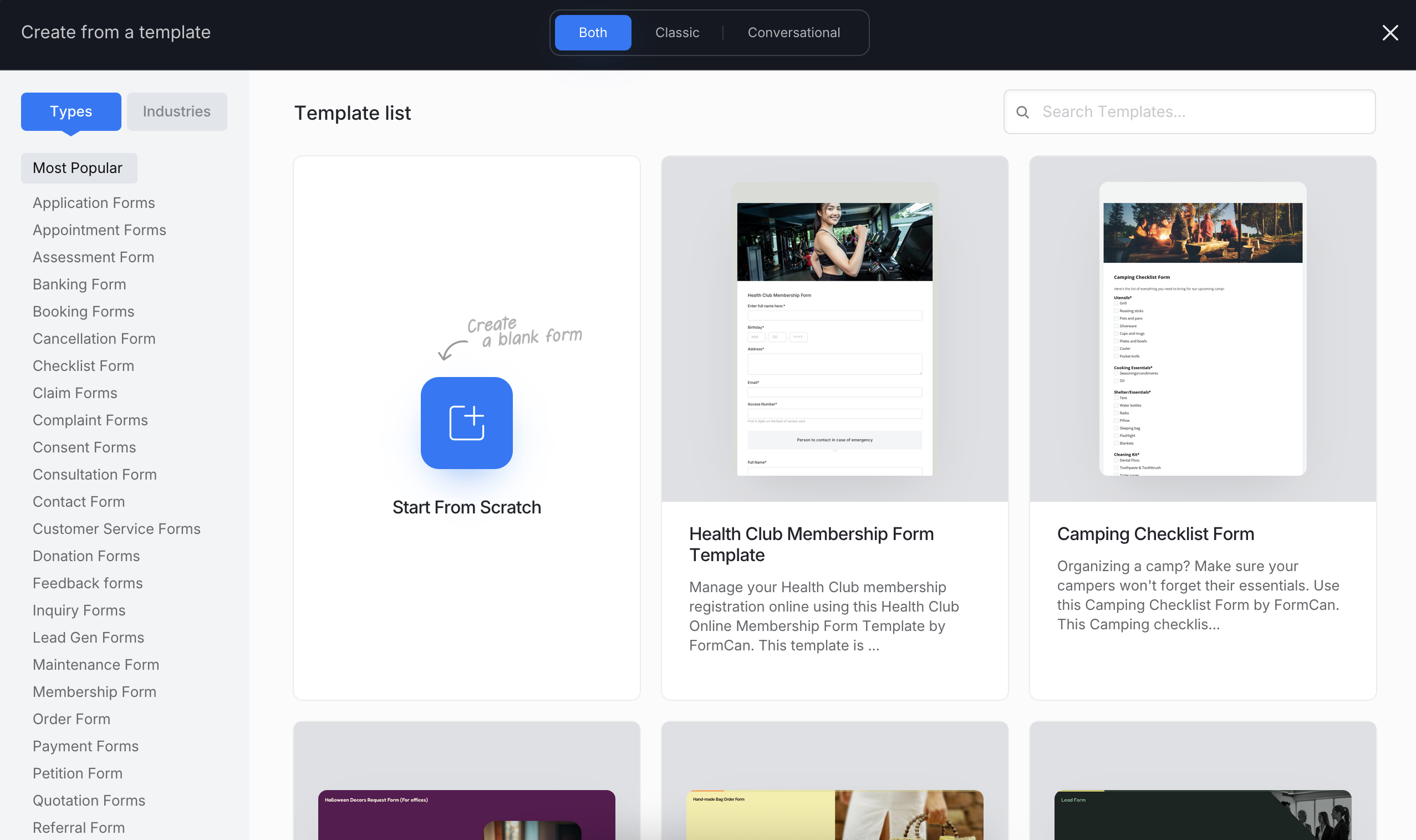
Start from scratch or from templates to save time.
-
Drag-and-drop builder with flexible layouts.
-
Add logic, automation, and dynamic fields.
-
Fully responsive—works perfectly on all devices.
Tips for selection
- Purpose check: Consider your form’s goal—do you need to digitize a PDF, connect multiple PDFs, or create a web form?
- Feature peek: Compare unique capabilities such as layout preservation, field reuse, or template-based setup.
- Scenario fit: Choose Online PDF Form to preserve PDF layout, or Web Form for full flexibility and responsiveness.
- Future planning: Use Master Form when you’ll reuse the same data across multiple documents.