Data retention policy
Tabs
This article explains how PlatoForms stores, retains, and deletes your form submission data — and how you can control it to fit your team’s needs.
Data retention policy
-
What is data retention policy
Data retention policy is about how data is stored and deleted for legal or compliance reasons. A basic policy should explain how data is stored, for how long, and on what systems. This usually depends on industry regulations.
At PlatoForms, your form data is protected by strict security standards, and you can decide exactly how long to keep it.
-
What data retention offers
When you retain your data, you get to enjoy our helpful features for the entire retention period. These include the ability to edit forms, keep track of changes, download PDFs, and easily find and share your PDF documents.
-
How long your data will be retened
At PlatoForms, we care about keeping your form data safe, which might include sensitive customer info.
By default, we keep your form data for 3 months from the last submission. But, we’re flexible. You can choose your own retention time that suits your needs. For more details, see Account-specific retention time.
NoteIf you switch from a premium plan to a free plan, the data retention policy will automatically revert to the default retention period of 3 months.
-
Who can change the retention period
Our data storage rules apply to all your team’s forms, and only the Team Admin can change them.
NoteWhen you create an account, you are automatically the Team Admin for your own team.
-
How PlatoForms delete data
When a submission is around longer than our set storage time, we delete everything related to it, like PDFs and attachments. It’s done securely and permanently to protect your info.
-
When you delete the data
It might take up to 24 hours for us to remove old submission data from PlatoForms.
-
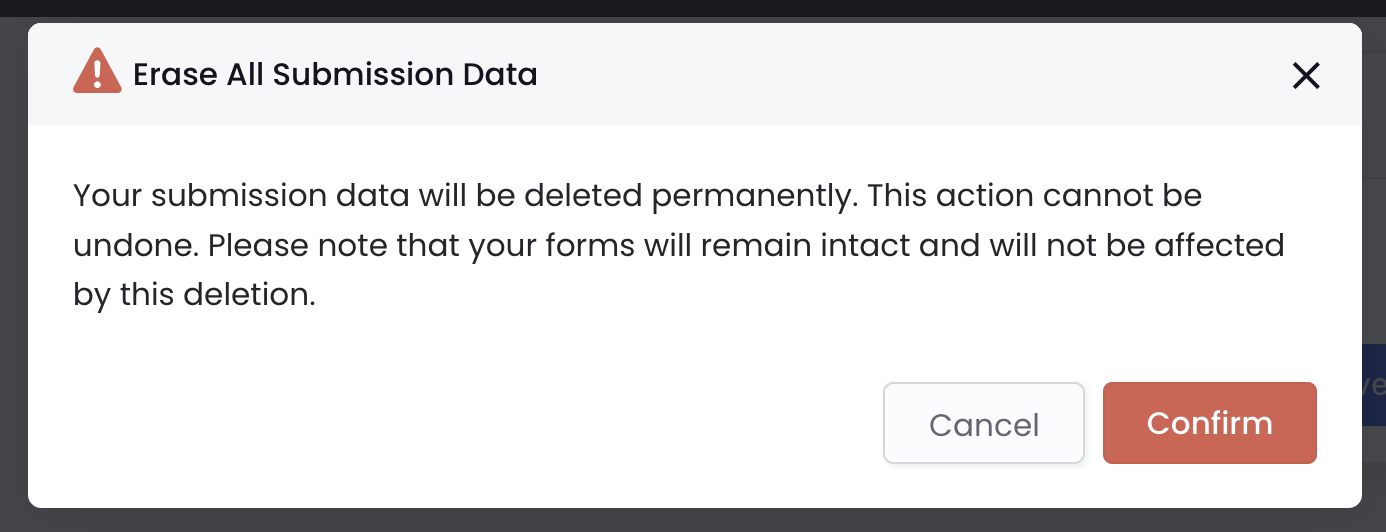
This feature lets you permanently delete all submission data in one click — ideal for teams with strict data privacy rules or when cleaning up large datasets.
WarningOnce erased, submission data cannot be recovered. Your forms remain intact and will not be deleted.
Account-specific retention time
For detailed information on retention periods based on different account types, please refer to the account-specific details.
| Account | Retention period | Description |
|---|---|---|
| Newly registered | Default: 3 months. | / |
| Trial or free plan | Fixed at 3 months, non-adjustable. | / |
| Premium plans | Choose your retention period:
|
|
| HIPAA-compliant | Set to “Forever.” | To meet HIPAA standards, establish an in-house backup policy. If you use electronic signatures, choose “Forever” retention for submission data continuity. |
An account that follows HIPAA rules for secure handling of health data. This ensures patient confidentiality and data privacy. Check Ensure HIPAA compliance for more info.
Change data retention period
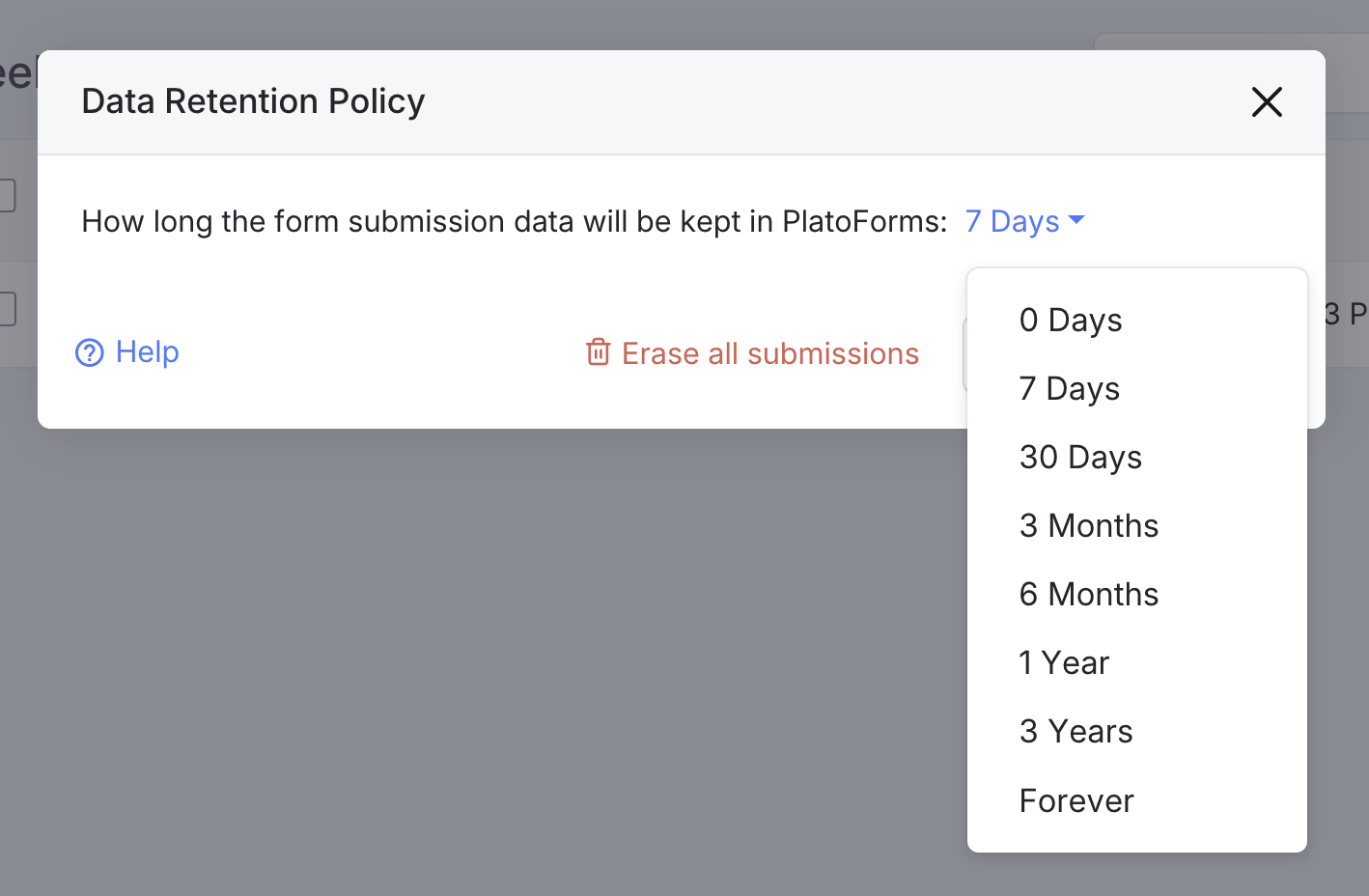
You have control over how long we hold your data. You can pick a period from 0 days to forever that suits you. Here’s how:
-
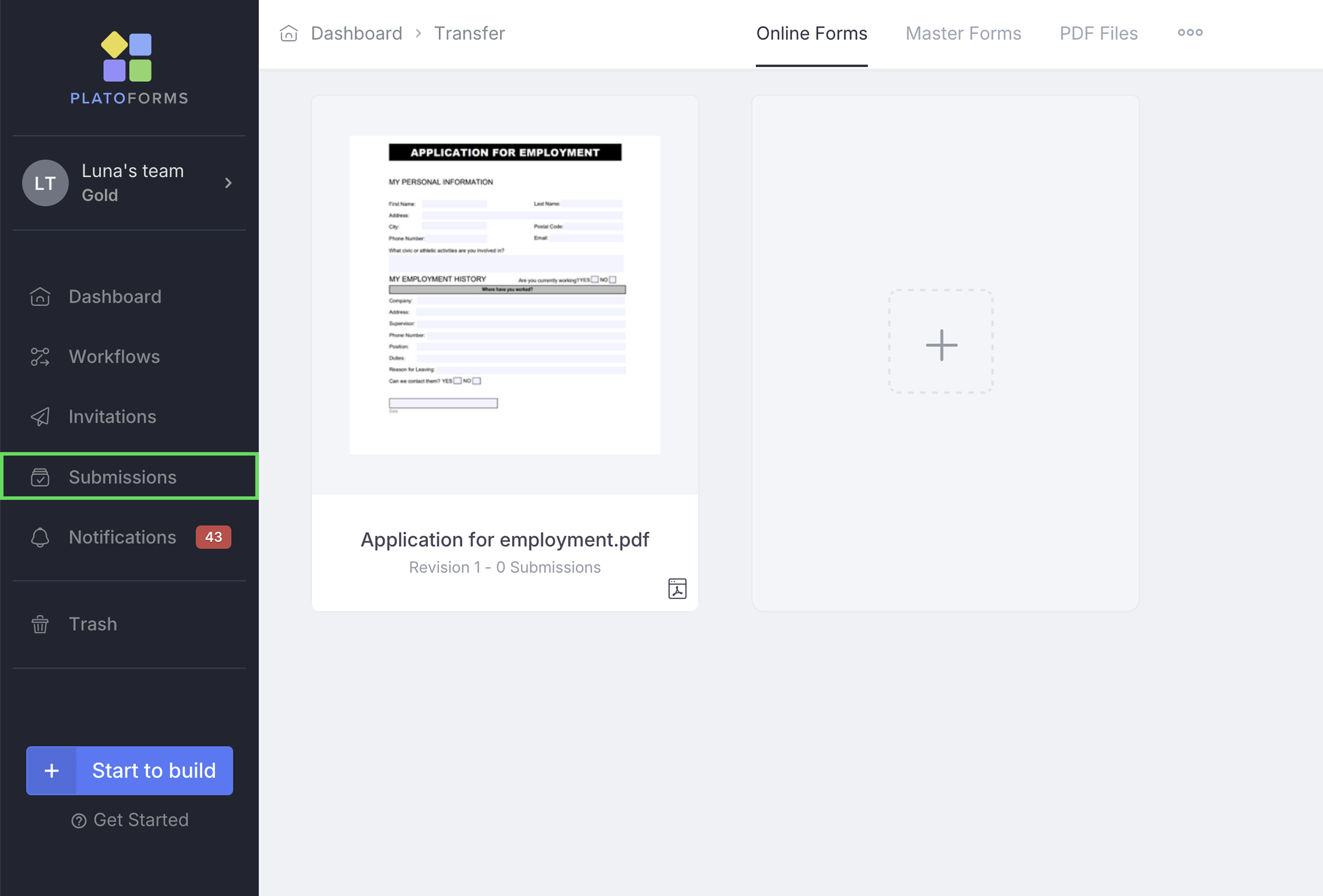
Go to the Dashboard and click on Submissions in the left navigation.
-
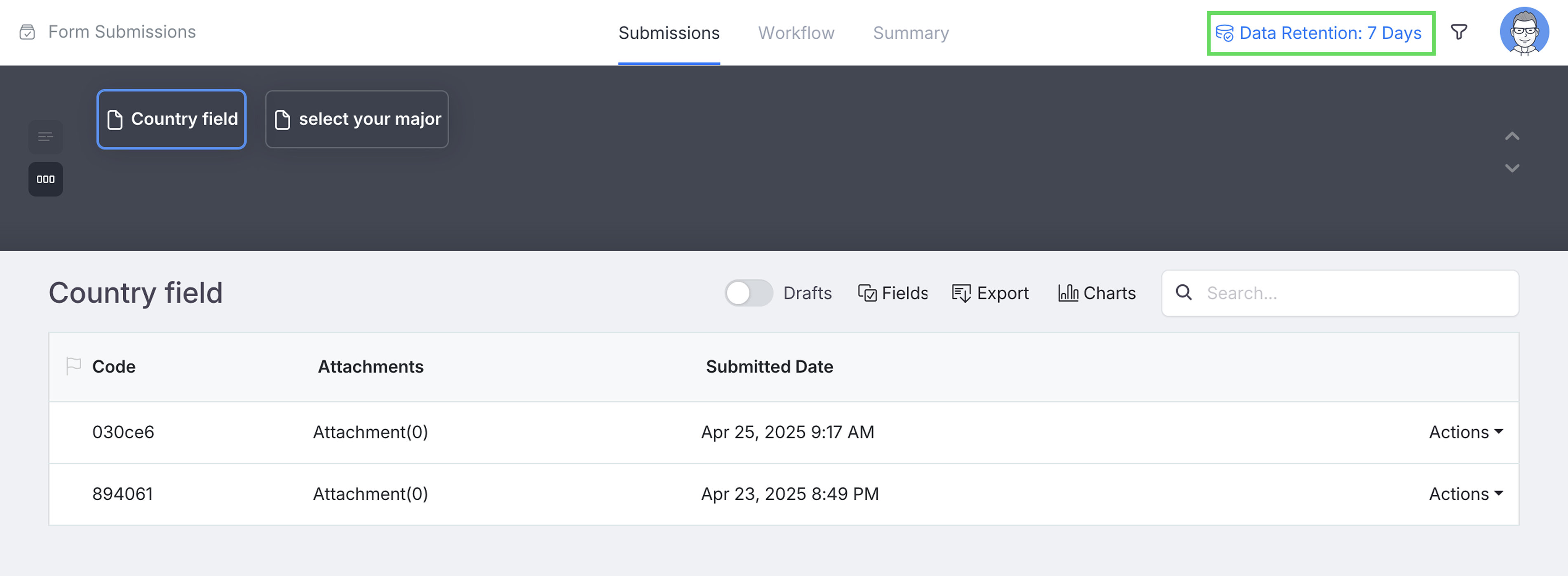
At the top-right of the Submissions page, click Data Retention to open the system-wide data retention settings.
-
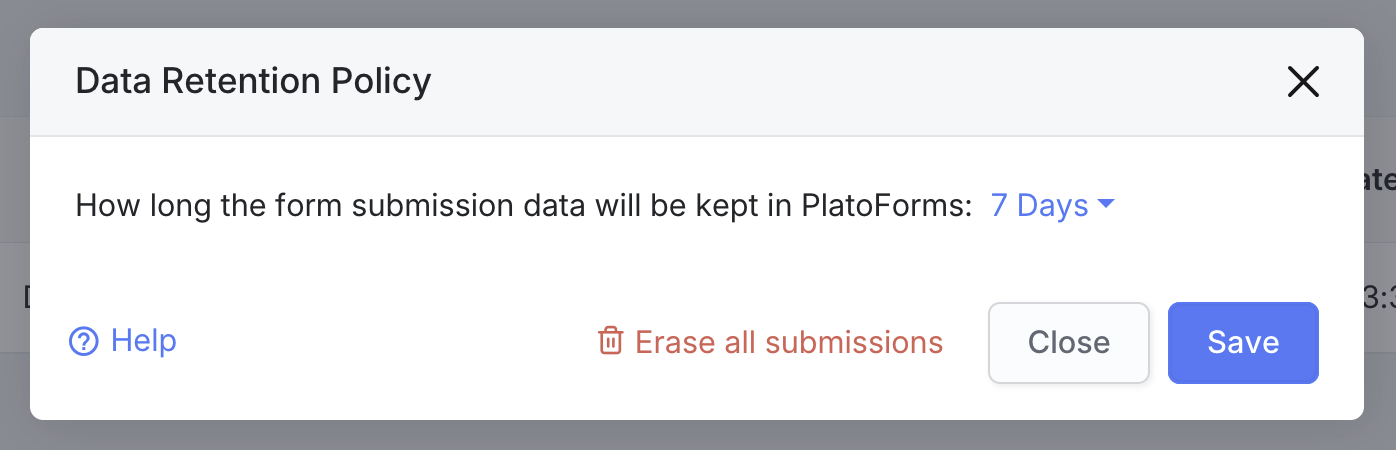
In the Data Retention Policy window, choose your preferred retention period from the dropdown.
 Note
NoteFor a detailed description of the retention period, see the Account-specific retention time section.
-
Click Save to apply your settings.
Erase all submissions
-
Go to the Dashboard and click on Submissions in the left navigation.
-
At the top-right of the Submissions page, click Data Retention to open the system-wide data retention settings.
-
In the Data Retention Policy window, click Erase all submissions.
-
Confirm the deletion by clicking Confirm.