
Switch to Conversational Form
Tabs
Conversational Forms turn traditional forms into a chat-style experience where users answer one question at a time. This reduces overwhelm, increases completion rates, and makes forms feel more personal.
Conversational Form works with web-based forms, including:
Supports advanced features like Conditional Logic to skip or show questions, prefilled forms to save typing, multi-language for global audiences, and smooth Address & Repeat fields for grouped inputs.
Video tutorial
Not a fan of reading? Check out this video guide instead!
Switch to Conversational Form
-
In the form builder, click Preview & Design.
-
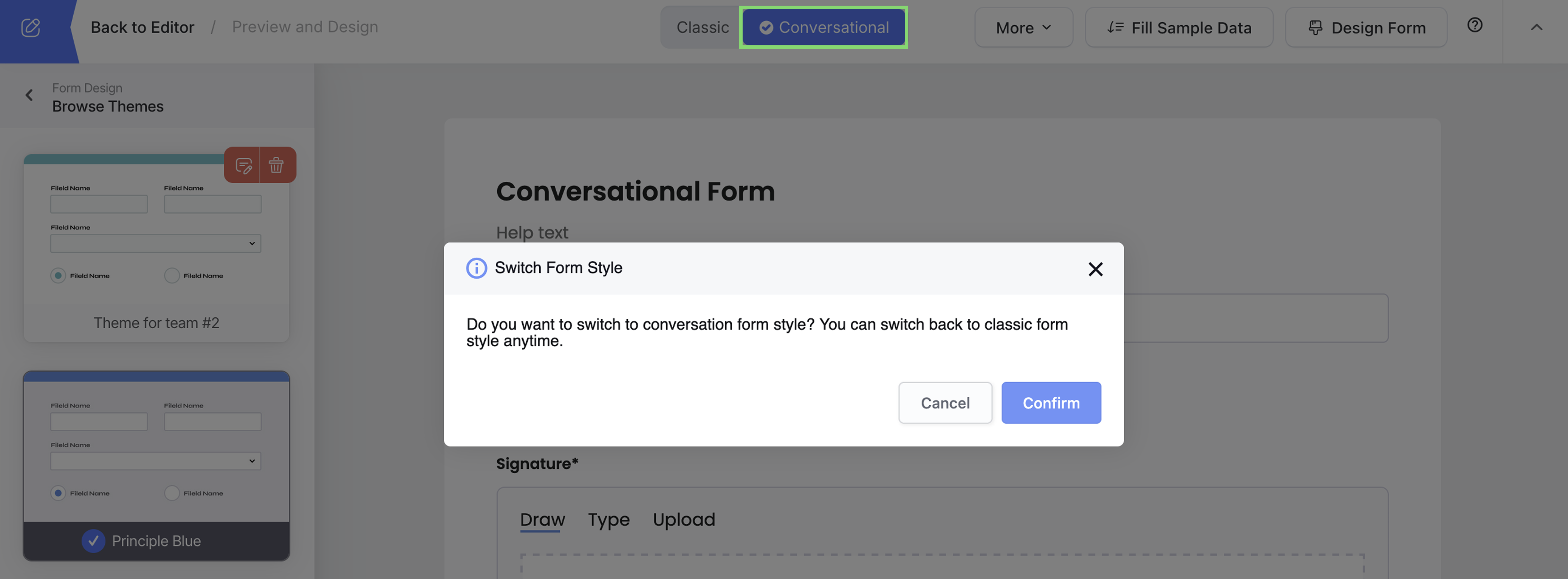
At the top, switch from Classic to Conversational.
-
Click Confirm.
Your form instantly becomes step-by-step and dialogue-like.
Customize form design
Click the Design Form.
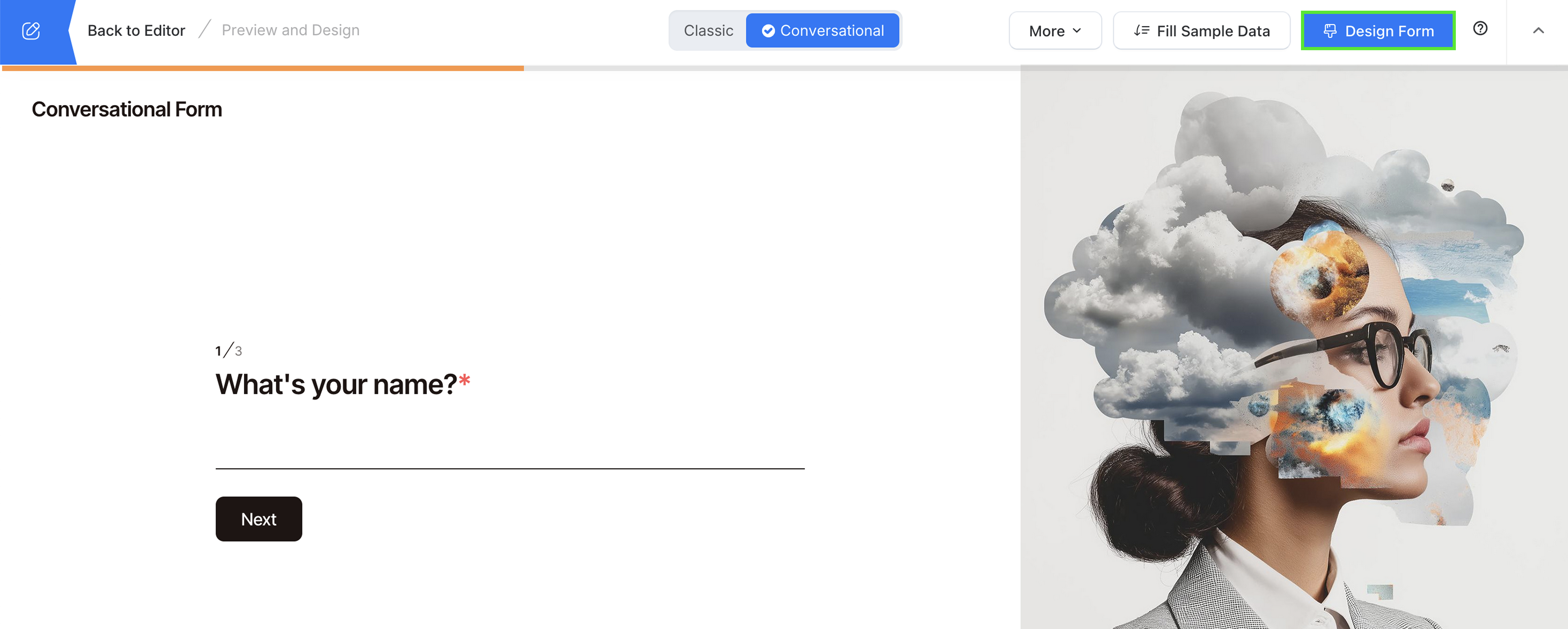
Here you can set theme, welcome page, and more.
Theme
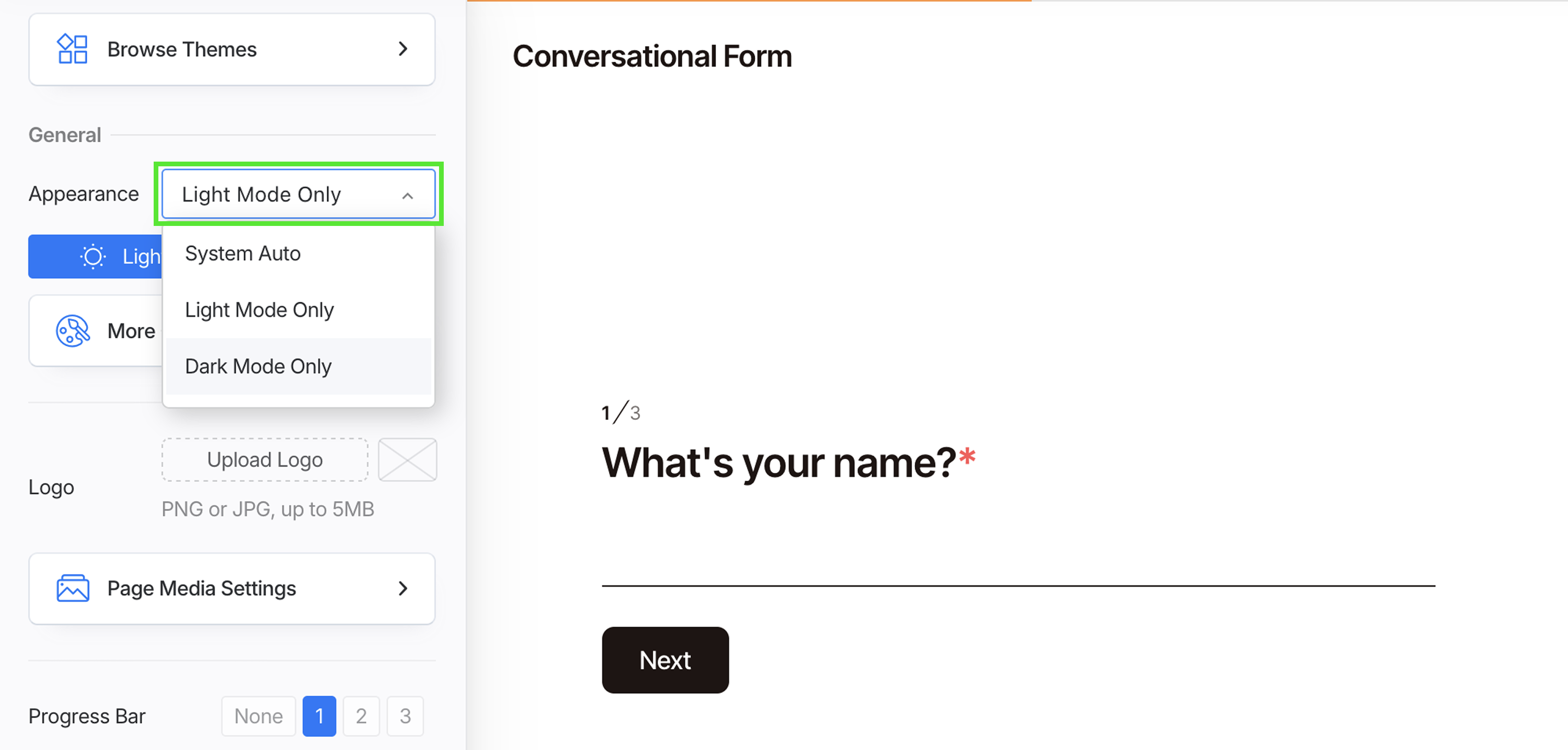
Pick from ready-made themes and customize colors, fonts, and background. See changes right away and apply instantly.
Decide how your form looks:
-
System Auto: Follows the user’s device setting (light or dark).
-
Light Mode Only: Always shows in light mode.
-
Dark Mode Only: Always shows in dark mode.
Welcome page
After you’ve switched to Conversational style.
-
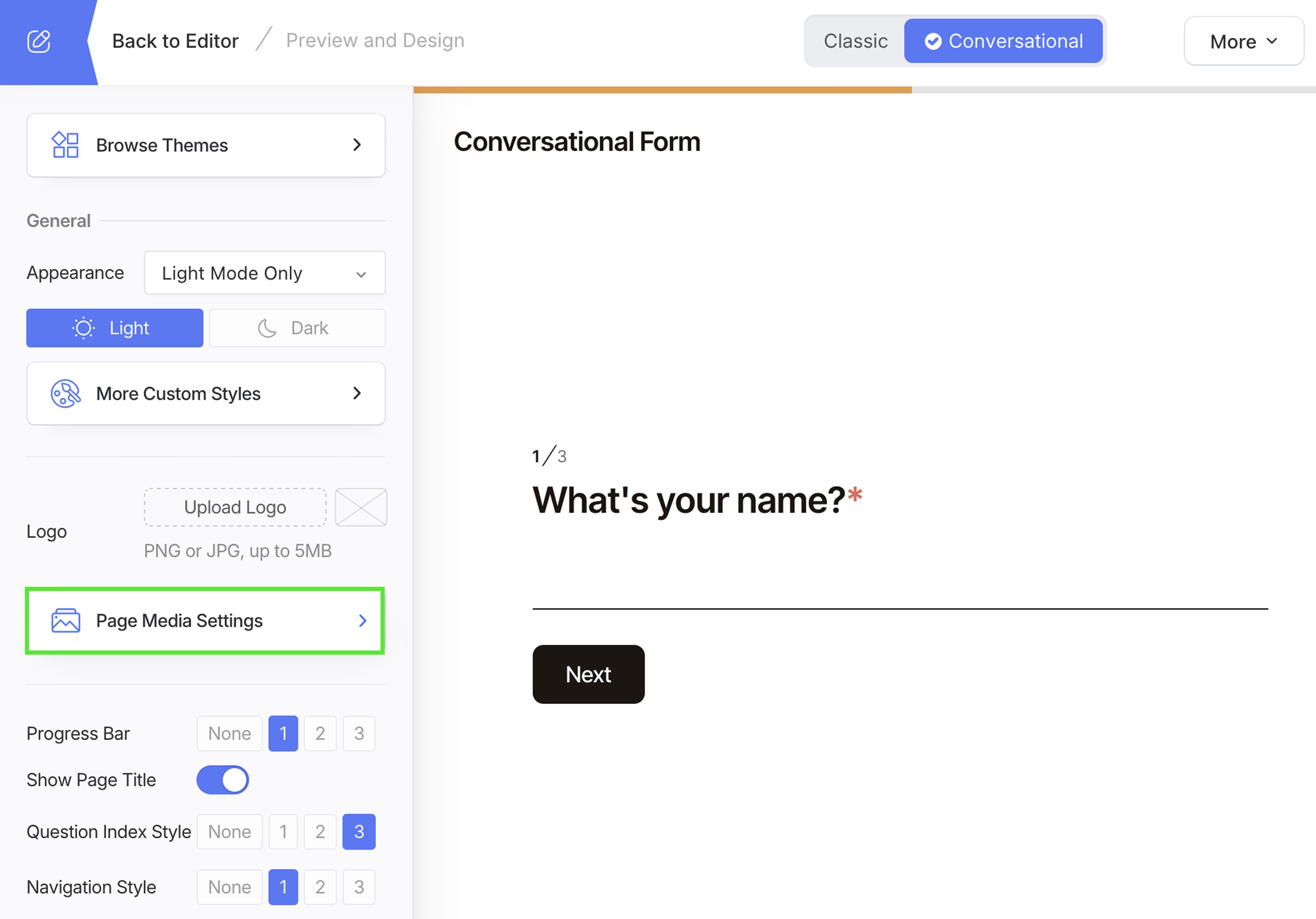
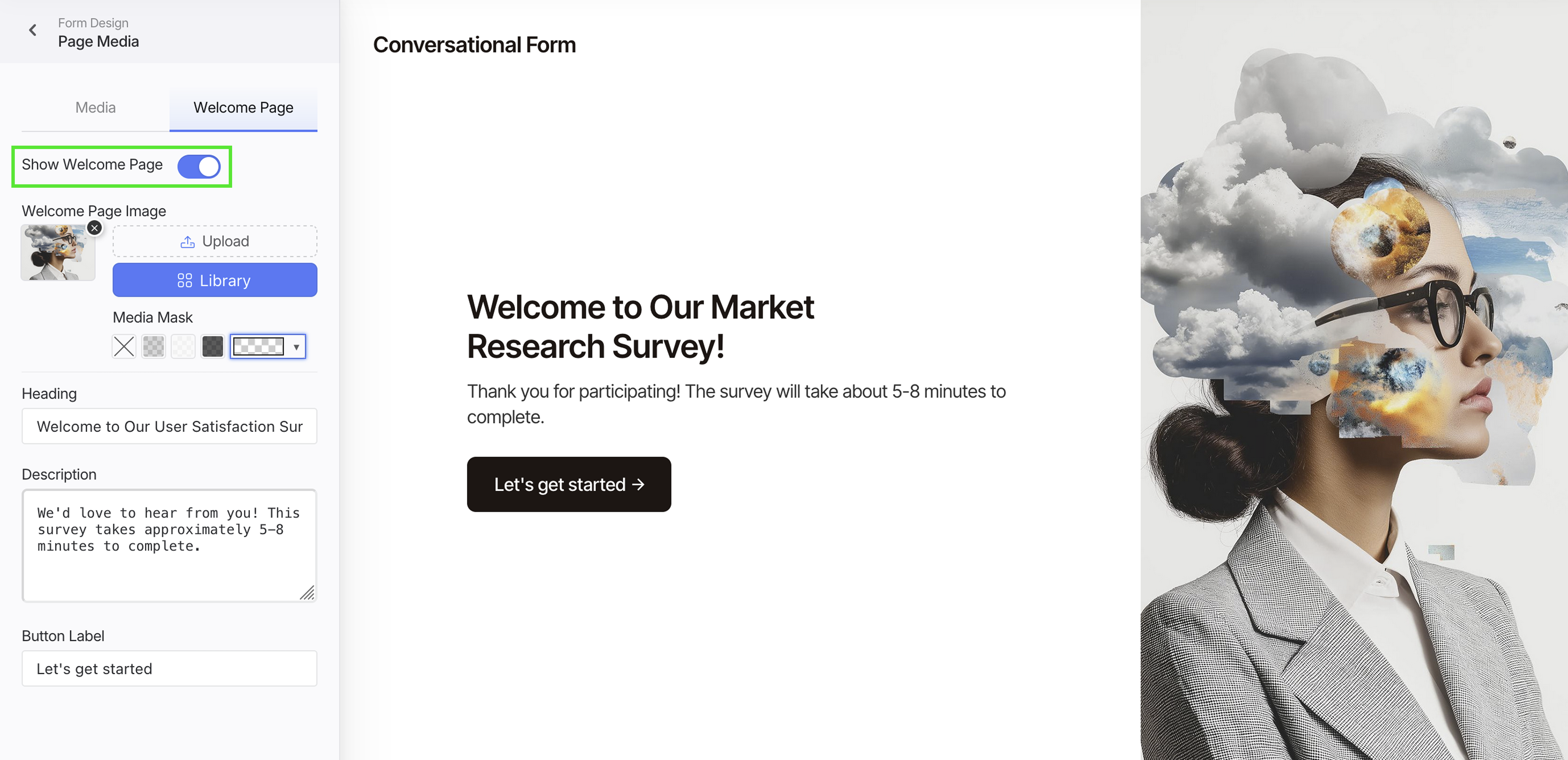
Click Page Media Settings, and switch to Welcome Page tab.
-
Toggle Show Welcome Page.
-
Customize the page:
- Add an image: Upload or choose from Library. Use a wide image for best results.
- Improve contrast: Pick a Media Mask overlay to keep heading/description readable.
- Write your intro: Fill Heading (short title) and Description (1-2 lines: purpose + time to complete).
- Set the CTA: Edit Button Label (e.g., Start, Let’s get started).
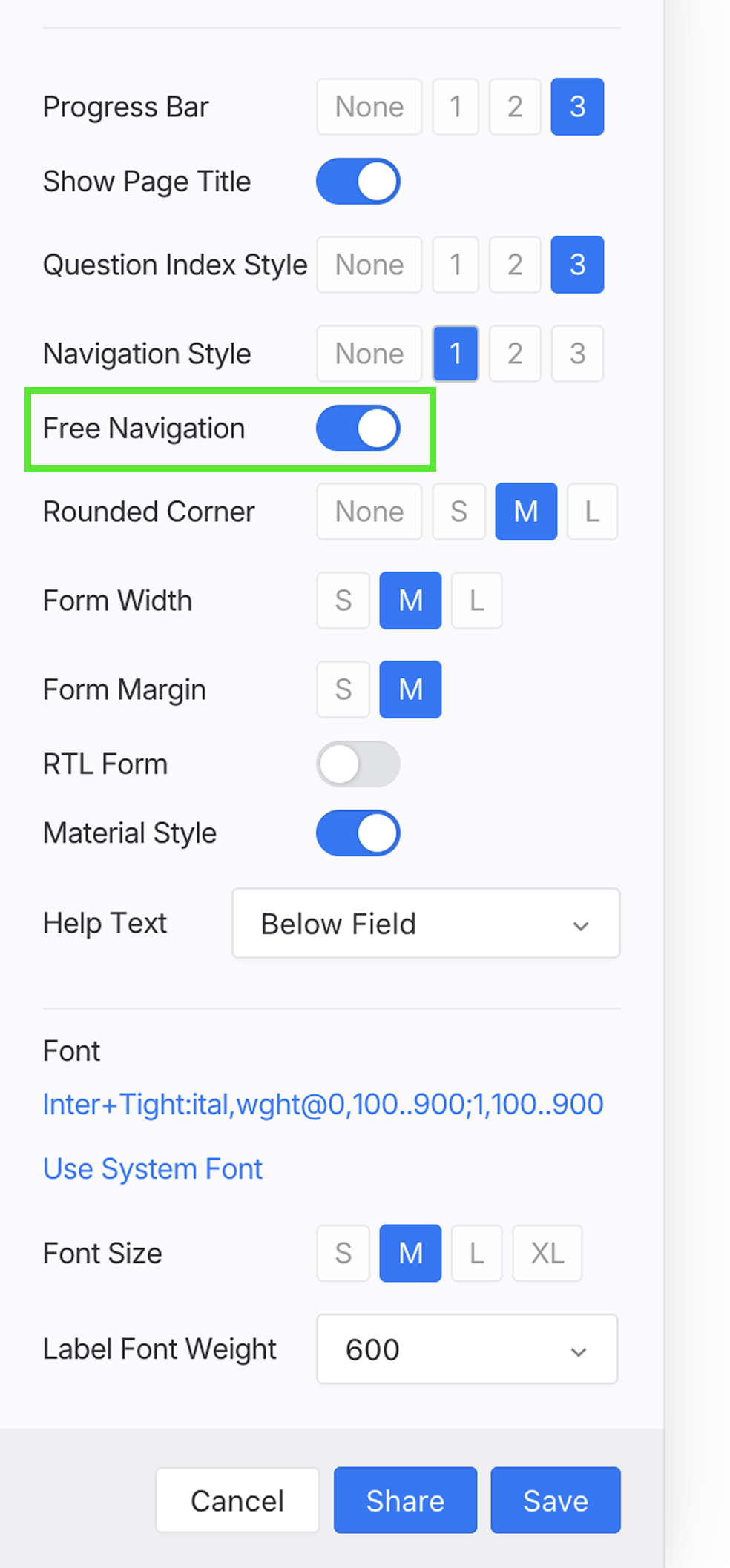
Free navigation
Turn this on to let users move freely between questions. They can jump ahead or go back without being forced to answer everything in order.
When they finally hit Submit, the form will check and bring them back only to the fields they must complete. This way, users can browse and preview all questions, but still can’t skip required inputs.
Best Practices
- Use short, clear questions—one per screen.
- Start with a welcome page to set the tone.
- Keep progress visible with a bar or counter.
- Use conditional logic to keep the flow relevant.
- Test in both Classic and Conversational to choose the best fit for your audience.