In-browser PDF tools
Tabs
PlatoForms includes a free set of PDF tools that run entirely in your browser. Your files are never uploaded to a server — all processing happens locally on your device.
Access the tools at platoforms.com/pdf-tools. No account or login required.
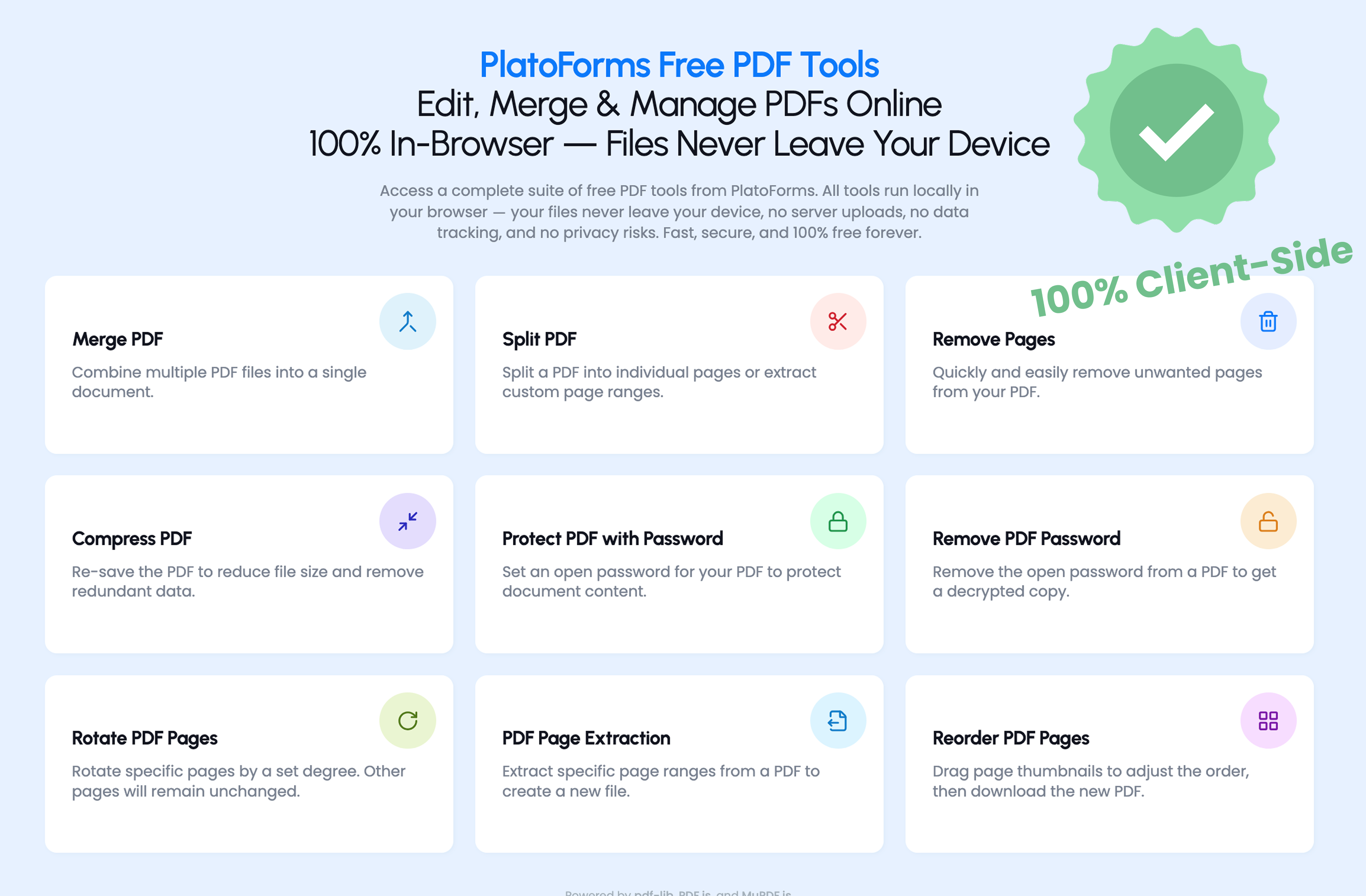
Available tools
Merge PDF
Combine multiple PDF files into a single document. Upload the files, arrange them in the order you want, then download the merged result.
Split PDF
Divide a PDF into separate files. You can split by individual pages or specify custom page ranges.
Compress PDF
Reduce a PDF’s file size. Useful before emailing large documents or uploading to systems with file size limits.
Remove Pages
Delete specific pages from a PDF without affecting the rest of the document.
Reorder Pages
Drag and drop page thumbnails to rearrange them in the order you need.
Extract Pages
Create a new PDF from selected pages of an existing document.
Rotate Pages
Fix the orientation of specific pages with a single click, without affecting the rest of the document.
Protect PDF
Add an open password to a PDF. Anyone who opens the file will be prompted to enter the password.
Remove PDF Password
Remove the password from a PDF you already have access to, making it easier to share within your team.
Privacy
All tools use client-side processing — your browser does the work, not a remote server. Files are never transmitted or stored outside your device.
This makes these tools suitable for documents you wouldn’t want to upload to a third-party service, such as contracts, ID documents, or financial records.
Video tutorial
Related
For creating new PDF documents from scratch rather than editing existing ones, see PDF Document Creator — design a PDF using a canvas editor or describe what you need and let AI generate the layout, then export as a fillable PDF or web form.