
Packs, alerts, and sharing
On this page
Packs, alerts, and sharing provides tools for creating a report from a predefined set of charts, monitoring selected metrics, and distributing report results. You can start with a template pack, configure email alerts, create public links or embeds, export report data, and schedule email digests.
Template packs
Select Add ▾ → Start from a pack to add a predefined set of charts to a report. Each pack card lists the charts it contains and indicates how closely the pack matches the fields in your form.
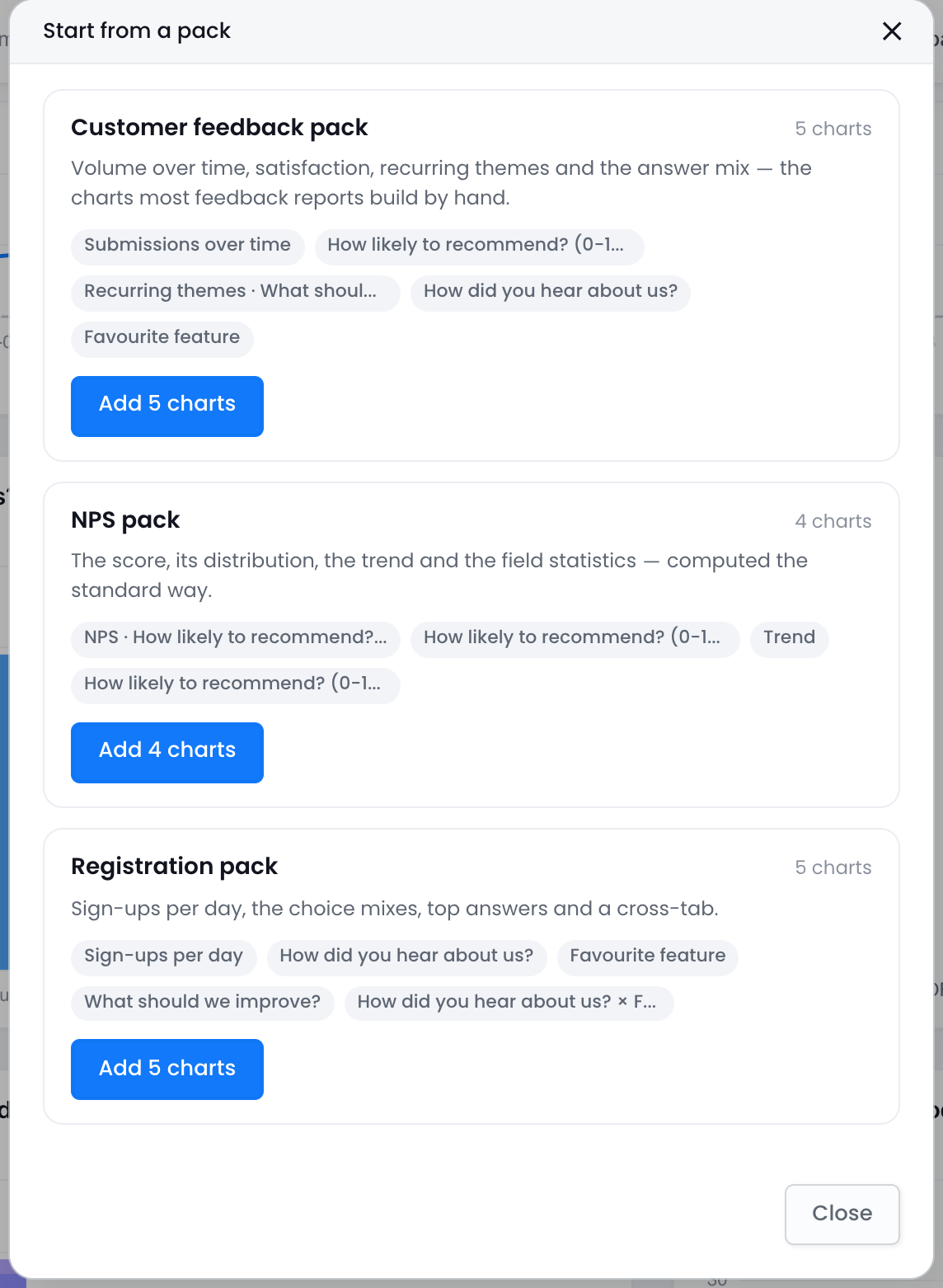
- Customer feedback pack — submission volume over time, satisfaction statistics, recurring themes, and answer distributions.
- NPS pack — the NPS score, its distribution, the trend, and the field statistics. Shown as Needs a 0–10 rating field when the form has none.
- Registration pack — sign-ups per day, choice distributions, top answers, and a cross-tab.
What is NPS? Net Promoter Score uses the question “How likely are you to recommend us?” with a scale from 0 to 10. Subtract the percentage of detractors (scores from 0 to 6) from the percentage of promoters (scores from 9 to 10) to calculate a score from −100 to +100. A score above 0 means the percentage of promoters is higher than the percentage of detractors.
If a chart requires a field that the form does not contain, that chart is skipped and included in the skipped-chart count. After the pack is added, a confirmation message provides an Undo option. New chart cards display a From pack chip until you open them. Charts added from a pack have the same editing and reporting behavior as charts added manually.
Alerts
Open the report’s ⋮ menu and select Alerts. Each alert contains one metric and one condition. A report can have up to 10 alerts.
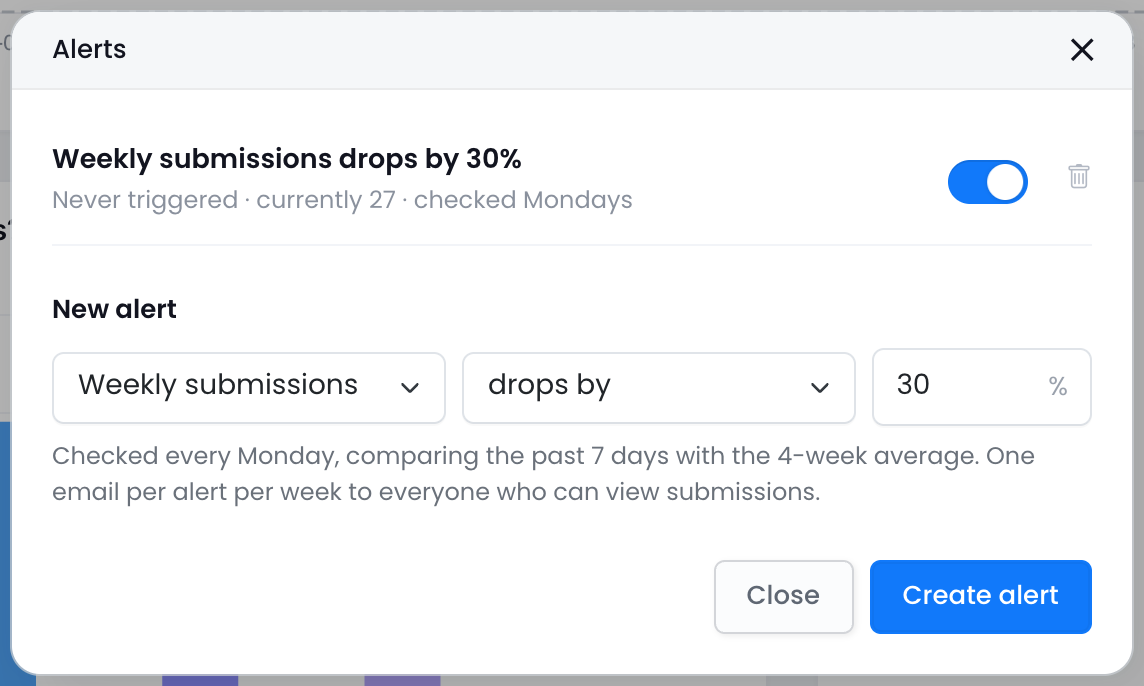
- Metrics: weekly submissions, NPS, completion rate.
- Conditions: drops by or rises by a percentage compared with the 4-week average, or falls below an absolute value.
- Cadence: alerts are checked every Monday by comparing the previous 7 days with the 4-week average. Each alert can send one email per week. NPS alerts use 30-day windows and require a 0–10 rating field.
- Recipients: everyone who can view the form’s submissions. The recipient list is determined when the alert email is sent.
Each alert row includes an on/off toggle and its status history, such as Triggered 3 Aug · emailed 4 people or Never triggered · currently 61. Use this information to check whether an alert is enabled, whether its condition has been met, and whether an email was sent.
Share links
Select Share ▾ → Share report to create a public read-only link. You can add a password and an expiration date. A report can have multiple links, allowing you to revoke one link without replacing the others. Revoking a link disables it immediately, including every embed that uses it. The public page displays the saved report with its KPI tiles and interactive charts. Share links require a paid plan.
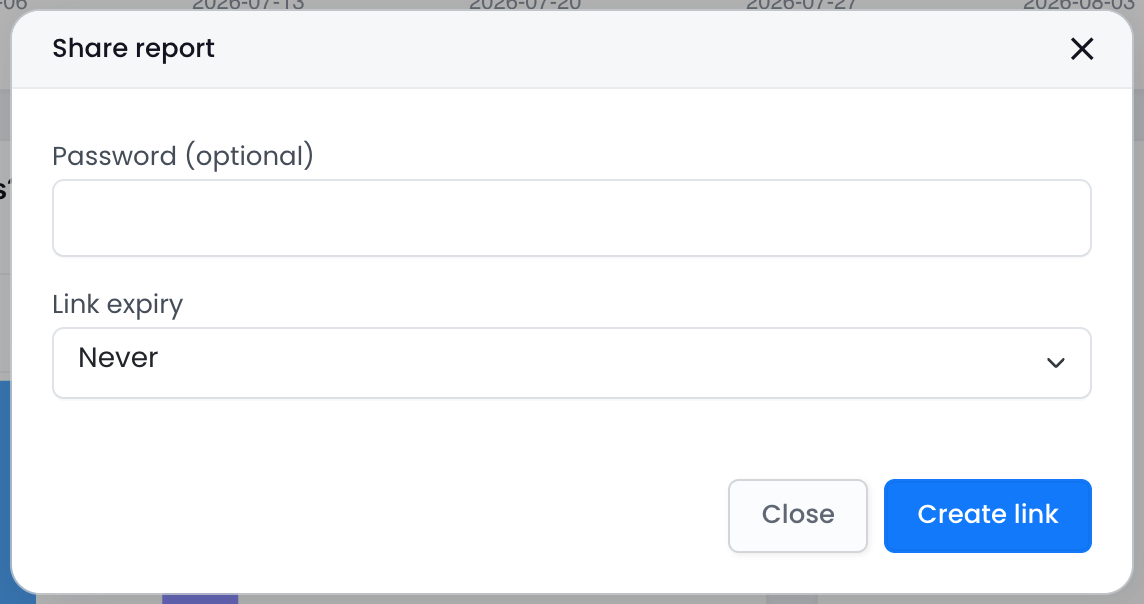
After you create a link, the dialog displays an Embed section with size presets and an <iframe> snippet that you can copy. The embed is read-only and displays the report as saved. Disabling the associated link also disables every embed that uses it.
Export and email digest
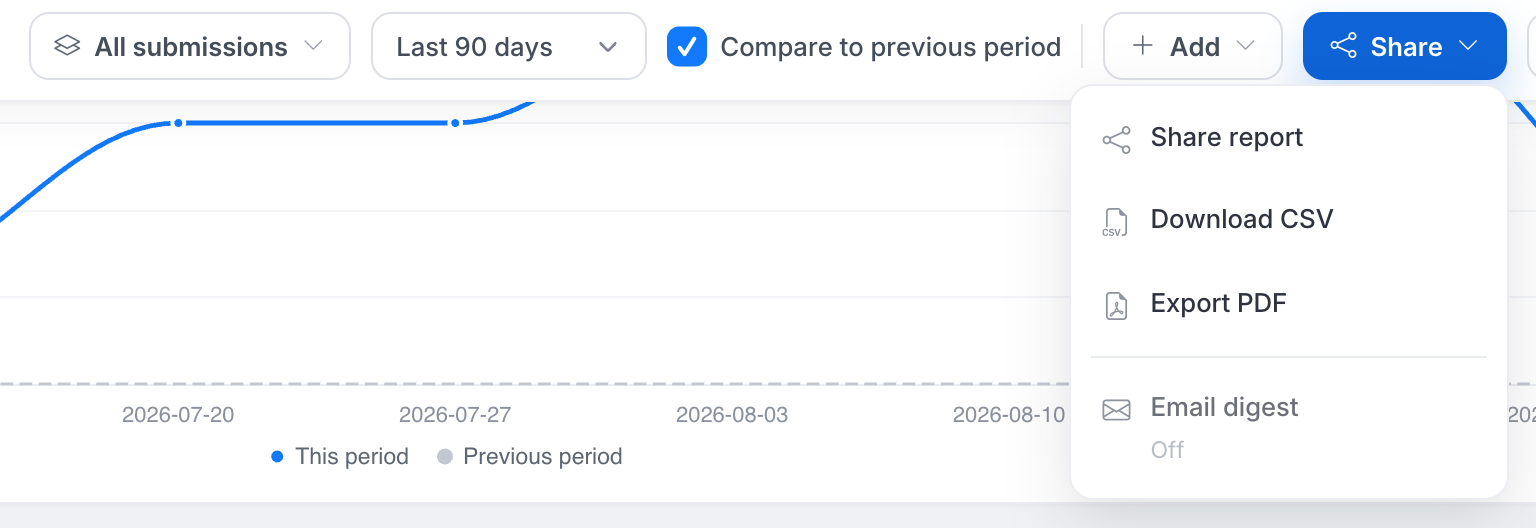
- Download CSV — download the aggregated numbers from every chart. The CSV contains counts, not raw submissions.
- Export PDF — download a version of the report formatted for printing.
- Email digest — send a scheduled summary weekly on Mondays or monthly on the first day of the month. The digest is sent to team members who can view the form’s submissions. It includes a PDF copy and, when available, the latest AI summary. Email digests require a paid plan.