
Settings, plans and privacy
On this page
Team settings
Open the Team menu > API and Webhooks and find the Paper intake card. You need access to API and Webhooks to change these settings.
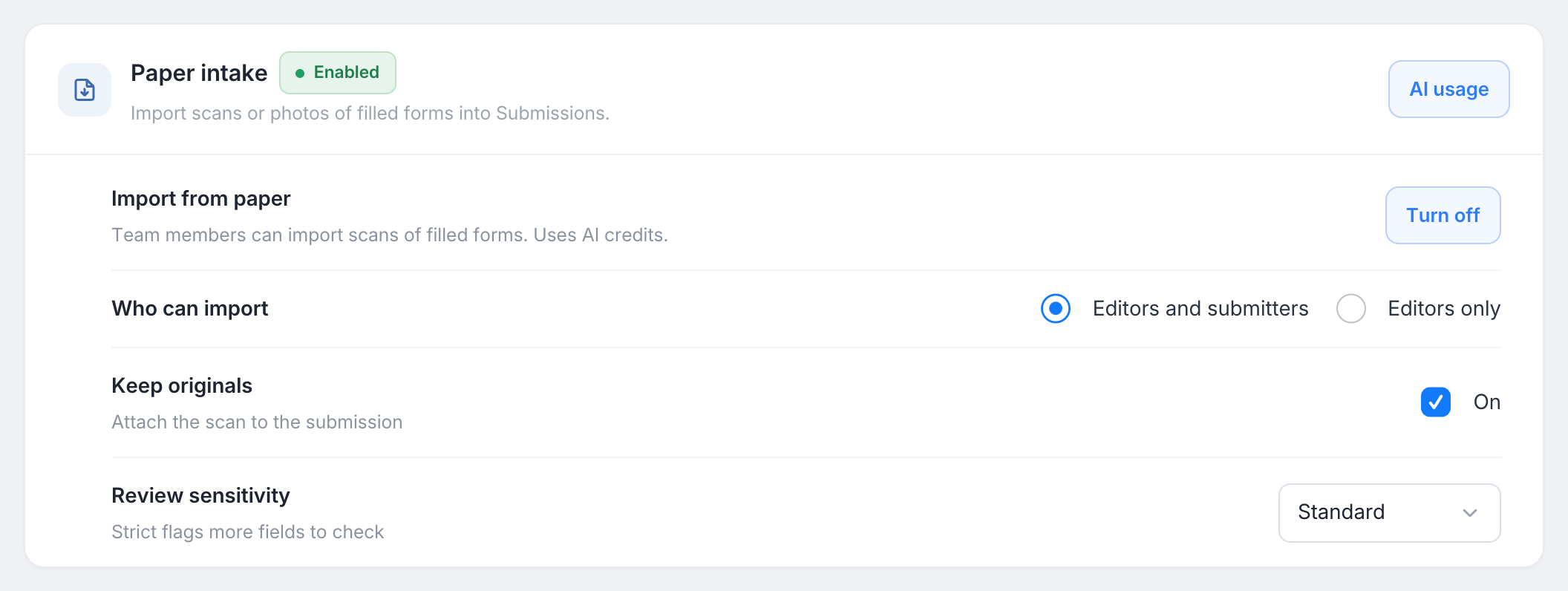
| Setting | Choices | Default | What it does |
|---|---|---|---|
| Import from paper | Turn on / Turn off | On (off for HIPAA teams) | When it is off, the Import from paper button is hidden for your team. |
| Who can import | Editors and submitters / Editors only | Editors and submitters | Who can start imports and create submissions. Members who can only view submissions can still open the imports, read only. |
| Keep originals | On / off | On | Attaches the scan to each submission as Original (paper).pdf. |
| Review sensitivity | Standard / Strict | Standard | Strict marks more answers To check, for forms where a misread costs more. |
Two choices are made per form, in the import dialog, and remembered for the next import: how pages are split into copies, and whether a created copy sends notification emails (Silent import or Like a normal submission). See Import paper copies.
Pages included in each plan
Import from paper is part of every plan. Each plan includes a number of pages each month, counted over the same monthly period as your plan’s AI allowance:
| Plan | Pages each month | Files per import |
|---|---|---|
| Free | 10 | Up to 40 |
| Bronze | 40 | 1 |
| Silver | 120 | Up to 40 |
| Gold | 360 | Up to 40 |
- Only pages that are read count. Pages marked Not this form are not counted.
- Beyond the month’s pages, each page costs about $0.20 from your usage credit balance. This needs AI set to Pay from balance under Usage credit > What the balance pays for. If the balance does not cover an import, the dialog offers Add credit before you start.
- An import that fails is not charged. Cancelling an import keeps the pages already read.
- Paper imports are listed as Import from paper on Usage > AI.
Emails
PlatoForms sends these emails only to the team member who started the import:
| When | |
|---|---|
| Paper import ready | When the copies have been read, if Email me was on. It is skipped if someone opens the import first. It shows how many copies are ready, to check, or not this form, with a Review button. |
| Paper import could not be read | When an import fails, whether or not Email me was on. Its Try again button opens the import, where you can read the same files again. |
| Paper copies are deleted soon | When copies nobody reviewed will be deleted within 7 days. At most one email a day. |
Paper submissions send the form’s notification emails only when the import was set to Like a normal submission.
How long scans are kept
- Copies nobody reviews are deleted 90 days after they were read, and show Expired. The Import page warns you in the last 7 days.
- Uploaded scans are deleted from processing 30 days after the import was read. If it still has copies waiting for review by then, its scans are kept until those copies are reviewed or expire.
- Submissions you created are kept like any other submission. With Keep originals on, the scan stays attached as Original (paper).pdf.
Privacy and AI
Pages are read by an AI service to fill in the fields, and the information on them is processed on our behalf under our data processing terms. Every copy is checked by someone on your team before it becomes a submission. The first time someone imports into a form, PlatoForms shows this notice and asks them to accept it. Read the AI data processing notice for details.
HIPAA teams
On a HIPAA-enabled team, Import from paper starts turned off, and only the team owner can turn it on, either on the Paper intake card or from the card shown in the import dialog.
The owner also chooses HIPAA reading, where pages are read:
- Inside our HIPAA-covered cloud environment (slightly lower accuracy): the default. Pages are read in an environment covered by a business associate agreement.
- Standard reader (no agreement yet): slightly more accurate, but not yet covered by a business associate agreement. Your team decides whether pages with protected health information are imported this way.
On HIPAA teams, every view of an import and its pages is logged, and the ready email shows counts only, never names.